

Use The A11Y Project checklist as a beginner’s guide to digital accessibility and web content requirements.
Accessibility Cheatsheet
Apply practical universal design approaches, including semantic HTML, to make websites and apps accessible.
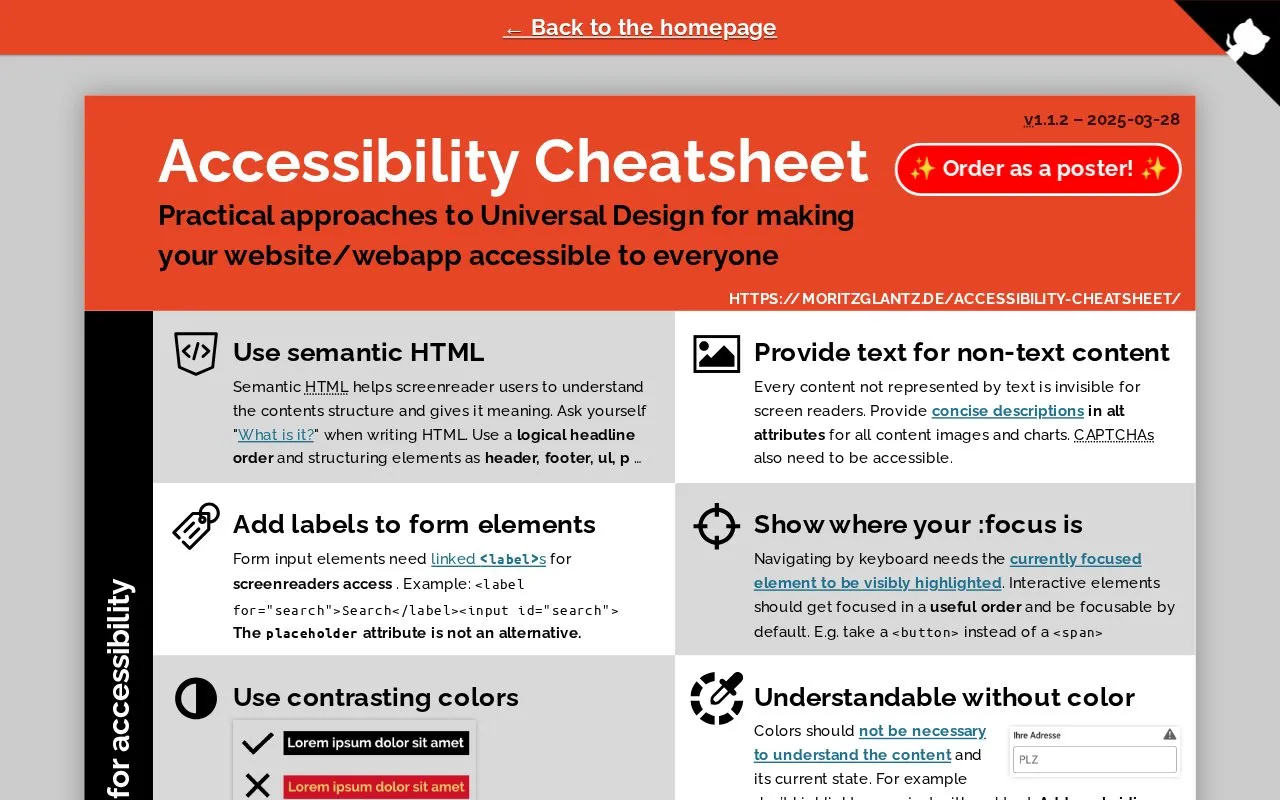
About Accessibility Cheatsheet
Accessibility Cheatsheet is a web reference for applying practical universal design to websites and web apps. It covers semantic HTML, text alternatives for non-text content, form labels, visible focus states, keyboard order, contrast and non-color cues, captions, pinch zoom, and cautious use of WAI-ARIA.
It also outlines manual accessibility checks, including zooming to 400%, navigating by keyboard, using a screen reader, running a Lighthouse accessibility audit, and deactivating CSS. The resource is available on the web in English; pricing information is not provided, and it is not open source.
Key features
- Apply semantic HTML with logical heading order and structural elements.
- Provide text alternatives for images, charts, CAPTCHAs, audio and video.
- Link form inputs to labels; placeholder text is not an alternative.
- Show visible :focus states and useful keyboard focus order.
- Use contrasting colors and avoid relying only on color.
- Keep pinch zoom enabled; avoid user-scalable=no and maximum-scale: 1.
Best for: Web designers, developers, and content authors who need practical guidance on universal design and accessibility checks.
Good for
- Covers a broad set of practical accessibility topics, from semantic HTML to testing.
- Provides concrete HTML, label, viewport, and keyboard examples.
- Includes manual testing guidance such as zoom, keyboard, screen reader, Lighthouse, and CSS deactivation.
Watch out for
- Web-only and in English; no mobile app or other language is indicated.
- Not open source, and no pricing information is provided.
Accessibility Cheatsheet at a glance
- Type
- Online tool
- Pricing
- Not confirmed. Check the site
- Platforms
- Web
- Open source
- Not stated
- Language
- English
- Last checked
- Oct 5, 2026 · Online when checked
- Listed
- Oct 5, 2026
Accessibility Cheatsheet alternatives
Tools and sites you could use instead, ranked by how closely they match.

Improve CSS code with this collection of tips covering practices for writing stylesheets.
Open source
24 alternativesPractical Deep Learning for Coders is a free course on applying deep learning and machine learning, designed for people with coding experience.

Learn to create and animate images in HTML with SVG through this tutorial, covering shapes, properties, and interactivity.
Apply clean code concepts to TypeScript projects with examples organized by programming topic.
The Artificial Intelligence: A Modern Approach textbook site includes courses, exercises, and related resources.
Popular in Science, Math & Technology
Well-known listings from the same topic.
MathNetmathnet.mit.eduOneZoomonezoom.orgThrustCurvethrustcurve.orgWikispeciesspecies.wikimedia.orgTheAlgorithmsthe-algorithms.comHot Nozzle Societyhotnozzlesociety.org


Accessibility Cheatsheet FAQ
What should be used before WAI-ARIA?
Semantic HTML should always be considered before WAI-ARIA; use WAI-ARIA only if necessary.
Is placeholder text sufficient for form field labels?
No. Form input elements need linked s; the placeholder attribute is not an alternative.
What accessibility tests does the cheatsheet recommend?
Zoom to 400%, check keyboard navigation, use a screen reader, run a Lighthouse accessibility audit, and deactivate CSS.
Is something wrong or out of date?
Tell us and an editor will check it.
Own this website?
Claim this listing
Claim the listing and suggest updates yourself. An editor checks every claim first.