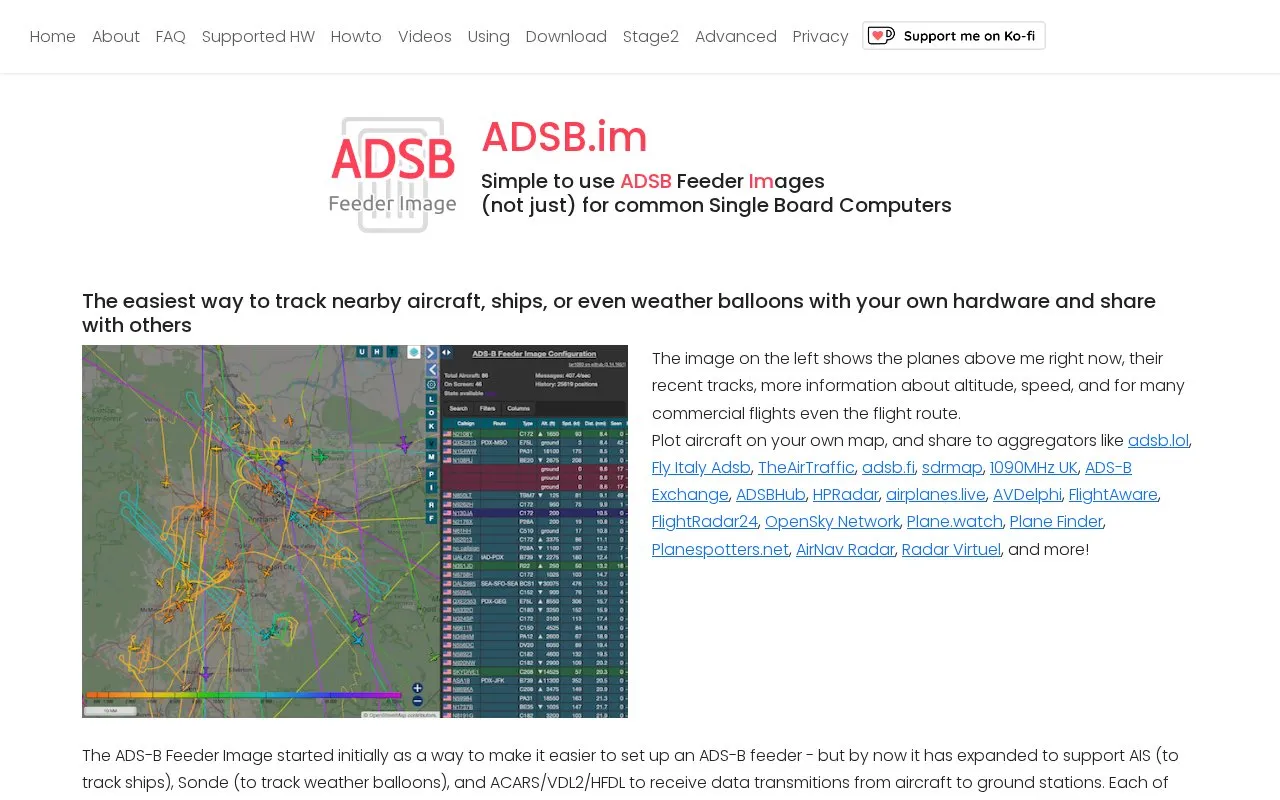
ADSB.im provides ADS-B Feeder Images, software packages that turn a supported single board computer and software-defined radio (SDR) into a receiver for tracking nearby aircraft. According to the homepage, the same feeder can also track ships using AIS, track weather balloons (sondes), and receive ACARS, VDL2, and HFDL transmissions from aircraft to ground stations. Users can plot aircraft on their own map and send data to aggregator services such as adsb.lol, ADS-B Exchange, FlightAware, and OpenSky Network.
The feeder can be installed as an SD-card image for a single board computer, which the homepage describes as the easiest option, as an app on DietPi, or as an app on recent Debian or Ubuntu Linux systems. Any option requires a supported SDR radio and an antenna. The homepage notes that the image can take a few minutes to start, and in some cases 15 to 20 minutes. Pricing is not stated on the homepage.
Key features
Tracks aircraft, ships (AIS), and weather balloons (sondes) using your own hardware
Plots aircraft on your own map and shares data with selected aggregators
Shows altitude, speed, and recent tracks, plus flight routes for many commercial flights
Receives ACARS, VDL2, and HFDL data sent from aircraft to ground stations
Setup page for station name, antenna location, time zone, and aggregator selection
Installs as an SD-card image, a DietPi app, or a Linux app
Best for: Hobbyists who already own a supported single board computer and SDR radio and want to receive aircraft and other radio signals and share the data with tracking networks.
Good for
The homepage describes the single board computer image as the easiest installation option and the one that is tested most.
The web interface is used for setup, including station name, antenna location, time zone, and aggregator selection.
Watch out for
A supported SDR radio and antenna must be purchased and connected separately.
Startup can take a few minutes and, in some cases, 15 to 20 minutes.
What hardware is needed to run an ADS-B feeder from this site?
The homepage says you need a supported single board computer, a supported SDR radio dongle, and an antenna. Raspberry Pi is the most commonly used board, and several other boards are also supported.
How do I open the feeder's web interface after installation?
With wired Ethernet, or after WiFi is configured, go to http://adsb-feeder.local. If mDNS does not work on your network, use my.adsb.im. On DietPi or Linux installs, use http://{local name or IP}:1099.
How can I connect a feeder to WiFi if I did not set it up while writing the SD card?
The image creates a WiFi hotspot named adsb.im-feeder. Connect to it and enter your home WiFi credentials. The homepage links to a separate Hotspot Page for more detail.
Is something wrong or out of date?
Tell us and an editor will check it.
Own this website?
Claim the listing and suggest updates yourself. An editor checks every claim first.