
BreakMessage
BreakMessage displays a custom message to let others know when a user will return, with window, fullscreen, and popup modes.
About BreakMessage
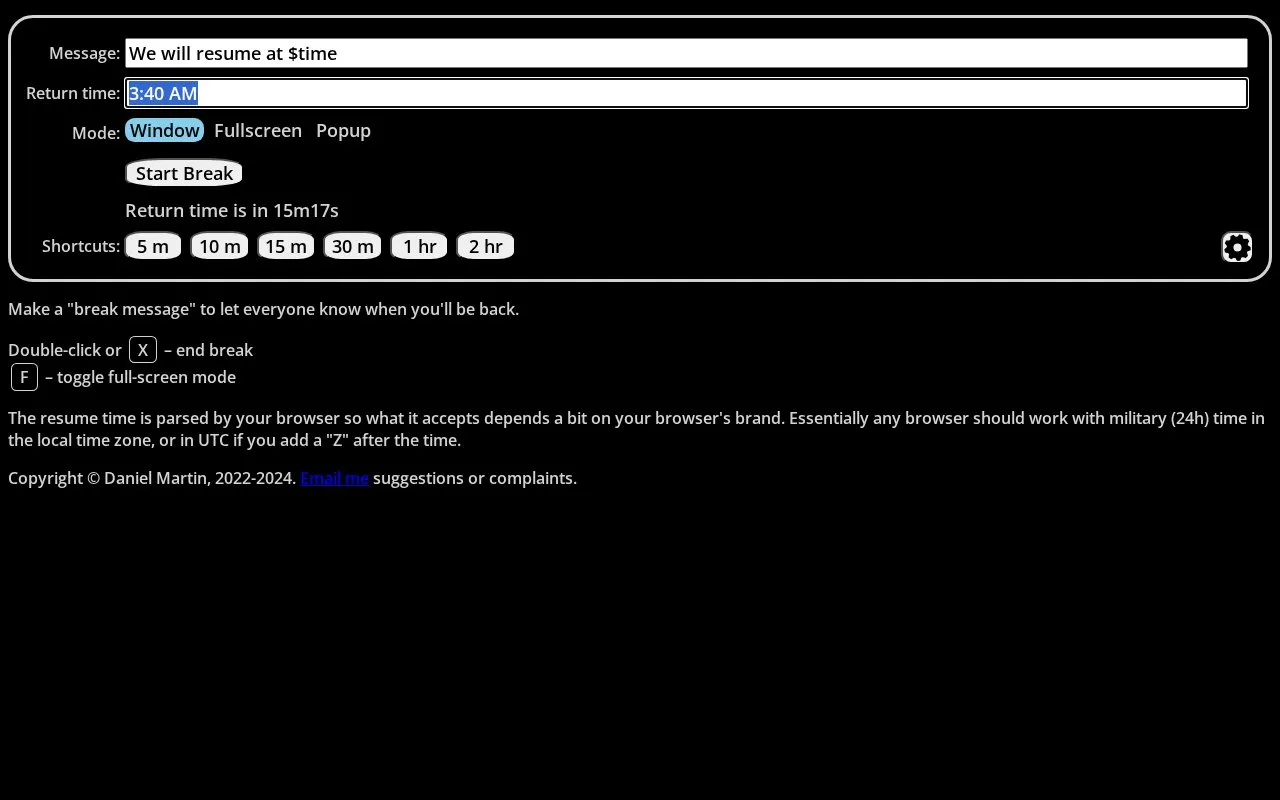
BreakMessage creates a break message to show when the user will be back. It can be shown in window, fullscreen, and popup modes, with F to toggle fullscreen and X or double-click to end the break.
Resume time entry uses 24-hour time in the local time zone, or UTC when followed by "Z", with accepted formats varying by browser.
Key features
- Create a custom message showing when you will return
- Show message in window, fullscreen, and popup modes
- Toggle fullscreen mode with the F key
- End the break with X or double-click
- Enter resume time in local 24-hour time
- Enter resume time in UTC with Z suffix
Best for: People who need to display a return time on a screen while away.
Good for
- Offers fullscreen toggle for visible break messages
- Supports both local time and UTC time entry
Watch out for
- Accepted resume-time formats vary by browser brand
BreakMessage at a glance
- Website
- breakmessage.com
- Category
- Productivity › Automation
- Type
- Website
- Pricing
- Not confirmed. Check the site
- Platforms
- Web
- Open source
- Not stated
- Language
- English
- Last checked
- Oct 5, 2026 · Online when checked
- Listed
- Oct 5, 2026
Popular in Automation
Well-known listings from the same topic.
Ublacklistgithub.com/iorate/ublacklistCold Turkeygetcoldturkey.comone secone-sec.appskāl.esskal.esUI.Vision RPAui.visionSuper Productivitysuper-productivity.com


BreakMessage FAQ
How do I end a break?
Press X or double-click.
How do I toggle fullscreen mode?
Press F.
What format should I use for the resume time?
Use military (24-hour) time in the local time zone, or add Z after the time for UTC. Accepted formats depend on the browser.
Is something wrong or out of date?
Tell us and an editor will check it.
Own this website?
Claim this listing
Claim the listing and suggest updates yourself. An editor checks every claim first.