

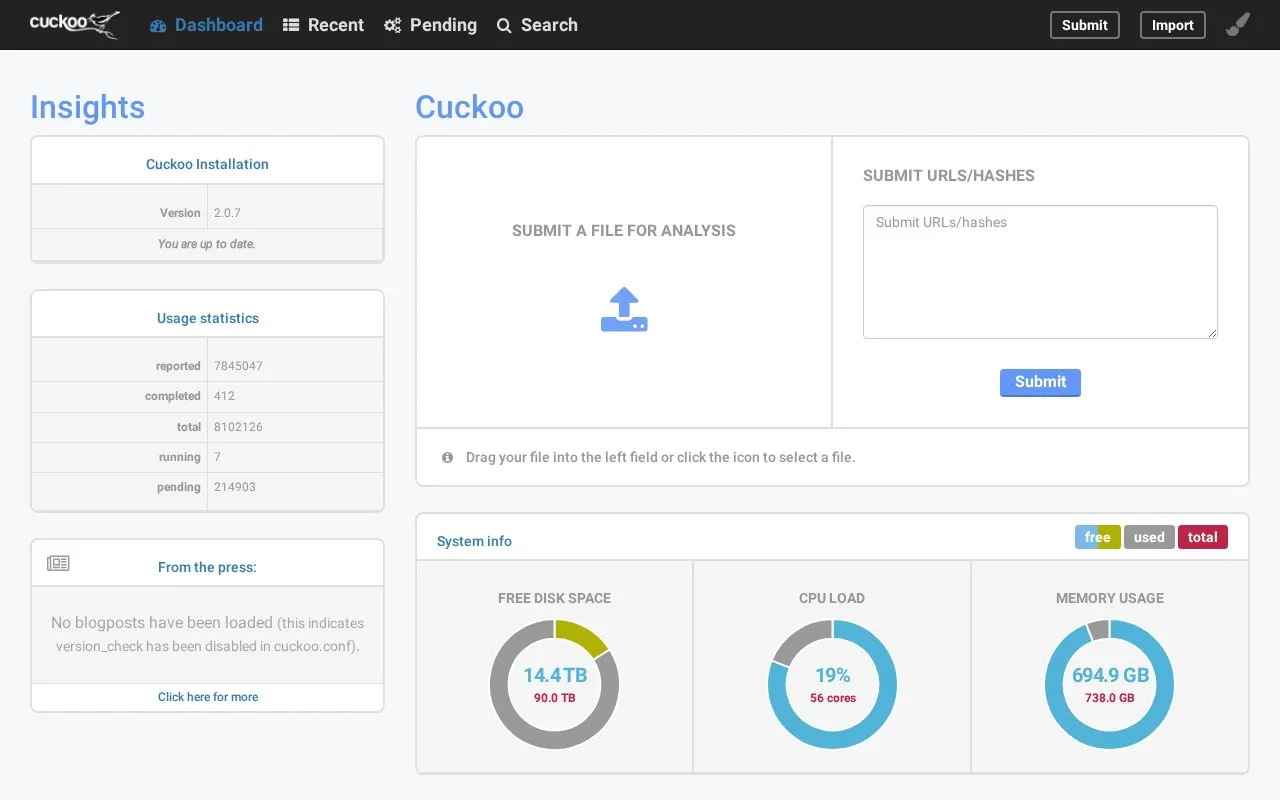
The Cuckoo Sandbox interface shows application version 2.0.7 and recommends browsers that support WebKit.
Cuckoo
The Cuckoo Sandbox page displays version 2.0.7 and setup guidance, including browser recommendations for the application.
About Cuckoo
Cuckoo Sandbox is a web interface for submitting files to a sandbox for analysis. Users drag a file into the left field or click an icon to select one, and the page reports that the submission is being processed and may take a few seconds. The interface also displays system status such as free disk space, CPU load and memory usage, along with a list of recent analyses. The page shows version 2.0.7 and whether the installation is up to date. Blog posts load when version checking is enabled; the page states that no posts loading indicates version_check has been disabled in cuckoo.conf. Chrome, Firefox or another WebKit-supporting browser is recommended for best performance. No pricing or plan details appear on the page.
Key features
- Drag-and-drop or click to select and submit a file
- Shows free disk space, CPU load and memory usage
- Lists recent analyses
- Displays installed version 2.0.7 and update status
- Loads blog posts when version checking is enabled
- Recommends Chrome, Firefox or other WebKit-supporting browsers
Best for: Analysts who need a browser-based interface for submitting files to a Cuckoo Sandbox installation and checking analysis status.
Good for
- Submitting a file requires only a drag-and-drop or a click
- System resource and disk figures are shown alongside analyses
- Reports the installed version and whether it is up to date
Watch out for
- The displayed version is 2.0.7 and the copyright notice ends at 2018
- Blog posts do not appear when version_check is disabled in cuckoo.conf
Cuckoo at a glance
- Website
- cuckoo.cert.ee
- Type
- Website
- Pricing
- Not confirmed. Check the site
- Platforms
- Web
- Open source
- Not stated
- Language
- English
- Last checked
- Oct 6, 2026 · Online when checked
- Listed
- Oct 5, 2026
Cuckoo alternatives
Tools and sites you could use instead, ranked by how closely they match.
Popular in Antivirus & Malware Protection
Well-known listings from the same topic.
Microsoft Safety Scannerlearn.microsoft.com/en-us/defender-endpoint/sa…Sandboxie Plussandboxie-plus.comMalwarebytesmalwarebytes.comANY.RUNany.runTriagetria.geID Ransomwareid-ransomware.malwarehunterteam.com


Cuckoo FAQ
How do I submit a file for analysis?
Drag your file into the left field or click the icon to select a file.
Which browsers are recommended?
Chrome, Firefox or any browser that supports WebKit.
Why are no blog posts shown on the page?
The page states this indicates that version_check has been disabled in cuckoo.conf.
Is something wrong or out of date?
Tell us and an editor will check it.
Own this website?
Claim this listing
Claim the listing and suggest updates yourself. An editor checks every claim first.