

This app uses a face image and chat to recommend clothing colors, styles, and fashion products.
Docs
The OpenClaw documentation explains an open-source AI assistant that runs on user hardware and connects to chat apps.
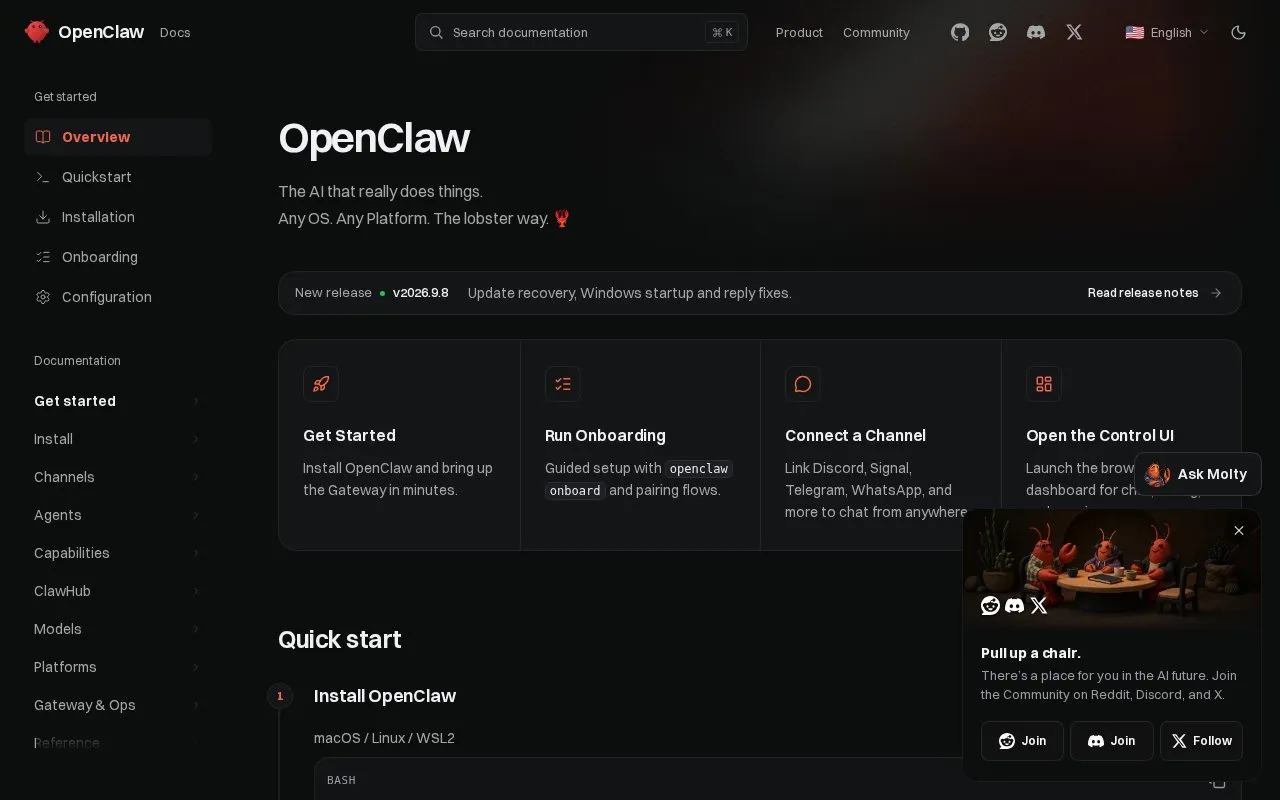
About Docs
The Docs site documents OpenClaw, a self-hosted gateway that connects chat apps to AI coding agents. A single Gateway process runs on the user's own machine or server and routes messages between configured channels and the agent, CLI, web dashboard, and mobile nodes.
It supports channels including Discord, Telegram, WhatsApp, Signal, Slack, iMessage and others via plugins, with media handling, scheduled jobs, and isolated multi-agent sessions. Running it requires Node 24.16+ or 26.1+ (26 recommended) and an API key from a chosen model provider.
Key features
- Connect Discord, Telegram, WhatsApp, Signal, Slack and more via Gateway
- Browser dashboard for chat, config, sessions and nodes
- Run recurring jobs with cron jobs, hooks and webhooks
- Isolated sessions per agent, workspace or sender
- Send and receive images, audio and documents
- Pair iOS and Android nodes for camera, screen and voice workflows
Best for: Developers, power users and teams who want to message a self-hosted AI assistant from chat apps.
Good for
- Runs on user hardware instead of a hosted service
- One Gateway process can serve multiple chat channels at once
- Described as MIT licensed with no telemetry by default beyond a version check you can turn off
Watch out for
- Requires Node 24.16+ or 26.1+ and an API key from a chosen provider
Docs at a glance
- Website
- docs.openclaw.ai
- Category
- AI & Machine Learning › AI Agents & Automation
- Type
- Website
- Pricing
- Not confirmed. Check the site
- Platforms
- Linux, macOS, Web, Windows
- Open source
- Not stated
- Language
- English
- Last checked
- Oct 5, 2026 · Online when checked
- Listed
- Oct 5, 2026
Docs alternatives
Tools and sites you could use instead, ranked by how closely they match.

This app generates Python documentation from pasted, uploaded, or linked code and supports follow-up questions.

Instrukt runs in a terminal and lets users build, test, and direct AI agents.
Open source
24 alternatives
AI Manus is a general-purpose AI agent system that runs tools and operations in a sandbox.
Open source
24 alternatives
Velda - Run GPU training and batch jobs instantly from your dev environment, no code change or manifest.

Upload artwork to explore its style, historical context, symbolism, and technical details with an AI analysis tool.
Popular in AI Agents & Automation
Well-known listings from the same topic.
Simsim.aiMaya AI.smartmaya.aiMakeformsmakeforms.ioAgent Skillsagentskills.ioGenFuse AIgenfuseai.comBeambeam.ai


Docs FAQ
What is OpenClaw?
A self-hosted gateway that connects chat apps to AI coding agents through a single Gateway process on your own machine or server.
What do I need to run it?
Node 26 recommended, or Node 24.16+ or 26.1+, plus an API key from your chosen provider.
Which chat apps can it connect to?
Discord, Telegram, WhatsApp, Slack, Signal, iMessage, Google Chat, Microsoft Teams and more via channel plugins.
Is something wrong or out of date?
Tell us and an editor will check it.
Own this website?
Claim this listing
Claim the listing and suggest updates yourself. An editor checks every claim first.