
Drawing
Drawing edits raster images on Linux and supports formats including PNG, JPEG, and BMP.
About Drawing
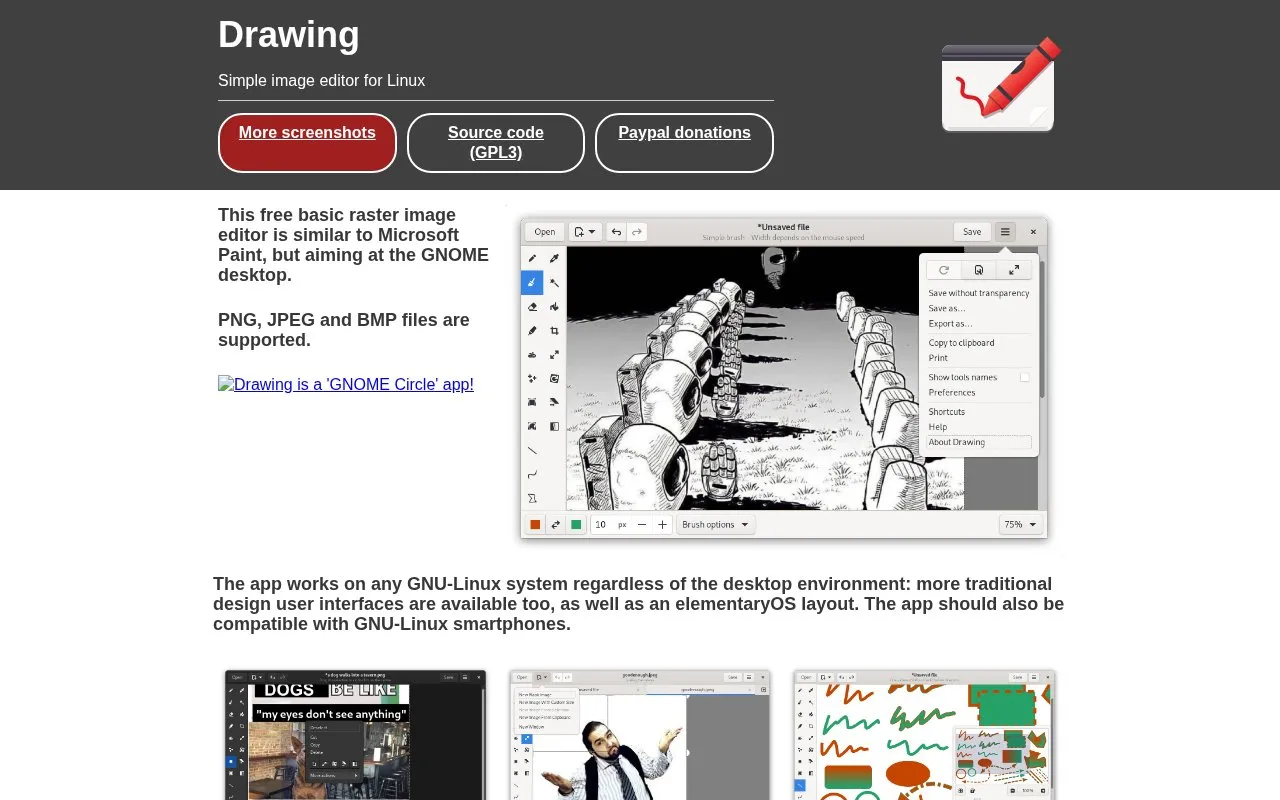
Drawing is a basic raster image editor for GNU/Linux, similar to Microsoft Paint and aimed at the GNOME desktop. It supports PNG, JPEG and BMP files and offers traditional and elementaryOS interface layouts.
It works on GNU/Linux systems regardless of desktop environment and is described as expected to work on GNU/Linux smartphones. It can be installed with Flatpak or native distribution packages, with other methods listed for Ubuntu and Gentoo.
Key features
- Edits raster images in a style similar to Microsoft Paint
- Supports PNG, JPEG and BMP files
- Offers GNOME, traditional and elementaryOS interface layouts
- Includes skew, scale, crop and selection tools
- Provides text, line, highlighter and points tools
- Shows pixels sharply when zoomed past 400%
Best for: People using GNU/Linux who need basic Paint-style raster image editing.
Good for
- Works on any GNU/Linux system regardless of desktop environment
- Provides GNOME, traditional and elementaryOS layouts
- Available via Flatpak and native distribution packages
Watch out for
- File support described as PNG, JPEG and BMP
- Snap package version is listed as unknown
Drawing at a glance
- Website
- maoschanz.github.io/drawing
- Category
- Software & Utilities › Linux Apps
- Type
- Website
- Pricing
- Not confirmed. Check the site
- Platforms
- Linux, Web
- Open source
- Not stated
- Last checked
- Oct 5, 2026 · Online when checked
- Listed
- Oct 5, 2026
Popular in Linux Apps
Well-known listings from the same topic.
AltBoxaltbox.devThe Levelatorarchive.org/details/conversationsnetwork_org-l…Alacrittyalacritty.orgShellScriptshellscript.shghostwriterghostwriter.kde.orgLibrebootlibreboot.org


Drawing FAQ
What file formats does Drawing support?
PNG, JPEG and BMP files are supported.
What systems does Drawing work on?
It works on any GNU-Linux system regardless of desktop environment, and should also be compatible with GNU-Linux smartphones.
How can Drawing be installed?
The site lists Flatpak version 1.0.1 as the recommended way, alongside native packages and other methods for Ubuntu and Gentoo.
Is something wrong or out of date?
Tell us and an editor will check it.
Own this website?
Claim this listing
Claim the listing and suggest updates yourself. An editor checks every claim first.