

Feed Flow
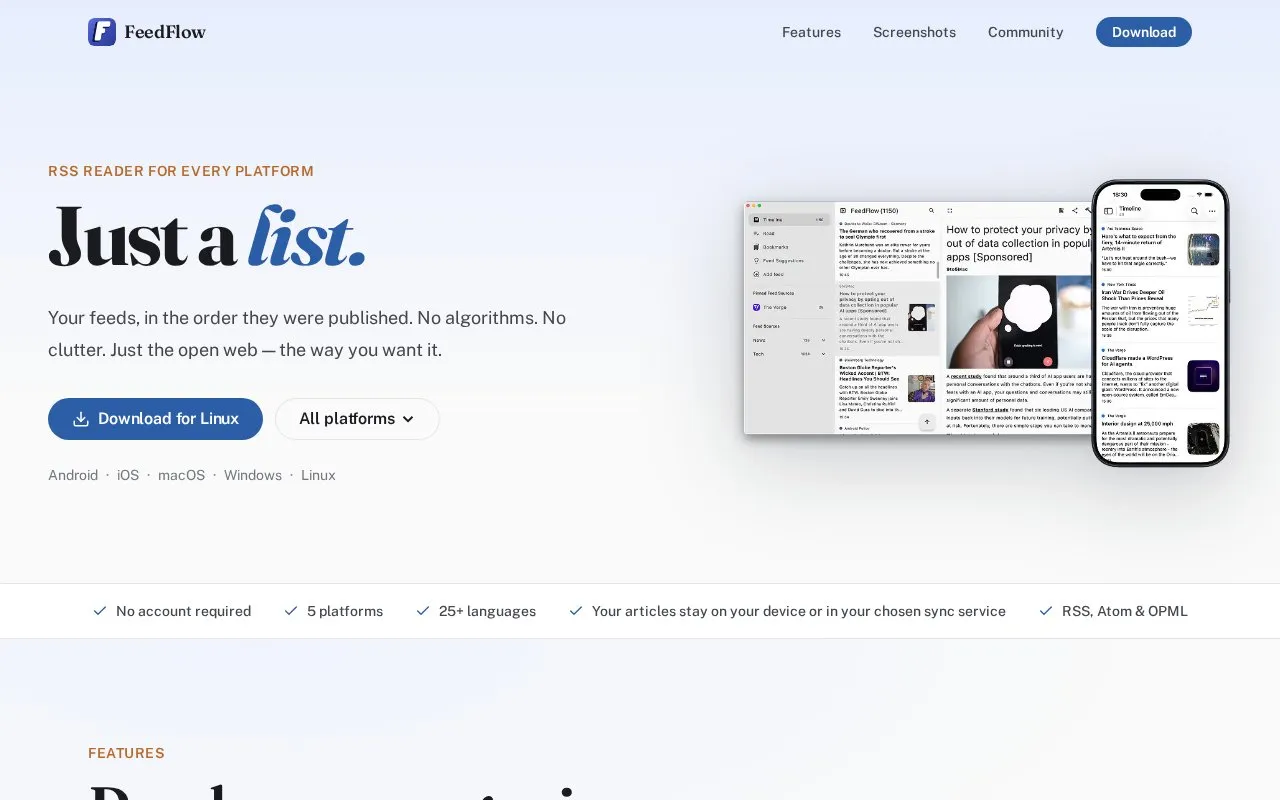
FeedFlow displays RSS feeds in chronological order as a minimal reader across listed platforms.
About Feed Flow
FeedFlow is a minimal cross-platform RSS reader that displays subscribed feeds in strict chronological order with no algorithmic sorting. It supports RSS, Atom, and OPML formats, requires no user account, is available in 25+ languages, and allows content to be stored locally on devices or synced across devices via iCloud, Dropbox, Google Drive, or self-hosted services including FreshRSS, Miniflux, Feedbin, and BazQux. The app includes tools for organizing feeds into categories, bookmarking articles for later, blocking unwanted keywords, searching across all content, a distraction-free reader mode with adjustable text size, and offline prefetching of full articles.
Key features
- Chronological feed display with no algorithmic sorting
- Supports RSS, Atom, and OPML formats
- Cross-device sync via iCloud, Dropbox, Google Drive, or self-hosted services
- Distraction-free reader mode with adjustable text size
- Offline prefetching of full article content
- OPML import/export, feed categorization, keyword blocking, and cross-feed search
Best for: Users seeking a minimal, algorithm-free RSS reader with cross-platform access and flexible sync options, including those using self-hosted RSS services.
Good for
- No account required to use the app
- Supports multiple sync options including self-hosted services with no vendor lock-in
- Minimal, uncluttered interface with no algorithmic feed sorting
Feed Flow at a glance
- Website
- feedflow.dev
- Category
- Productivity › RSS Readers
- Type
- Online tool
- Pricing
- Not confirmed. Check the site
- Platforms
- Android, iOS, Linux, macOS, Web, Windows
- Open source
- Not stated
- Language
- English
- Last checked
- Oct 6, 2026 · Online when checked
- Listed
- Oct 5, 2026
Guides for RSS Readers
Feed Flow alternatives
Tools and sites you could use instead, ranked by how closely they match.

FeedFlow is an RSS reader available for Android, iOS, macOS, Windows, and Linux.
Open source
14 alternatives
selfoss reads RSS feeds and combines multiple sources in a self-hosted web reader.

Fluent Reader collects feeds in a local, cross-platform desktop news aggregator.

yarr provides web-based RSS feed reading as a standalone binary, according to its repository.
Open source
19 alternatives
RSS Guard reads RSS and Atom feeds and also supports podcasts, XMPP, and Gemini, according to its repository.
Open source
24 alternatives
Fusion offers a self-host-friendly RSS reader with unread tracking, bookmarks, and search.
Open source
19 alternativesPopular in RSS Readers
Well-known listings from the same topic.
Briefgithub.com/brief-rss/briefInoreaderinoreader.comFiveFilterscreatefeed.fivefilters.orgNewsBlurnewsblur.comFreshRSSfreshrss.orgMinifluxminiflux.app


Feed Flow FAQ
Is an account required to use FeedFlow?
No, FeedFlow does not require an account to use.
What sync options does FeedFlow support?
It supports iCloud for Apple devices, Dropbox, Google Drive for cross-platform sync, and self-hosted services including FreshRSS, Miniflux, Feedbin, and BazQux.
What feed and data formats does FeedFlow support?
FeedFlow supports RSS, Atom, and OPML formats for feeds and data import/export.
Is something wrong or out of date?
Tell us and an editor will check it.
Own this website?
Claim this listing
Claim the listing and suggest updates yourself. An editor checks every claim first.