

With NetNewsWire, users can read RSS feeds on iPhone and iPad and follow incoming news.
Fiery Feeds
Fiery Feeds follows RSS news sources on Apple devices and organizes their updates for reading.
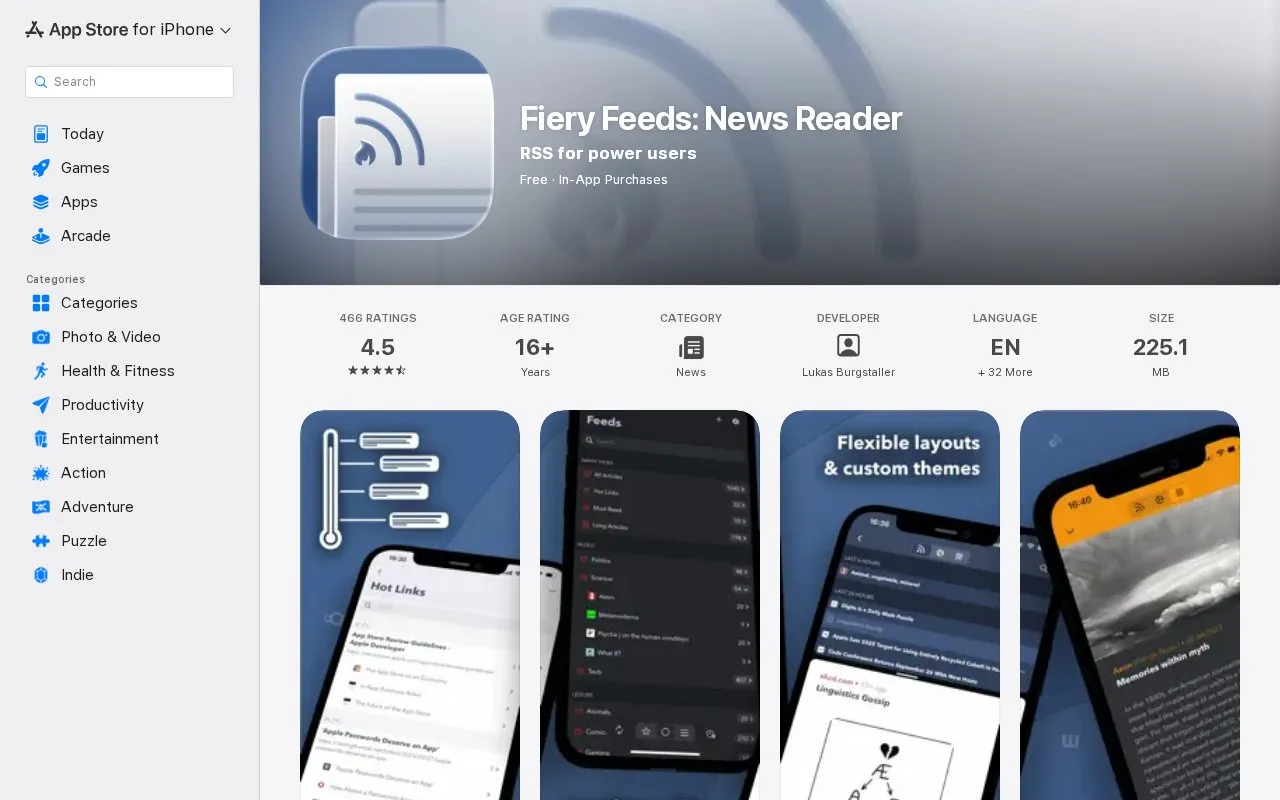
About Fiery Feeds
Fiery Feeds is an RSS feed reader and read-it-later client for Apple devices. It follows news sources, organizes their updates into folders and views, and lets users read articles in the app. The App Store listing shows the app as free with in-app purchases. A Premium subscription is sold separately and renews automatically.
The app works with several feed and read-later services. Feed accounts include Feedly, Feedbin, Fever, NewsBlur, Tiny Tiny RSS, Inoreader, Bazqux, FreshRSS, The Old Reader, Nextcloud News, iCloud, and local accounts. Read-later accounts include Pinboard, Pocket, Instapaper, Wallabag, iCloud, and local accounts. Syncing is limited to these services. The listing names iPhone, iPad, and Mac, and the directory lists iOS and web as platforms. The listing links a privacy policy and terms of use. Users who need specific data handling should review those documents and the terms of any external service they connect.
Key features
- Smart Views folders for hot links, feed posting frequency, article length, and recent articles
- Automatic full-text extraction, remembered per feed, with full text downloadable for offline reading
- Home Widgets showing latest or random articles, article counts, and starred or read marking
- Smart Searches across content, title, published date, posting frequency, and other properties
- Safari extension to subscribe to feeds and save links to read later
- Customisable color themes, fonts, and text sizes, with a theme editor and a directory of user-created themes
Best for: Readers who follow many RSS feeds on iPhone or iPad and want detailed control over how articles are filtered, organized, and displayed.
Good for
- Smart Views and Smart Searches filter articles by length, feed posting frequency, and publication date.
- The listing states that every feature is accessible via VoiceOver.
- The app supports external keyboards and keyboard shortcuts for navigating the entire app.
Watch out for
- Premium is an auto-renewing paid subscription. Cancellation must be made through iTunes account settings at least 24 hours before renewal.
- Syncing works only with the feed and read-later services named in the listing.
- One user review reports that Premium did not carry over to an iPad and that Family Sharing did not work for the app.
Fiery Feeds at a glance
- Category
- Mobile Apps › iPhone & iPad Apps
- Type
- Website
- Pricing
- Not confirmed. Check the site
- Platforms
- iOS, Web
- Open source
- Not stated
- Language
- English
- Last checked
- Oct 6, 2026 · Online when checked
- Listed
- Oct 5, 2026
Fiery Feeds alternatives
Tools and sites you could use instead, ranked by how closely they match.

AfterShip tracks packages across courier services, providing order tracking on iPad and other Apple devices.
This open-source project emulates Apple Silicon on supported devices and provides setup instructions.

Clean Links removes tracking parameters from URLs and checks links with an anti-phishing reader for Apple devices.

Swiftfin provides a native Jellyfin client for Apple devices through the App Store.

Shirox manages anime and manga libraries on Apple devices, with a free, source-available app.
Free
13 alternativesPopular in iPhone & iPad Apps
Well-known listings from the same topic.
(Not Boring) Habitsapps.apple.com/app/id1593891243RoutineHubroutinehub.coShiroxshiroxapp.github.ioUTMgetutm.appCAPlaygroundcaplayground.vercel.appShareableshareable.vercel.app


Fiery Feeds FAQ
Which services can Fiery Feeds sync with?
Feed accounts include Feedly, Feedbin, Fever, NewsBlur, Tiny Tiny RSS, Inoreader, Bazqux, FreshRSS, The Old Reader, Nextcloud News, iCloud, and local accounts. Read-later accounts include Pinboard, Pocket, Instapaper, Wallabag, iCloud, and local accounts.
Can articles be read offline?
The listing says that full article text can be downloaded for offline viewing.
How is Premium cancelled?
The listing says auto-renewal can be turned off through iTunes account settings. This must be done 24 hours before the end of the current subscription or free trial period to avoid being charged.
Is something wrong or out of date?
Tell us and an editor will check it.
Own this website?
Claim this listing
Claim the listing and suggest updates yourself. An editor checks every claim first.