
Google Tasks
Google's task list with due dates, reminders and integration with Gmail, Calendar and Workspace. Free with a Google account.
About Google Tasks
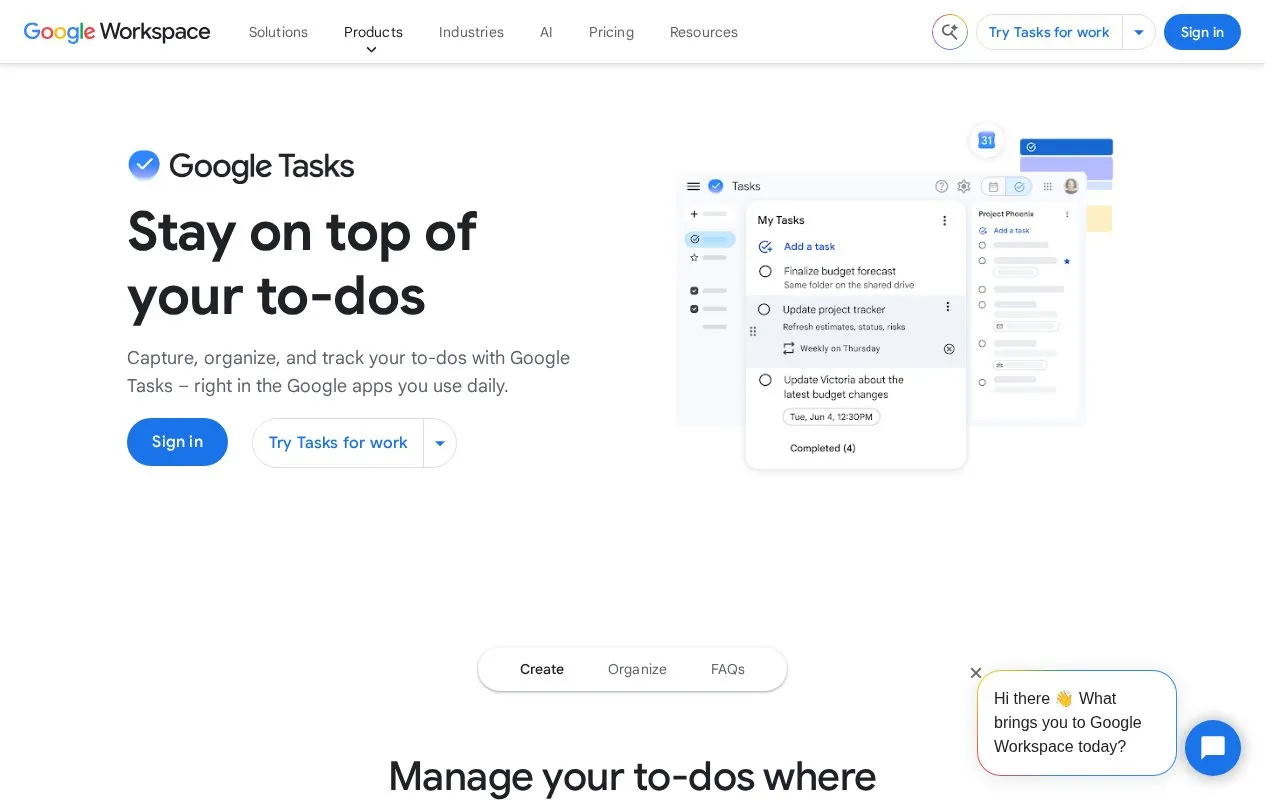
Google Tasks is a task list from Google for adding, organizing and tracking to-dos. It works inside Gmail, Google Calendar, Google Chat and Google Docs, and it is also available as a standalone web app at tasks.google.com. Tasks and task lists sync across devices when you sign in with the same Google account. The directory lists it as free with a Google account.
Tasks with a date and time appear automatically in Google Calendar and can trigger reminders. Assigning tasks to others in Google Docs is a premium feature, available only in some Google Workspace Business and Enterprise editions. Notifications require both a date and a time to be set on a task.
Key features
- Due dates and times that appear automatically in Google Calendar
- Reminders that repeat until the task is marked complete
- Recurring tasks set to repeat daily, weekly, monthly or yearly
- Tasks created directly from Gmail messages, with a link back to the email
- Task assignment and deadlines in Google Chat group spaces
- Separate task lists, starred tasks and subtasks for organizing work
Best for: People who already use Gmail, Google Calendar or Google Chat and want to manage their to-dos within those apps.
Good for
- Tasks can be created from Gmail without leaving the email.
- Changes sync across devices when signed in to the same Google account.
- Recurring tasks can be set up once instead of added manually each time.
Watch out for
- Assigning tasks in Google Docs is a premium feature available only in some Google Workspace Business and Enterprise editions.
- Notifications for a task require both a date and a time to be set.
- On the web version of Google Calendar, notifications follow the user's Calendar settings.
Google Tasks at a glance
- Category
- Productivity › Productivity Suites
- Type
- Online tool
- Pricing
- Free
- Platforms
- Android, iOS, Web
- Open source
- Not stated
- Last checked
- Oct 7, 2026 · Online when checked
- Listed
- Oct 7, 2026
Guides for Productivity Suites
Google Tasks alternatives
Tools and sites you could use instead, ranked by how closely they match.

Time tracker with timers, tasks, boards, calendar integrations and personal reports. The free plan covers a limited number of users.
Freemium
12 alternatives
Rambox organizes work apps, accounts, and workflows in a desktop workspace for managing multiple services.
Free
Featured in
 8 sites


Best of
Best Free Task Management Apps for Personal Work and Small Teams
The best free task management apps help you finish work without making you manage the app all morning. I'd start with…
Popular in Productivity Suites
Well-known listings from the same topic.
RescueTimerescuetime.comFocus To-Dofocustodo.cnTryScribetryscribe.inNumerous.ainumerous.aiTTSReaderttsreader.comClickUpclickup.com


Google Tasks FAQ
Do tasks sync across devices?
Yes. As long as you are signed in to the same Google account, tasks and task lists sync automatically across your computer, smartphone and tablet.
What do I need to set to receive a task notification?
You need to add both a date and a time to the task. Tasks with a date and time also appear automatically in Google Calendar.
Can I create tasks in Google Calendar?
Yes. You can create and manage tasks directly in Google Calendar, or reserve time for a task in your calendar.
Is something wrong or out of date?
Tell us and an editor will check it.
Own this website?
Claim this listing
Claim the listing and suggest updates yourself. An editor checks every claim first.