

HTML editor
This HTML editor supports writing and converting HTML, including Word-to-HTML conversion in a browser interface.
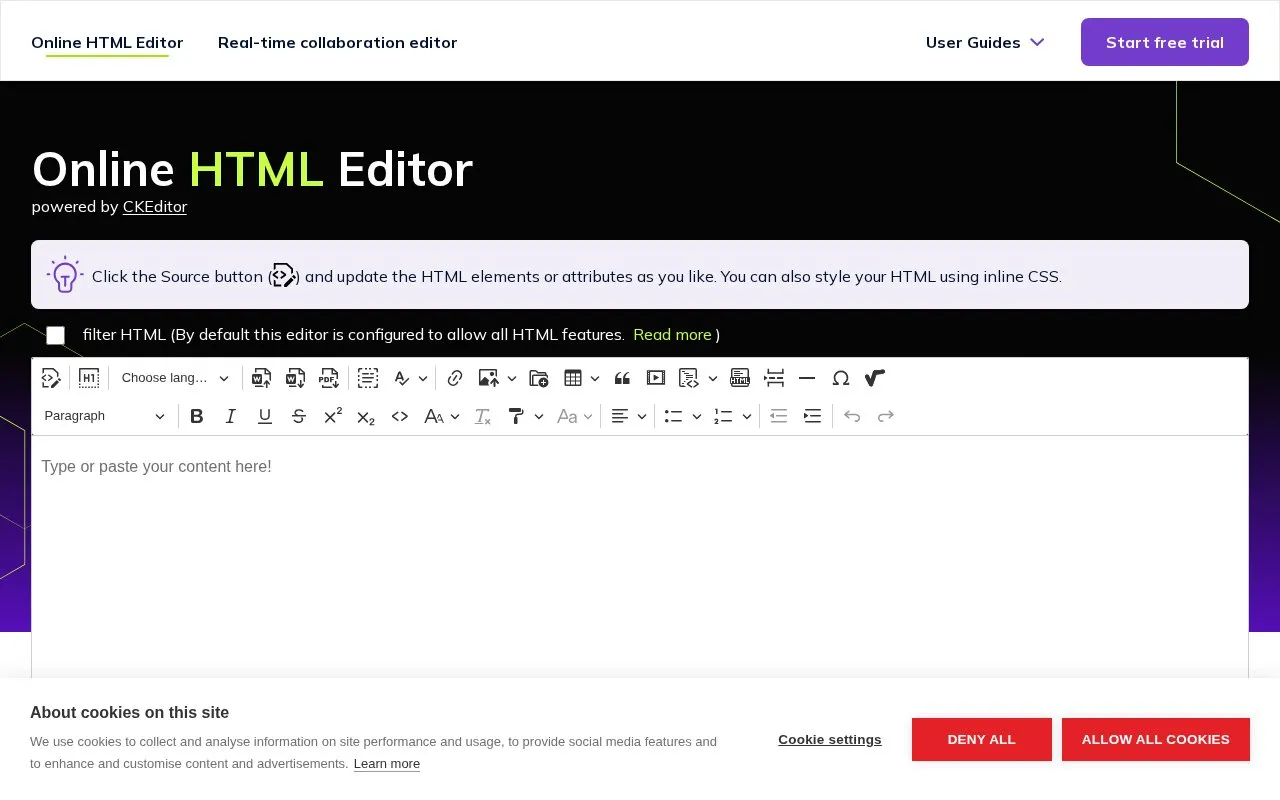
About HTML editor
A free browser-based HTML editor built on CKEditor 5. Users can edit a page's HTML markup directly, switch between a visual WYSIWYG view and an HTML source view, and paste content from Word, Google Docs, Excel, or LibreOffice to get HTML output. The homepage describes two editors: one for direct markup editing and one for real-time collaboration.
The editor supports custom elements, attributes, inline CSS, and complete HTML documents including meta tags and comments. HTML filtering is on by default, and the homepage says it can be disabled for non-standard code. The homepage does not describe security, privacy, or data storage practices, and it does not state pricing.
Key features
- Toggle between WYSIWYG editing and HTML source view
- Paste Word, Google Docs, Excel, and LibreOffice content and convert it to HTML
- Edit custom elements, attributes, inline CSS, and full HTML documents
- Disable HTML filtering to enter non-standard code
- Syntax highlighting, code folding, and autocomplete in source view
- Real-time collaboration with comments, track changes, and shared links
Best for: Writers, learners, and teams who need to convert Word or Google Docs content to HTML or test HTML edits in a browser.
Good for
- Keeps headings, lists, and tables intact when pasting Word or Google Docs content.
- Automatically cleans up invalid markup, according to the homepage.
- Offers both a direct markup editor and a real-time collaboration editor.
Watch out for
- Collaboration sessions stay active for one hour after the last user disconnects.
- The default configuration allows all HTML features, so filtering must be considered before use.
- The homepage does not state pricing or describe how content is stored.
HTML editor at a glance
- Website
- onlinehtmleditor.dev
- Category
- Privacy & Security › Security Tools
- Type
- Website
- Pricing
- Not confirmed. Check the site
- Platforms
- Web
- Open source
- Not stated
- Language
- English
- Last checked
- Oct 6, 2026 · Online when checked
- Listed
- Oct 5, 2026
Guides for Security Tools
HTML editor alternatives
Tools and sites you could use instead, ranked by how closely they match.

This HTML sanitizer tool converts text with special characters into HTML-safe output.
Diceware Generator creates passphrases using Diceware word lists in 22 languages and offers formatting options.
mess with dns provides an interface for viewing and editing DNS records.

ZeroSSL issues online SSL certificates and supports HTTPS setup through a certificate management interface.

The URL Decoder and Encoder converts text between encoded and decoded forms, including JavaScript URLs.

The online assembler converts x86 and x64 instructions into machine-code bytes.
Popular in Security Tools
Well-known listings from the same topic.
Online Password Hash Crackonlinehashcrack.comOTP Authapps.apple.com/app/otp-auth/id659877384MD5 reverse lookupmd5.gromweb.comMozilla SSLssl-config.mozilla.orgchallenges.rechallenges.reGoPlus Locker V3gopluslabs.io


HTML editor FAQ
Can I convert a Word document to HTML?
Yes. Paste the content into the editor, then switch to source code view to get HTML. The homepage says the editor keeps structure, formatting, and semantic meaning during the paste.
Can several people edit the same document at once?
The homepage says you can open the editor, share the link, and work together in real time. It adds that comments and track changes are available and that there is no limit on the number of collaborators. Each session is tied to a unique document ID that stays active for an hour after the last user disconnects.
Can I add HTML that the editor would normally filter out?
Yes. The homepage says you can disable HTML filtering to input non-standard code.
Is something wrong or out of date?
Tell us and an editor will check it.
Own this website?
Claim this listing
Claim the listing and suggest updates yourself. An editor checks every claim first.