

JSON Editor Online
A browser JSON editor with tree and text views for inspecting, changing and saving JSON files.
About JSON Editor Online
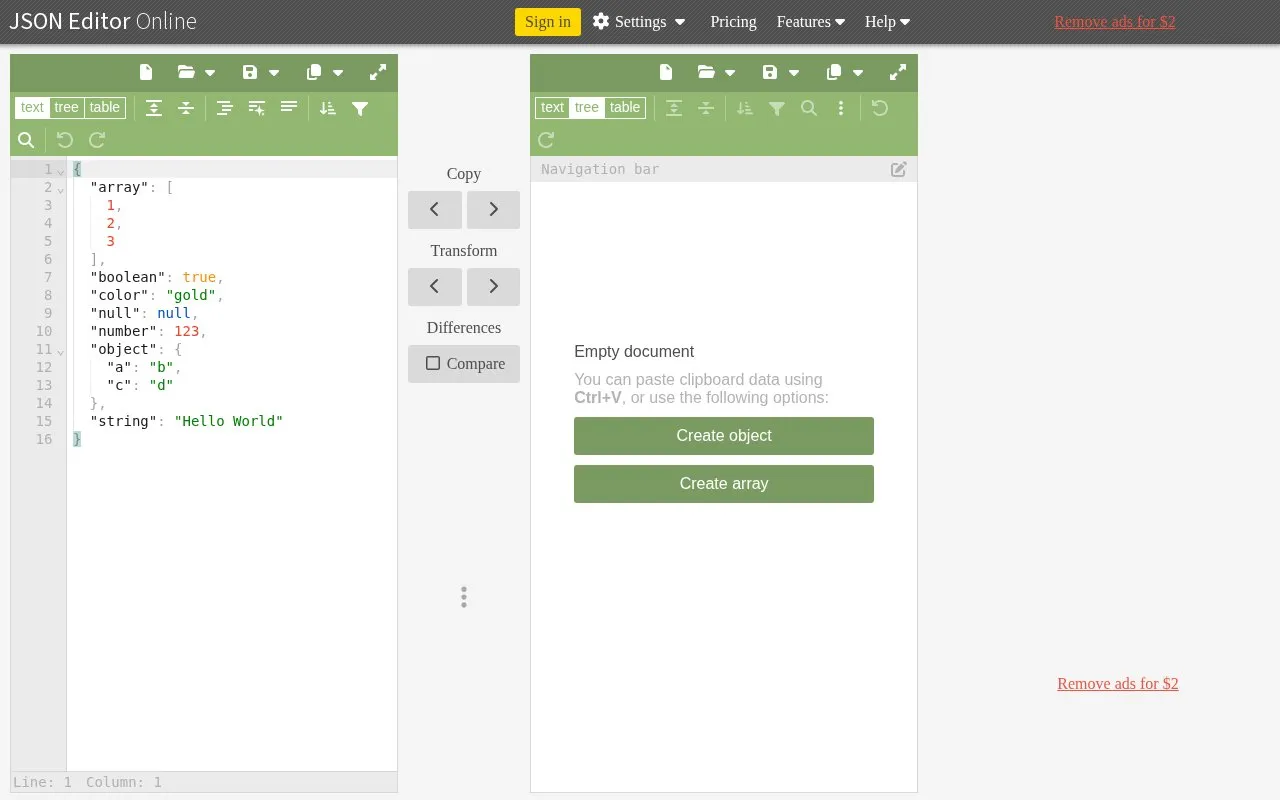
JSON Editor Online is a browser-based editor for viewing, editing, formatting, repairing, comparing, querying, transforming, and validating JSON data. It can load files by paste, drag-and-drop, or from disk, and it lets users save and share JSON online.
The editor offers text, tree, and table views. Its features include Smart JSON Formatting in text mode, JSON Schema validation, conversion between JSON and CSV, and processing of large JSON files. The homepage also lists an offline version of the editor. The site is developed and maintained by Jos de Jong.
Key features
- Text, tree, and table views for editing JSON data
- Smart JSON Formatting in text mode for compact, readable output
- Query and transform JSON with selectable query languages
- Compare JSON documents and repair malformed JSON documents
- JSON Schema validation
- Convert between JSON and CSV in both directions
Best for: Frontend and backend developers who regularly inspect, edit, or transform JSON data from APIs, servers, or databases.
Good for
- Combines formatting, comparison, querying, and validation in one tool
- Includes search and replace in table and tree modes
- Keeps undo and redo history when switching between text, tree, and table modes
Watch out for
- The homepage describes saving and sharing as online actions, and an offline version is listed separately
JSON Editor Online at a glance
- Website
- jsoneditoronline.org
- Category
- Development › Developer Tools
- Type
- Online tool
- Pricing
- Freemium
- Open source
- Not stated
- Last checked
- Oct 9, 2026 · Online when checked
- Listed
- Oct 9, 2026
Guides for Developer Tools


Popular in Developer Tools
Well-known listings from the same topic.
AppDevToolsappdevtools.comCommand Not Foundcommand-not-found.comTestFlighttestflight.apple.com/join/A8GwCnq8Sourcegraphabout.sourcegraph.comProject Wallaceprojectwallace.comCarbon Calculatorwebsitecarbon.com


JSON Editor Online FAQ
How do I edit a JSON file?
Paste the JSON into the editor, or load a file from disk using the menu or drag-and-drop. You can then edit the content by typing, and right-click for actions such as copy, paste, insert, and remove.
How do I format a JSON file?
In code mode, paste the file and click the "Format" button in the menu. In tree mode, the content is formatted automatically when pasted. The "Copy formatted" option in the menu also formats the content in one step.
How do I query JSON data?
Click the "Transform" button in the menu or between the two panels. A dialog opens where you can write a query, preview the result, and apply the transformation.
Is something wrong or out of date?
Tell us and an editor will check it.
Own this website?
Claim this listing
Claim the listing and suggest updates yourself. An editor checks every claim first.