
LipSync.video
LipSync.video offers AI video creation and lip-sync tools for synchronizing speech with video content.
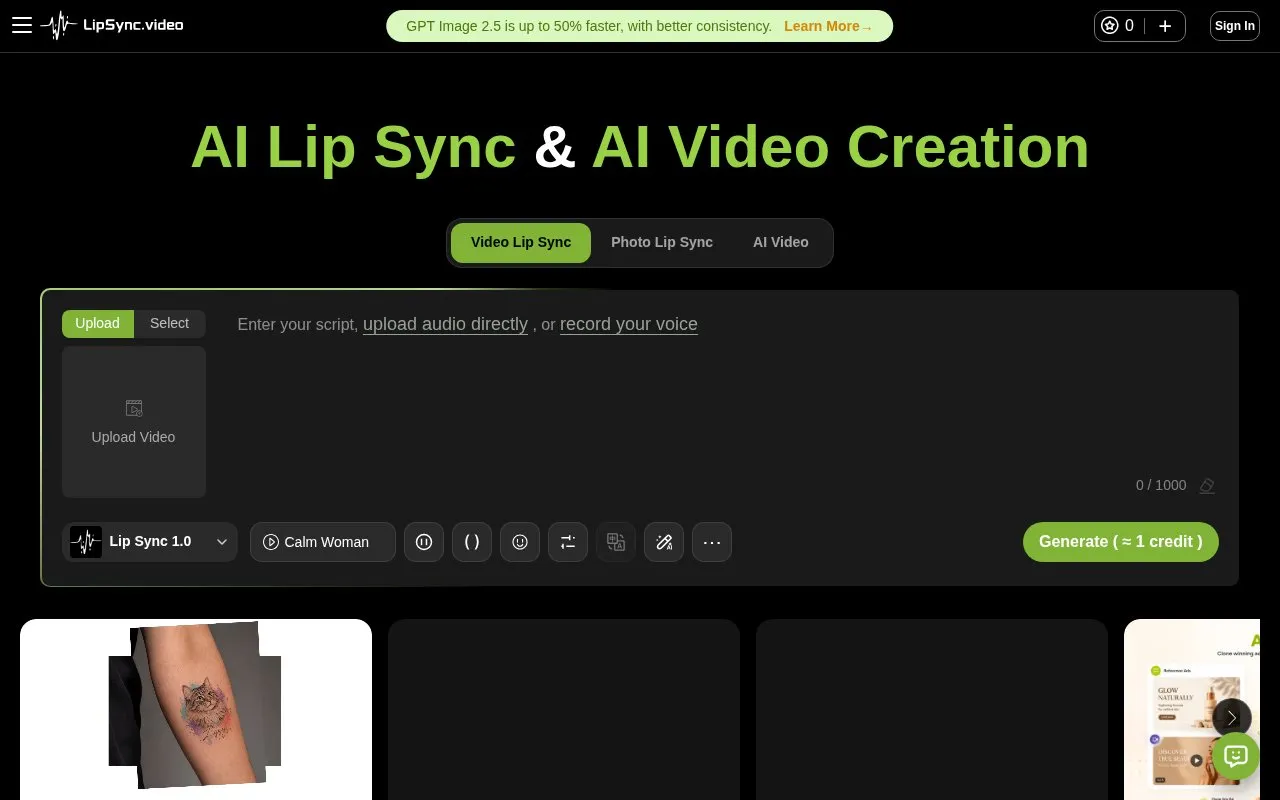
About LipSync.video
LipSync.video is a browser-based studio for AI video creation and lip syncing. It brings two related workflows into one workspace: generating new video footage from text, images, or reference media, and making existing video, photos, or avatars speak or sing with synchronized mouth movements.
The lip-sync side works with uploaded video, a single photo, cartoons, animals, or a built-in avatar. You supply speech as text, an uploaded audio file, or a recording, then adjust the voice language, emotion, speed, volume, and pitch, and optionally add subtitles. The video-creation side produces new clips from prompts or reference material and lists several third-party models, including Veo, Kling, Seedance, and MiniMax. AI dubbing, text to speech, voice cloning, and image tools are also included.
It suits creators, marketers, and small teams who need talking-presenter videos, localized dialogue, or singing characters without filming new footage, and who are comfortable spending credits rather than installing software. Free credits are earned through check-ins, sharing, following, and posting.
Key features
- Lip sync for uploaded video, photos, cartoons, and avatars
- Text to speech, voice cloning, and AI avatar tools
- AI video generation with models including Veo, Kling, and Seedance
- Voice controls for language, emotion, speed, volume, and pitch
- Lip syncing up to 3 minutes; generated clips up to 30 seconds
- Free credits earned by checking in, sharing, following, and posting
- Combines AI video generation and lip syncing in a single browser workspace
- Supports many languages plus emotion, speed, volume, and pitch controls
- Includes dubbing, voice cloning, avatars, and image tools alongside lip sync
- Free credits can be earned through simple daily and social actions
- No pricing information is shown on the homepage
- Audio uploads and recordings are limited to 90 seconds on supported flows
- Credit use varies by model, such as 4 credits per second for Lip Sync 2.0
LipSync.video at a glance
- Website
- lipsync.video
- Category
- AI & Machine Learning › AI Video Generators
- Type
- Website
- Pricing
- Not confirmed. Check the site
- Platforms
- Web
- Open source
- Not stated
- Language
- English
- Last checked
- Oct 5, 2026 · Online when checked
- Listed
- Oct 5, 2026
Popular in AI Video Generators
Well-known listings from the same topic.


LipSync.video FAQ
What can I do with LipSync.video?
Is LipSync.video free to use?
Which languages does it support?
How long can the videos be?
Tell us and an editor will check it.
Claim the listing and suggest updates yourself. An editor checks every claim first.