

The International Dialects of English Archive maps accent and dialect samples, with recordings from speakers around the world.
LocalLingual
Localingual lets visitors listen to and record dialects and languages from around the world.
About LocalLingual
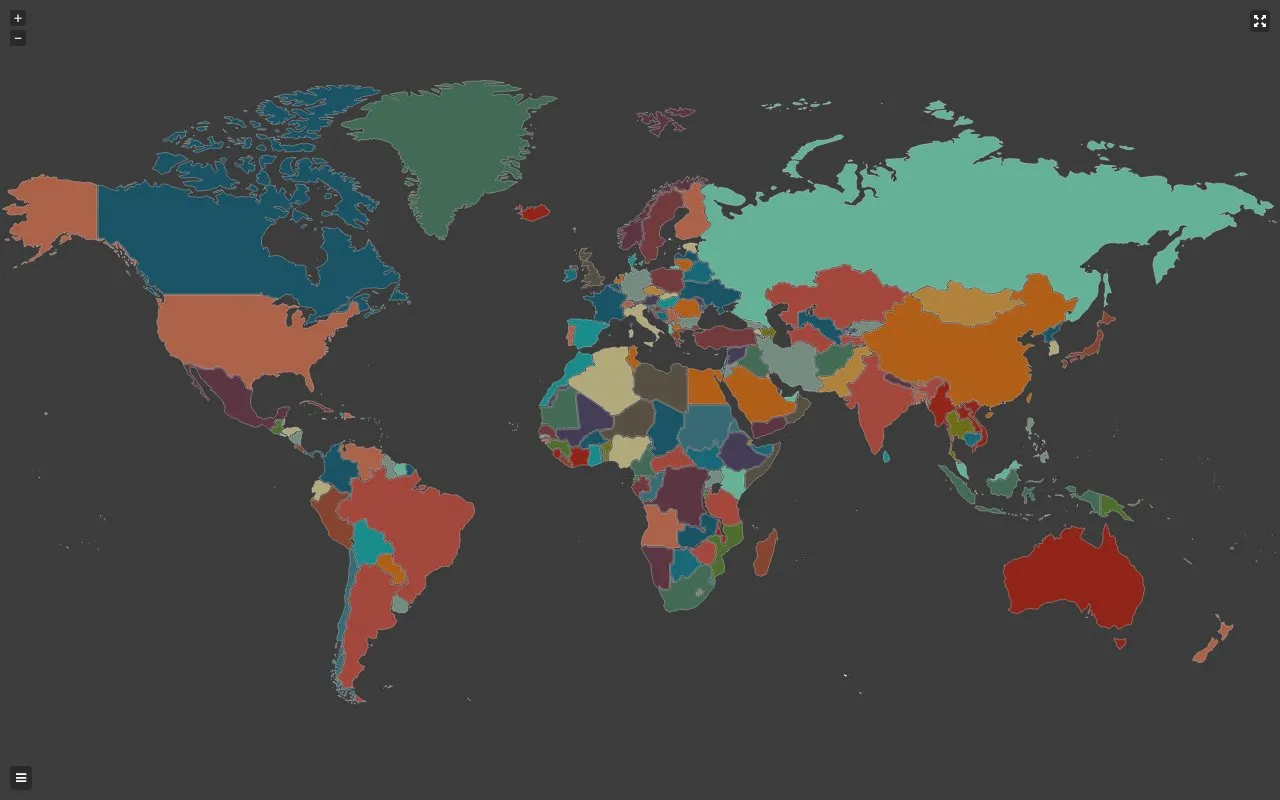
LocalLingual is a website for listening to and recording dialects and languages from around the world. Visitors can tap a colored country to hear its voices, then tap again to view regions. The site also lets users record voice in a browser or upload audio/video files and submit recordings.
The creator describes LocalLingual as still in its infancy and asks for donations for hosting costs and site upkeep. Web-based voice recording on iOS (iPhone/iPad) is not supported; the site recommends Chrome on Android, Windows, or MacOS.
Key features
- Listen to dialect/language voices by tapping a colored country.
- Tap a country again to view voices by region.
- Record voice in the browser using WebAudio.
- Upload audio or video via HTML5 Media Capture.
- Convert mp4/mov video to mp3 client side with Lamejs.
- Submit recordings to the site.
Best for: People who want to hear how languages and dialects sound around the world or contribute their own voice recordings.
Good for
- Browses voice recordings by country and then by region.
- Supports browser-based recording and file upload for voices.
- Creator states the site aims to avoid ads as much as possible.
Watch out for
- Web-based voice recording on iOS (iPhone/iPad) is not supported.
- The creator describes LocalLingual as still in its infancy.
- Hosting and bandwidth costs are reported at $40/day and paid out of pocket.
LocalLingual at a glance
- Website
- localingual.com
- Category
- Education & Learning › Language Learning
- Type
- Website
- Pricing
- Not confirmed. Check the site
- Platforms
- Web
- Open source
- Not stated
- Last checked
- Oct 6, 2026 · Online when checked
- Listed
- Oct 5, 2026
LocalLingual alternatives
Tools and sites you could use instead, ranked by how closely they match.

Minato, from the Japan Foundation, offers Japanese e-learning courses and a community for students around the world.

Lexilogos collects online dictionaries and language resources, with maps and documents covering countries around the world.

Dreaming teaches languages through immersive content designed for extended listening and reading practice.

Signs teaches American Sign Language with webcam-based AI feedback and lets contributors record signs for its dataset.

The multilingual Sign Language Dictionary records more than 1,000 signed words across over 100 years and describes their meaning, use, and history.
Popular in Language Learning
Well-known listings from the same topic.
iOSapps.apple.com/hk/app/cantonese-pronunciation-…JapaneseWithAnimejapanesewithanime.comEpisodenepisoden.comSignSchoolsignschool.comHelloChinesehellochinese.ccFluentWithStoriesfluentwithstories.com


LocalLingual FAQ
Can I record a voice on an iPhone or iPad?
Web-based voice recording on iOS (iPhone/iPad) is not supported at this time. The site asks users to use Chrome on an Android, Windows, or MacOS device.
How do I listen to voices for a country?
Tap on a colored country to hear its voices. Tap again to view regions.
How do I submit a recording?
Use the Record Now or Start Recording controls and submit the voice. The site confirms the voice has been uploaded. File upload via HTML5 Media Capture is also mentioned.
Is something wrong or out of date?
Tell us and an editor will check it.
Own this website?
Claim this listing
Claim the listing and suggest updates yourself. An editor checks every claim first.