

Piano Trainer by ZaneH teaches scales and chords with MIDI or QWERTY keyboard input and quiz modes.
Midiano
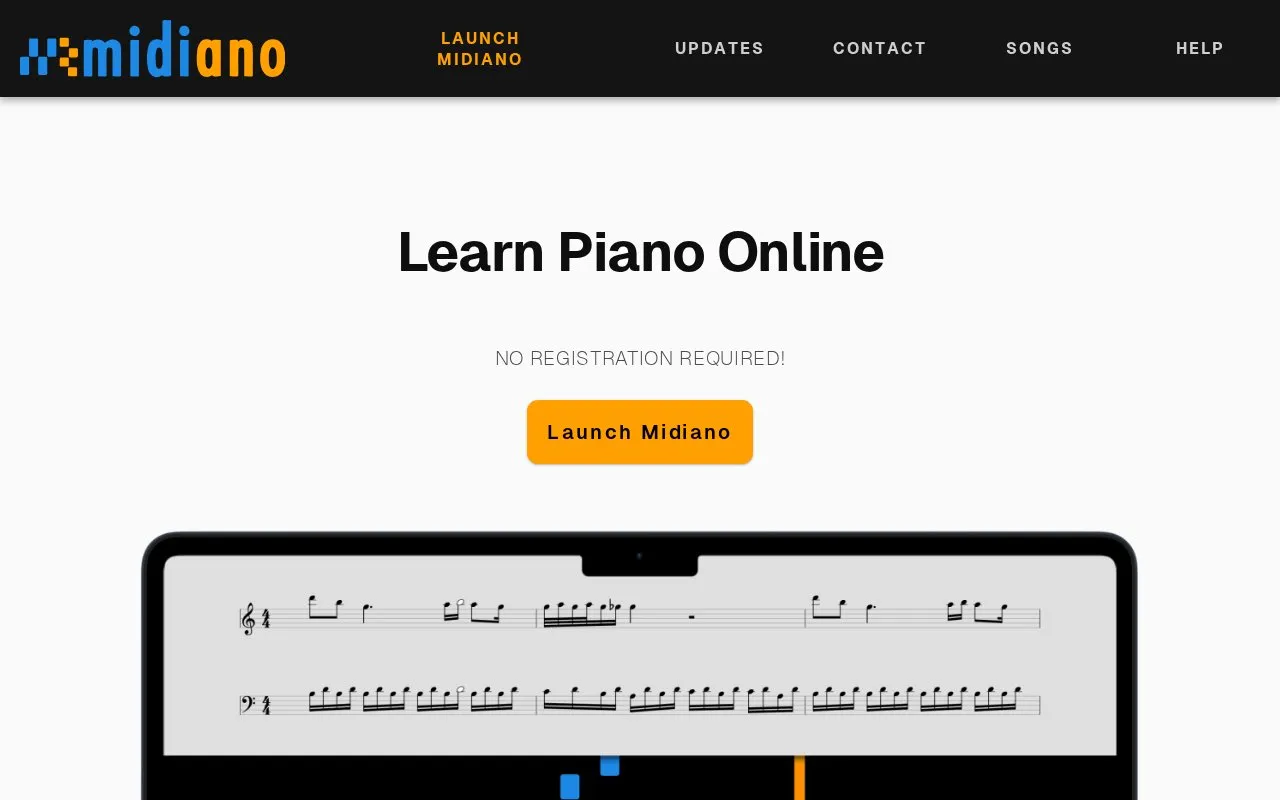
Midiano teaches piano with falling-note visuals and sheet music from MIDI files, with feedback from a connected MIDI keyboard.
About Midiano
Midiano is an interactive piano-learning app that runs in a web browser on desktop, iOS and Android. You open a MIDI file and it displays the notes as falling bars over a piano keyboard, alongside sheet music generated automatically from that file. Over 100 songs are included, and you can upload your own MIDI files to learn other pieces.
The app can connect to a MIDI keyboard for instant feedback on whether you hit the correct notes, and the keyboard can also be used as an output device to play MIDI files through it. Features include play-along mode, which waits until you play the correct notes, looping over chosen measures, adjustable speed, fingering labels, a metronome count-in and customizable colors and instruments. A sheet mode supports scrolling and full-screen practice for sight reading.
Because it runs client-side and is a Progressive Web App, it can be installed and used offline. It suits beginners through experienced players who want to practise at their own pace, and it can also be used to create piano visualizations or accompany live performances.
Key features
- Open MIDI files and see falling notes plus generated sheet music
- Connect a MIDI keyboard for instant feedback on played notes
- Play-along mode waits for correct notes; loop difficult sections
- Adjustable speed, metronome count-in and automatic fingering labels
- Over 100 free songs, plus upload your own MIDI files
- Installable Progressive Web App that works offline
Best for: Piano learners from beginner to experienced level who want interactive, self-paced practice with their own MIDI files or the included song library.
Good for
- No registration required and runs in a modern browser
- Works on desktop, iOS and Android, and can be used offline
- Feedback with a connected MIDI keyboard, plus play-along and loop modes
- Sheet music is generated automatically from MIDI files
Watch out for
- MIDI keyboard connection requires browser support for WebMIDIAPI, which excludes Safari and Firefox for Android
- Requires a browser supporting WebAudioAPI (not Internet Explorer)
Midiano at a glance
- Website
- midiano.com
- Category
- Lifestyle & Hobbies › Hobbies & DIY
- Type
- Website
- Pricing
- Not confirmed. Check the site
- Platforms
- Android, iOS, Web
- Open source
- Not stated
- Language
- English
- Last checked
- Oct 5, 2026 · Online when checked
- Listed
- Oct 5, 2026
Midiano alternatives
Tools and sites you could use instead, ranked by how closely they match.

Sightread teaches piano from sheet music with MIDI input and practice tools.

playsheet offers piano practice with interactive notation, MIDI feedback, looping, speed controls and scoring.

PianoCheetah provides piano practice and music playback tools, including a compact keyboard layout for playing songs.

The Bézier Game teaches vector curve drawing through keyboard-and-mouse game stages.
Fundamentals of Piano Practice provides free online lessons for learning and teaching piano.
Popular in Hobbies & DIY
Well-known listings from the same topic.
Radiocells.orgradiocells.orgRfsearch.comrfsearch.comNetKnotsnetknots.comDrawing Tutorialsdrawingtutorials101.comActivist Handbookactivisthandbook.orgFeeds.talonvoice.comfeeds.talonvoice.com


Midiano FAQ
Do I need a MIDI keyboard to use Midiano?
No. A MIDI keyboard enhances features such as play-along feedback, but you can also use your computer keyboard.
How do I connect a MIDI keyboard to Midiano?
The easiest way is a MIDI-to-USB cable. Note that MIDI 'In' goes to 'Out' and sometimes vice versa, depending on your keyboard.
Can I use my own songs in Midiano?
Yes. You can upload any MIDI file, and Midiano will show the notes and generate sheet music from it. Over 100 songs are included as well.
Does Midiano work offline?
Yes. Midiano is a Progressive Web App that runs client-side in your browser, so it can be installed and used offline.
Is something wrong or out of date?
Tell us and an editor will check it.
Own this website?
Claim this listing
Claim the listing and suggest updates yourself. An editor checks every claim first.