
Multiple Link Opener opens a pasted or uploaded list of URLs in new browser tabs with one action.
Open Bulk Url
Open Bulk URL opens a pasted list of links, with options to set a delay and avoid installing an extension.
About Open Bulk Url
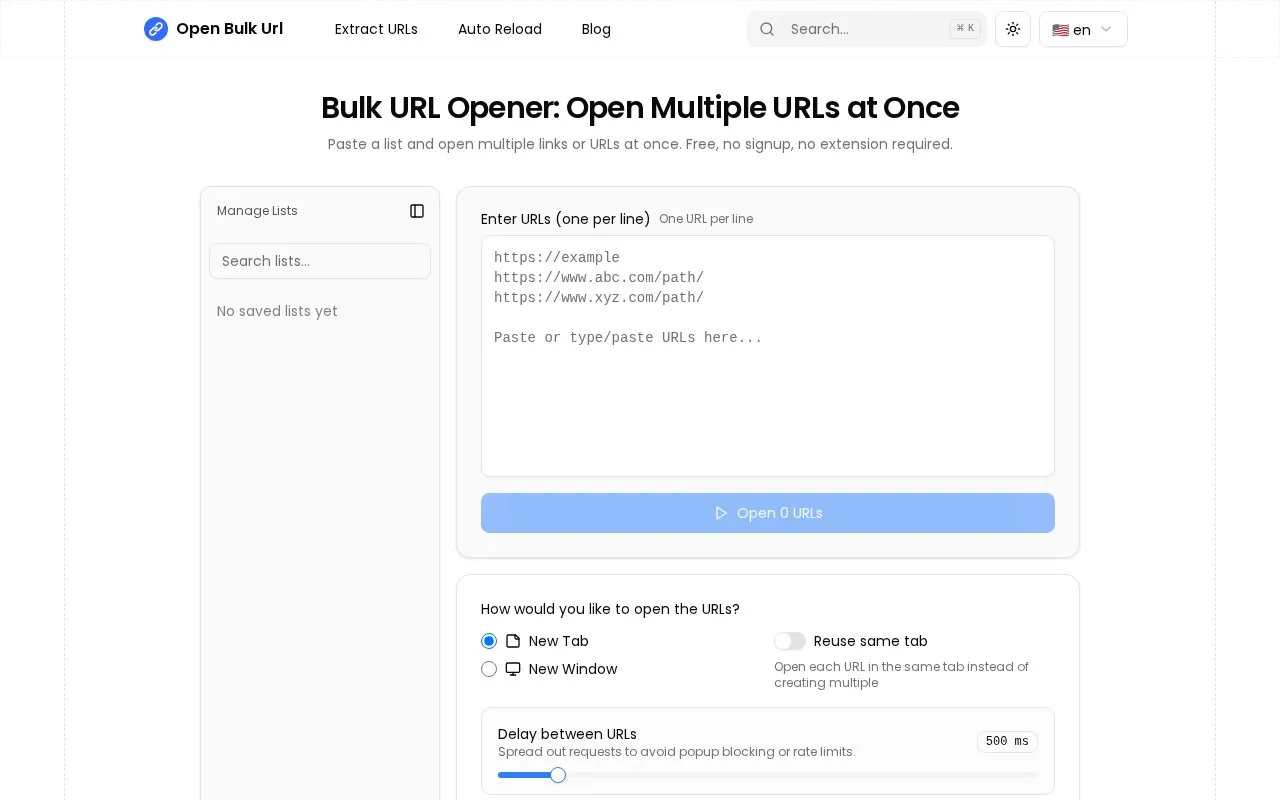
Open Bulk Url opens a pasted list of web addresses in new tabs, new windows, or by reusing the same tab. Users paste one URL per line or paste mixed text for the tool to extract addresses, set a delay between openings, and start the batch.
The site states that processing happens locally in the browser and saved lists are kept locally for later reuse. Users may need to allow popups, and the site recommends a delay of at least 500ms when opening 50 or more addresses to avoid freezing.
Key features
- Paste list one per line to open in tabs or windows
- Extract URLs automatically from mixed text
- Set opening delay from 100ms to 5000ms
- Reuse same tab instead of opening many tabs
- Remove duplicate URLs with one click
- Save named URL lists locally for reuse
Best for: People who regularly open batches of links for SEO checks, research, daily bookmarks, or QA testing.
Good for
- No signup required and no extension required for website use
- Site states entries are processed locally without upload
- Optional Chrome extension available for use without opening website
Watch out for
- Browsers may block batch opening until popups are allowed
- Opening 50 or more URLs at once can freeze browser without sufficient delay
- Does not open mailto: and tel: links
Open Bulk Url at a glance
- Website
- openbulkurl.com
- Category
- Online Tools › URL & Link Tools
- Type
- Online tool
- Pricing
- Not confirmed. Check the site
- Platforms
- Android, Web, Windows
- Open source
- Not stated
- Language
- English
- Last checked
- Oct 5, 2026 · Online when checked
- Listed
- Oct 5, 2026
Open Bulk Url alternatives
Tools and sites you could use instead, ranked by how closely they match.

refer.is creates branded short links, QR codes, and click analytics, with a browser extension listed on its page.

WhereGoes checks a URL's redirects and expands shortened links, with options for selecting a user agent.

n9.cl shortens URLs and supports custom links, with interface options in several languages.

Temporary URL creates expiring links, with paid and enterprise options listed on its page.
Paid
5 alternativesPopular in URL & Link Tools
Well-known listings from the same topic.
Dead Link Checkerdeadlinkchecker.comanon.toanon.toVisualpingvisualping.ioej.uzej.uzs.idhome.s.idRedirectDetectiveredirectdetective.com


Open Bulk Url FAQ
How do I open multiple links at once?
Paste links one per line, choose tab or window and delay settings, then click Open URLs and allow popups if prompted.
Can I save URL lists for later use?
Yes. You can save frequently used lists with custom names. Saved lists are stored locally in the browser.
Is there a limit to how many URLs I can open at once?
There is no hard limit, but the site recommends at least 500ms delay to prevent freezing, especially with 50 or more URLs.
Is something wrong or out of date?
Tell us and an editor will check it.
Own this website?
Claim this listing
Claim the listing and suggest updates yourself. An editor checks every claim first.