
Proton Authenticator
Generate two-factor authentication codes with Proton Authenticator across supported devices, including phones and computers.
About Proton Authenticator
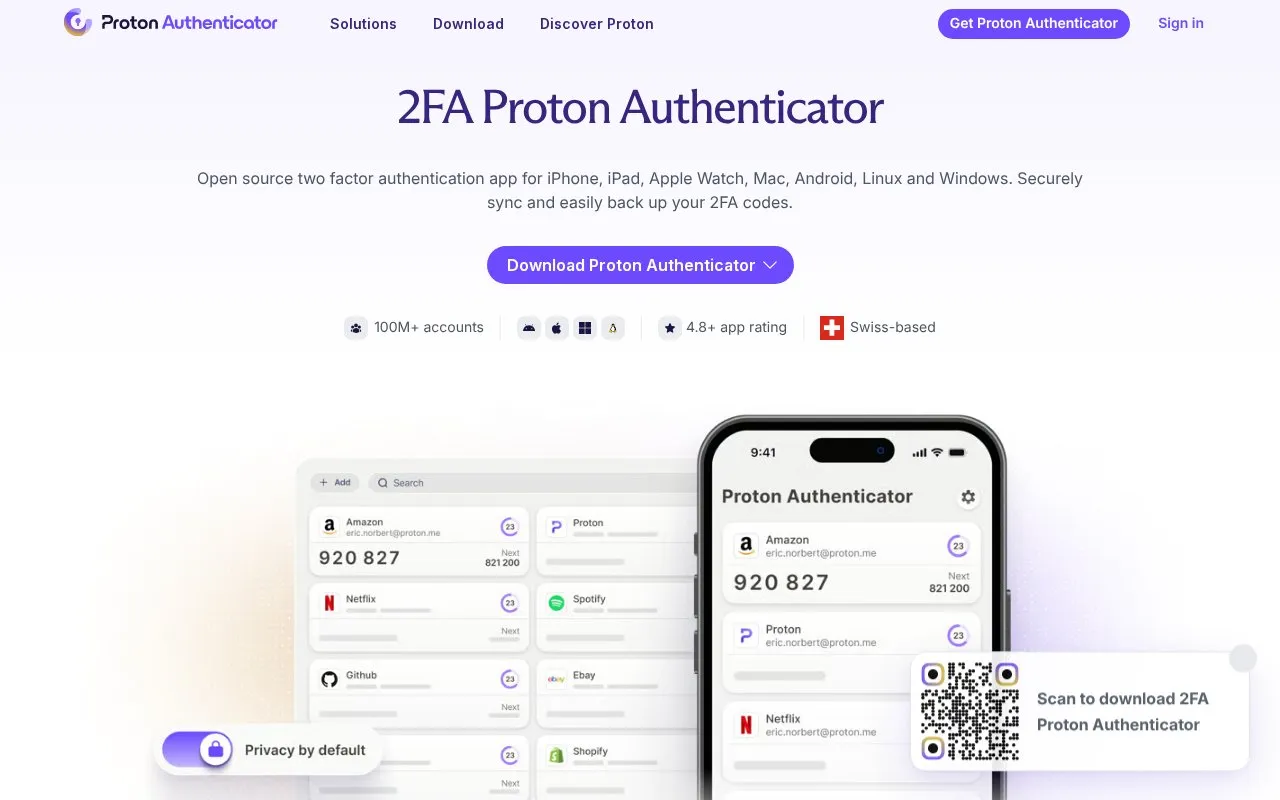
Proton Authenticator generates 6-digit two-factor authentication codes for online accounts. It runs on Windows, Mac, iOS, Android and Linux, and can generate codes without an internet connection. It can be used without a Proton Account, phone number or email address. Signing in to a Proton Account is needed to sync codes across devices using end-to-end encrypted backups. Accounts are added by scanning a QR code, entering a secret key, or importing from another authenticator.
Key features
- Generates 6-digit codes that refresh every few seconds
- Adds accounts by QR scan, secret key, or import
- Works without signup, phone number, or email address
- Functions on supported devices without internet connection
- Unlocks with face or fingerprint biometric
- Searches accounts and previews the next code
Best for: People who need two-factor codes on both mobile devices and desktop computers without mandatory signup.
Good for
- Usable immediately without account signup or contact details
- End-to-end encrypted backups, with cross-device sync optional via Proton Account
- No ads or trackers according to homepage description
Watch out for
- Syncing codes across devices requires signing in to a Proton Account
Proton Authenticator at a glance
- Website
- proton.me/authenticator
- Category
- Privacy & Security › Security Tools
- Type
- Website
- Pricing
- Not confirmed. Check the site
- Platforms
- Android, iOS, Linux, Web, Windows
- Open source
- Not stated
- Language
- English
- Last checked
- Oct 5, 2026 · Online when checked
- Listed
- Oct 5, 2026
Guides for Security Tools
Proton Authenticator alternatives
Tools and sites you could use instead, ranked by how closely they match.
Generate two-factor authentication codes in Chrome, Firefox, or Edge with the Authenticator extension.

Manage two-factor authentication codes with OTP Auth, an iOS app listed on the App Store.
FreemiumPick
24 alternatives
Store, generate, and organize one-time password codes with 2FAuth, a self-hosted manager for individuals and teams.

Find which websites support two-factor authentication and what methods they offer in this directory.

Manage two-step verification tokens on Android with Aegis Authenticator, a free, open-source app.
Generate secure SSL configurations for selected web, database, and mail software.
Pick
24 alternativesFeatured in
 8 sites


Best of
8 Best Free Authenticator Apps for Codes and Recovery
I'd choose Ente Auth when codes need to work across phones and computers, and Aegis for a local Android vault. These…
Popular in Security Tools
Well-known listings from the same topic.
Online Password Hash Crackonlinehashcrack.comMD5 reverse lookupmd5.gromweb.comchallenges.rechallenges.reGoPlus Locker V3gopluslabs.ioWhatsMyDNSwhatsmydns.netSuperagentsuperagent.sh


Proton Authenticator FAQ
Do I need a Proton Account to use it?
No. The app works without login; an account is only needed to sync codes across devices.
How do I add accounts to the app?
Enable 2FA on the account, then scan the QR code or enter the secret key, or import tokens from another authenticator.
What does an authenticator app do?
It generates one-time codes on your device that serve as a second login step in addition to a password.
Is something wrong or out of date?
Tell us and an editor will check it.
Own this website?
Claim this listing
Claim the listing and suggest updates yourself. An editor checks every claim first.