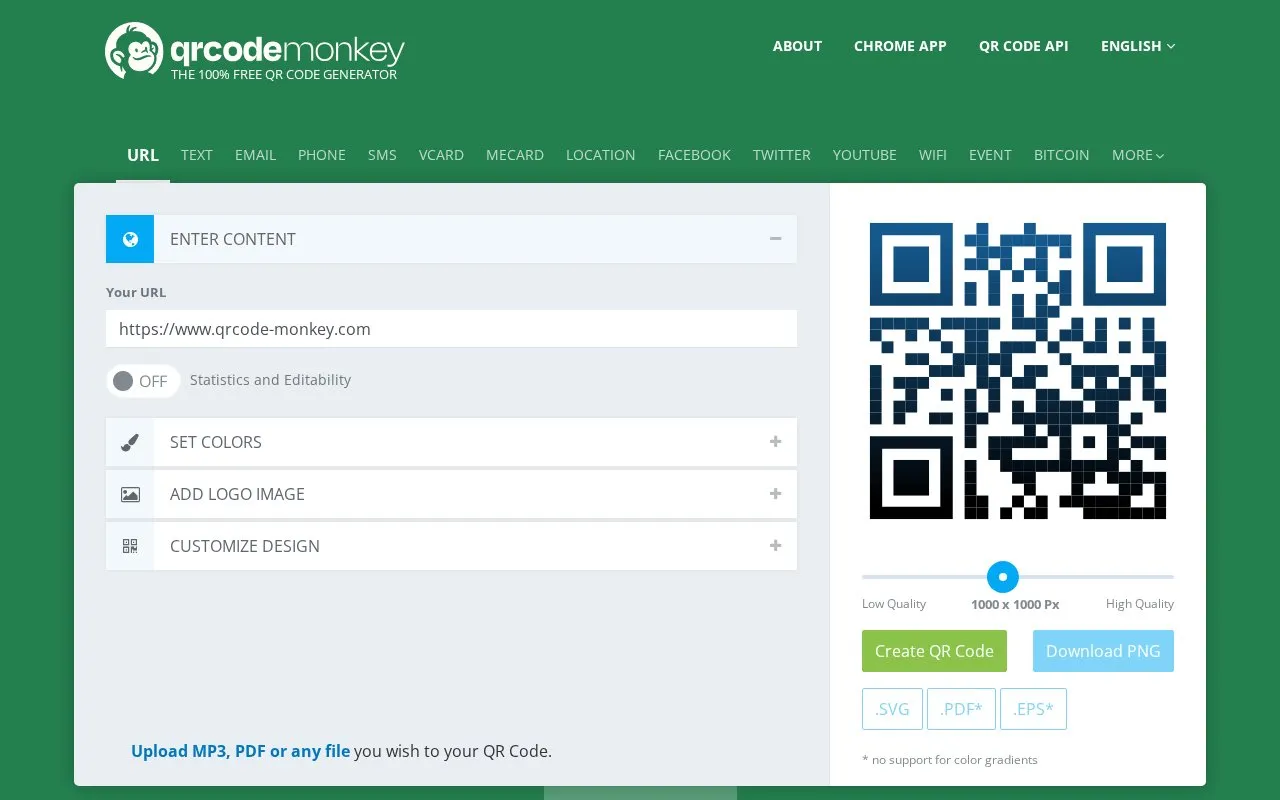
QRCode Monkey is a browser-based tool for creating custom QR codes. Users choose a content type such as a URL, plain text, email, phone number, SMS, vCard, Wi-Fi network, event, location or Bitcoin address, enter the details, and then style the code with foreground and background colors, linear or radial gradients, custom eye and body shapes, and an uploaded logo or a logo from the built-in gallery. Finished codes can be downloaded as PNG at a chosen pixel resolution or as SVG, PDF or EPS vector files intended for print; PDF and EPS do not support color gradients.
The static codes are free to create and download, and their content cannot be changed once the code is printed. Scan statistics, editable dynamic codes, bulk creation and editing, campaign folders and additional design options such as transparent codes are offered through a separate professional QR code platform that is advertised on the site. The interface is available in several languages, and a Chrome app and a QR code API are also listed.
Can I change the destination of a QR code after creating it?
Not with the free static code: the site states the content cannot be changed once the code is printed. Editable dynamic codes, scan statistics and related management features are offered through a separate professional QR code platform.
Which file formats can I download?
PNG, SVG, PDF and EPS. The site notes that PDF and EPS do not support color gradients, and recommends SVG when the full design is needed in vector editing software such as Adobe Illustrator or Inkscape.
What are the requirements for adding my own logo?
Logo images can be uploaded as .png, .jpg, .gif or .svg files with a maximum size of 2 MB; a logo can also be selected from the gallery.
Is something wrong or out of date?
Tell us and an editor will check it.
Own this website?
Claim the listing and suggest updates yourself. An editor checks every claim first.