
EarthCamTV streams destination webcam views from more than 1,500 locations on supported television platforms.
Retro TV Simulator
MyRetroTVs simulates vintage televisions for browsing decades of classic programs, commercials, music videos and cartoons.
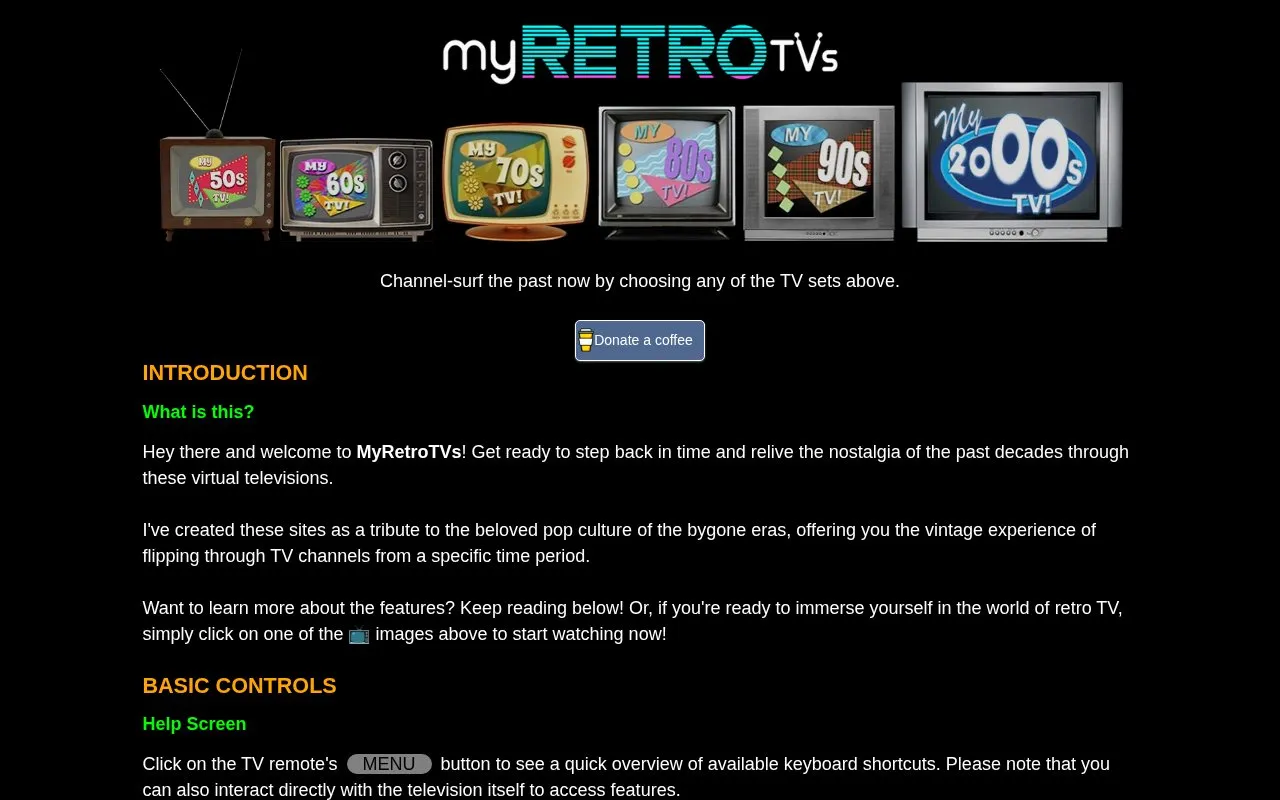
About Retro TV Simulator
MyRetroTVs offers browser-based virtual televisions that simulate channel-surfing through classic TV, commercials, music videos, news, cartoons, and other content from the 1950s to the 2000s. Visitors choose a TV set for a decade and can control it with an on-screen remote, direct interaction, or keyboard shortcuts for power, volume, channel changes, decade jumps, and content filters.
The site includes viewing options such as full-screen mode, Playlist Mode, and Shuffle Mode, plus special effects including picture noise, glow, black-and-white mode, and color scheme. Playback uses YouTube; pressing Y opens the current clip in a separate browser window for pause, rewind, or fast-forward. Content skews mostly toward English-speaking material except for music, and the creator aims to update the site at least once a week based on feedback.
Key features
- Channel-surf virtual vintage TV sets from the 1950s to 2000s.
- Filter content by type, including music videos, commercials, news, and cartoons.
- Control power, volume, channels, and settings via remote, TV, or keyboard shortcuts.
- Adjust special effects such as picture noise, glow, black-and-white mode, and color scheme.
- Use Playlist Mode or Shuffle Mode to change channel playback behavior.
- Open the current clip on YouTube for pause, rewind, and fast-forward.
Best for: Viewers who want a nostalgic, channel-surfing experience of vintage TV and pop culture from the 1950s through the 2000s.
Good for
- Provides six decades of retro TV content across categories like commercials, music videos, news, and cartoons.
- Offers multiple control methods: remote, direct TV interaction, and keyboard shortcuts.
- Includes adjustable viewing modes and effects, including Playlist Mode, Shuffle Mode, picture noise, and black-and-white mode.
Watch out for
- TV sites skew mostly toward English-speaking content, except for music.
- On older TVs, disabling the static transition primarily mutes static noise; full disable is on the 2000s TV.
- The My70sTV color-scheme option only modifies the TV scene and has no effect on video playback.
Retro TV Simulator at a glance
- Website
- myretrotvs.com
- Category
- Lifestyle & Hobbies › Fun & Interesting Sites
- Type
- Website
- Pricing
- Not confirmed. Check the site
- Platforms
- Web
- Open source
- Not stated
- Language
- English
- Last checked
- Oct 6, 2026 · Online when checked
- Listed
- Oct 5, 2026
Retro TV Simulator alternatives
Tools and sites you could use instead, ranked by how closely they match.

Explore.org streams live nature cameras and provides documentary films.

The Restart Page simulates reboot screens from vintage operating systems as a tribute to their design.
Popular in Fun & Interesting Sites
Well-known listings from the same topic.
Paint with Musicartsandculture.google.com/experiment/paint-wit…FanVersefanverse.orgGlobalPenFriendsglobalpenfriends.comSpaceBattlesforums.spacebattles.comSheepishPatiosheepishpatio.netMangolink Worldmangolinkworld.com


Retro TV Simulator FAQ
How do I control the virtual TV?
Use the on-screen remote, interact directly with the television, or use keyboard shortcuts; click the MENU button or press H for a quick overview.
Can I pause, rewind, or fast-forward the current clip?
Press Y to open the current clip in a separate browser window, where YouTube resumes playback; the TV powers off automatically to avoid audio interference.
How can I suggest video content?
Click the icon button and follow the instructions. Avoid clips with persistent banner overlays, anachronisms, region restrictions, vulgar content, or camcorder home video content. The creator tries to update the site at least once a week based on feedback.
Is something wrong or out of date?
Tell us and an editor will check it.
Own this website?
Claim this listing
Claim the listing and suggest updates yourself. An editor checks every claim first.