

Kiri:Moto brings 3D slicing and G-code or CNC toolpath generation to the browser, with help documentation and APIs.
SVGArtista
Create SVG drawing animations by adjusting stroke and fill properties, then view or copy the generated code.
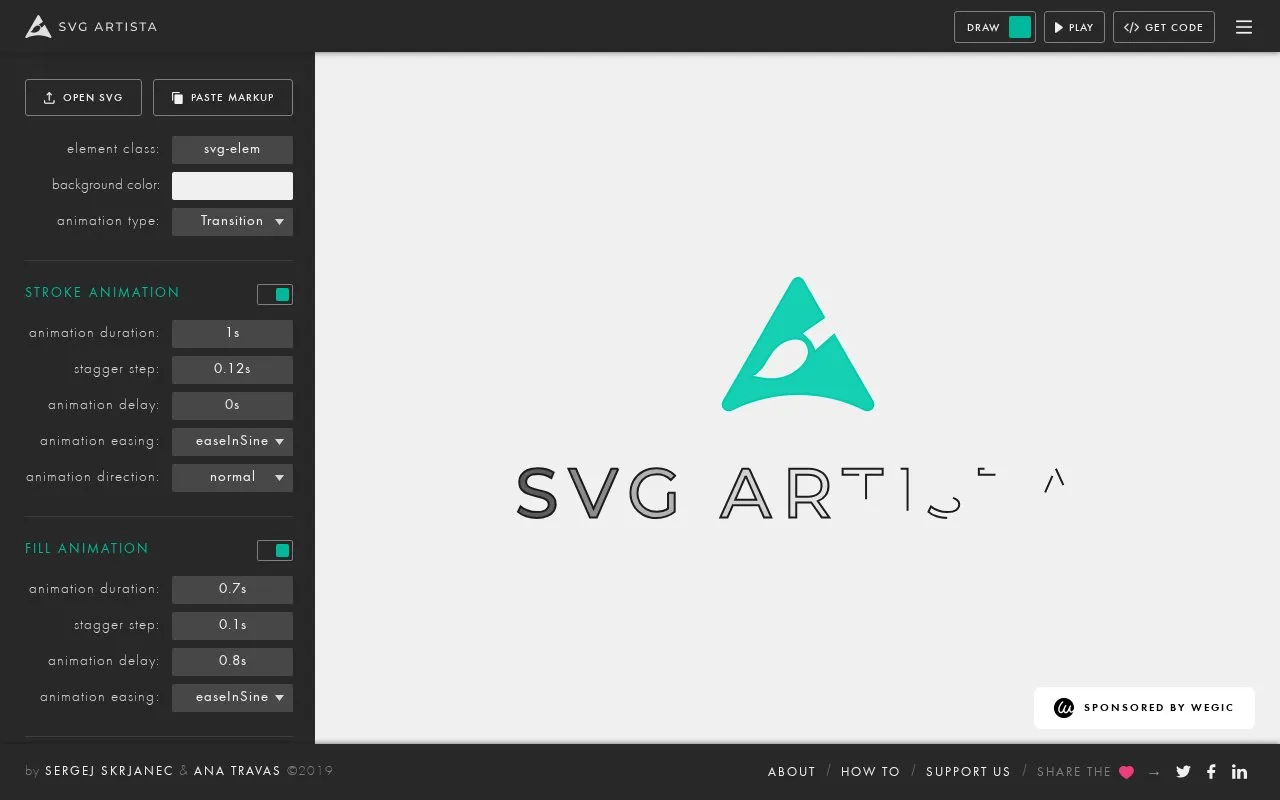
About SVGArtista
SVGArtista creates drawing animations from user-supplied SVG graphics by animating stroke and fill properties. Users can open an SVG file or paste SVG markup, adjust the settings, and preview the result with Play. It provides separate controls for stroke and fill animation, including duration, stagger step, delay, easing, and direction, along with element class, background color, and animation type. The output is shown as SVG code that can be viewed and copied.
Key features
- Open an SVG file or paste SVG markup
- Preview animation with Play control
- Adjust stroke duration, delay, and stagger step
- Select easing option and normal or reverse direction
- Adjust fill duration, delay, and stagger step
- View and copy generated SVG code
Best for: People who want to add stroke and fill drawing animation to existing SVG graphics.
Good for
- Supports both stroke and fill animation settings
- Includes preview and generated SVG code output
- Provides timing controls such as delay and stagger step
SVGArtista at a glance
- Website
- svgartista.net
- Category
- Design & Creative › 3D, CAD & Motion
- Type
- Online tool
- Pricing
- Not confirmed. Check the site
- Platforms
- Web
- Open source
- Not stated
- Language
- English
- Last checked
- Oct 5, 2026 · Online when checked
- Listed
- Oct 5, 2026
SVGArtista alternatives
Tools and sites you could use instead, ranked by how closely they match.

Create layered SVG wave graphics with controls for shape, height, color, and gradients, then save as SVG or PNG.
Turn SVG files into interactive 3D objects with 3dsvg, then animate and export an image or video.
Free
9 alternatives
Generate customizable gradient SVG waves, layer multiple waves, and export the result as SVG or PNG.

For canvas and SVG, Zdog provides a small JavaScript pseudo-3D engine to design and render simple 3D models.

The Vertex plugin creates 3D scenes in Figma with models, materials, SVG conversion, 3D text, and lighting and camera controls.
Popular in 3D, CAD & Motion
Well-known listings from the same topic.
NASA 3D Resourcesscience.nasa.gov/3d-resourcesDesignConnecteddesignconnected.comAwesome Blenderawesome-blender.netlify.appJerrari Designjerrari3d.comAssemblrassemblrworld.comWings 3Dwings3d.com


SVGArtista FAQ
How do I create an animation with SVGArtista?
Open an SVG file or paste SVG markup, adjust the stroke and fill settings, then use Play to preview and Get Code to view the generated code.
What animation settings can I adjust?
Animation type, duration, stagger step, delay, easing, direction, element class, and background color.
Is something wrong or out of date?
Tell us and an editor will check it.
Own this website?
Claim this listing
Claim the listing and suggest updates yourself. An editor checks every claim first.