
TeraCopy
TeraCopy enhances file copying on Windows and Mac with copy verification and handling for files that cannot be copied.
About TeraCopy
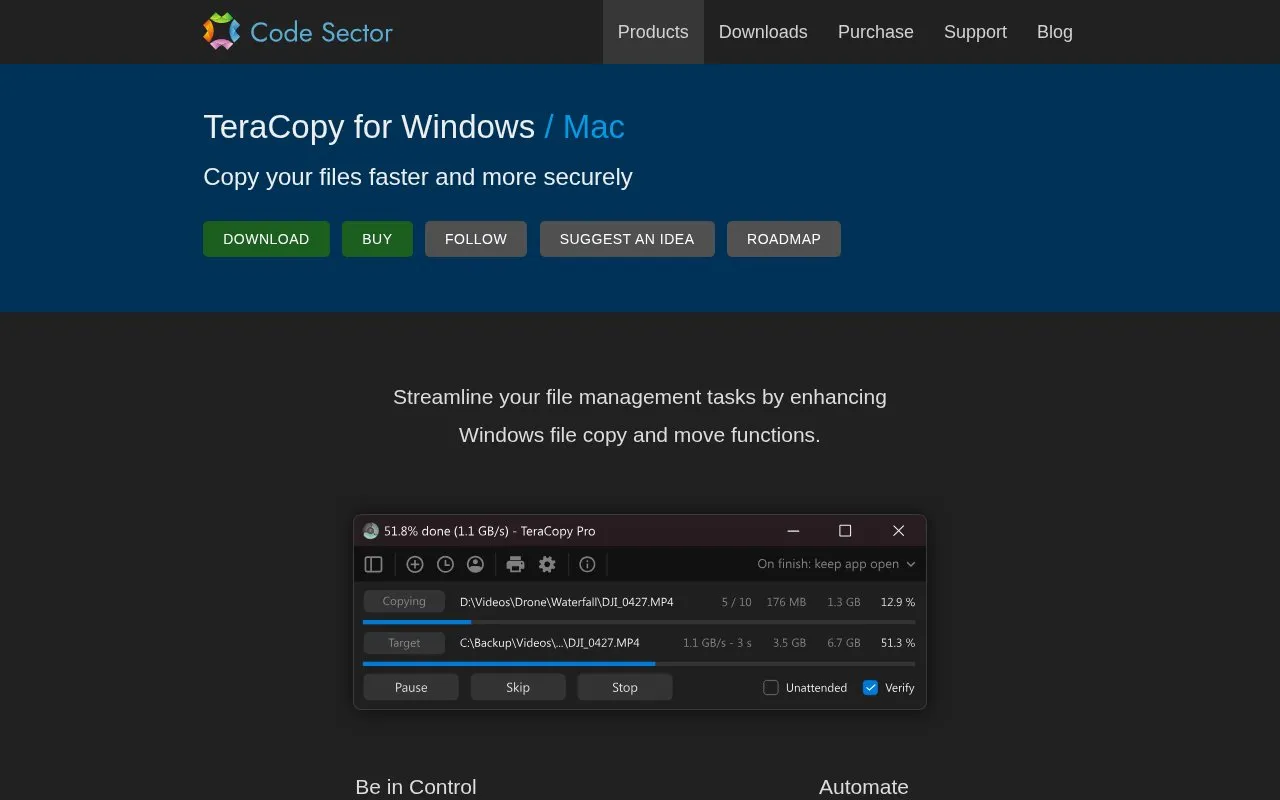
TeraCopy is a file copy and move utility for Windows (with a Mac version referenced on the site) that replaces or supplements Explorer's built-in copy functions. It skips problematic files instead of terminating a transfer, waits for network or device reconnection, and lets you retry only failed or skipped files afterward. It can verify that destination files match the source using checksum algorithms, generate or validate checksum files, queue transfers, retain task and file lists for a few days, and copy locked files through an elevated Windows Service and Volume Shadow Copy. The Pro/Business edition adds commercial use, copying to multiple destinations, more than two copy threads, file list editing, favorite folders, and HTML/CSV report export. Some capabilities, including file list editing and ignore lists, are limited to TeraCopy Pro.
Key features
- Skips problematic files, waits for network or device reconnection
- Verifies file integrity with 17 checksum algorithms, over 50 variations
- Generates and validates checksum files
- Copies locked files via elevated Windows Service and Volume Shadow Copy
- Queues transfers and retains task file lists for a few days
- Integrates with Windows Explorer to replace copy and move functions
Best for: Windows users who want more control over large, error-prone, or verified file transfers, and Pro/Business buyers who need commercial use, multiple destinations, or more copy threads.
Good for
- Copy errors do not terminate the whole transfer, and failed or skipped files can be retried individually.
- File verification supports a broad set of checksum algorithms and can generate or validate checksum files.
- Integrates with Windows Explorer so copy and move behavior changes without switching tools.
Watch out for
- Commercial use requires the Pro/Business version according to the feature matrix.
- The free version is limited to up to 2 copy threads, while Pro/Business supports 3 or more.
- The homepage describes a Mac version but details its features primarily for Windows.
TeraCopy at a glance
- Website
- codesector.com/teracopy
- Category
- Software & Utilities › Backup & Recovery
- Type
- Website
- Pricing
- Not confirmed. Check the site
- Platforms
- Web, Windows
- Open source
- Not stated
- Language
- English
- Last checked
- Oct 5, 2026 · Online when checked
- Listed
- Oct 5, 2026
Guides for Backup & Recovery
Popular in Backup & Recovery
Well-known listings from the same topic.
UrBackupurbackup.orgAOMEI Backupperubackup.comWindows File Recoveryapps.microsoft.com/detail/9n26s50ln705Duplicatiduplicati.comKopiakopia.ioBorgborgbackup.org


TeraCopy FAQ
What happens if a file cannot be copied?
TeraCopy skips the problematic file rather than terminating the entire transfer and waits for network or device reconnection. Failed or skipped files can be retried afterward.
How does TeraCopy verify copied files?
It verifies that destination files are identical to source files using support for 17 checksum algorithms and over 50 variations, including CRC32, MD5, SHA1, BLAKE3, and xxHash3, and can generate or validate checksum files.
Can TeraCopy be used in a commercial environment?
The feature matrix lists commercial environment use under TeraCopy Pro/Business, not the free version.
Is something wrong or out of date?
Tell us and an editor will check it.
Own this website?
Claim this listing
Claim the listing and suggest updates yourself. An editor checks every claim first.