

DomainRecon looks up DNS records, WHOIS details, SSL certificates, and IP addresses for a domain.
TracerouteVisualizer
TracerouteVisualizer maps network traceroute paths and displays the route between a device and a destination.
About TracerouteVisualizer
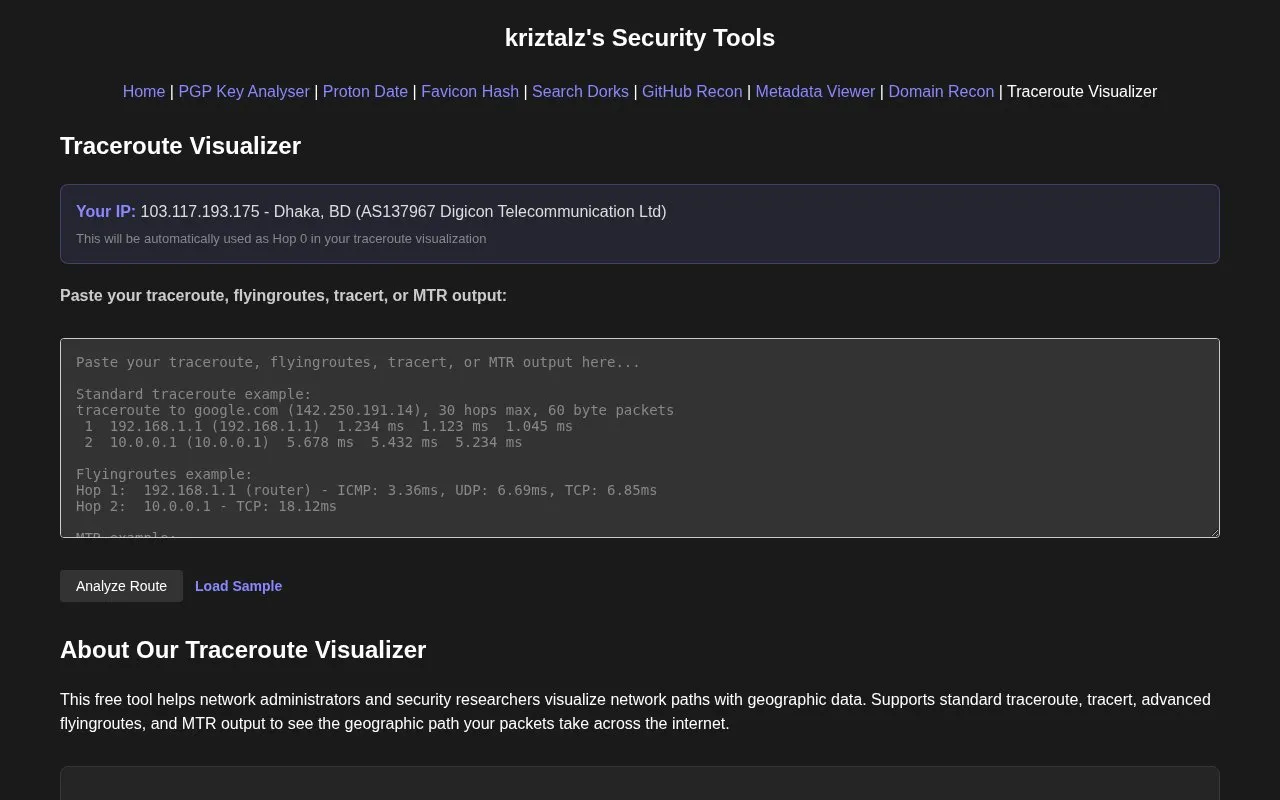
TracerouteVisualizer is a web tool that takes traceroute, tracert, flyingroutes, or MTR output and displays the network path between a device and a destination on an interactive map. Users paste their command output into the tool, which then shows each hop with its IP address, hostname, location, ISP, packet loss, and response time. The homepage describes the tool as free and lists network administrators and security researchers as its main audience.
The tool detects the user's IP address and uses it as the starting point (Hop 0). It also marks hops at Internet Exchange Points. Geographic location data comes from IPinfo's public API, and Internet Exchange Point detection uses PeeringDB's API, so those results depend on those external services. The homepage states that traceroute data is processed in the browser and not stored on the site's servers. Some fields appear only for certain output formats, such as packet loss and AS numbers for MTR and protocol timings for flyingroutes.
Key features
- Parses standard traceroute, tracert, flyingroutes, and MTR command output
- Automatically uses the user's detected IP address as the first hop
- Plots the route on an interactive map with hop locations
- Marks Internet Exchange Point hops with a badge and map marker
- Shows per-hop packet loss, response time, ISP, and AS information where available
- Displays a latency heatmap and total one-way time and distance statistics
Best for: Network administrators and security researchers who need to troubleshoot latency or examine the geographic path of internet routes.
Good for
- The homepage describes the tool as free to use.
- The homepage states that traceroute data is processed in the browser and not stored on the site's servers.
- A sample route can be loaded to see how results are displayed before using real output.
Watch out for
- Location data depends on IPinfo's API, and Internet Exchange Point detection depends on PeeringDB's API.
- Packet loss and AS numbers appear only with MTR output, and protocol timing details appear only when available.
- Alternative load-balanced paths are shown only for flyingroutes output.
TracerouteVisualizer at a glance
- Category
- Privacy & Security › Website & URL Scanners
- Type
- Website
- Pricing
- Not confirmed. Check the site
- Platforms
- Web
- Open source
- Not stated
- Language
- English
- Last checked
- Oct 6, 2026 · Online when checked
- Listed
- Oct 5, 2026
TracerouteVisualizer alternatives
Tools and sites you could use instead, ranked by how closely they match.

Passive subdomain reconnaissance for authorized testing is available through openSquat, a framework written in Rust.

DNSai provides DNS lookups and analysis tools for records, WHOIS, blacklists, email authentication, and domains.

Research a domain’s DNS records, RDAP, WHOIS, subdomains, IP addresses, and email security in one report.

isMalicious checks IP addresses, domains, URLs, emails, phone numbers, and cryptocurrency wallets against threat intelligence data.
Freemium
23 alternatives
Web Check analyzes a website’s infrastructure and security signals through an OSINT and site diagnostics tool.
Popular in Website & URL Scanners
Well-known listings from the same topic.
Columbus Projectgithub.com/elmasy-com/columbusInfoSniperinfosniper.netWho.iswho.isRobtexrobtex.comQuantcastquantcast.comFullHuntfullhunt.io


TracerouteVisualizer FAQ
Which traceroute output formats can be pasted into the tool?
The tool supports standard traceroute, tracert, flyingroutes, and MTR output. The homepage shows examples of each.
Is traceroute data stored on the site's servers?
The homepage's privacy notice states that traceroute data is processed in the browser and not stored on the site's servers. Geographic lookups use IPinfo's public API and Internet Exchange Point detection uses PeeringDB's API.
How is my own IP address used in the results?
The tool detects your IP address automatically and uses it as the starting point, labeled Hop 0, in the traceroute visualization.
Is something wrong or out of date?
Tell us and an editor will check it.
Own this website?
Claim this listing
Claim the listing and suggest updates yourself. An editor checks every claim first.