

Smart Clerk automates bookkeeping from bank statements or bank feeds and produces tax-ready financial reports.
TurboDoc
TurboDoc extracts and organizes data from invoices, receipts, and bank statements for document processing.
About TurboDoc
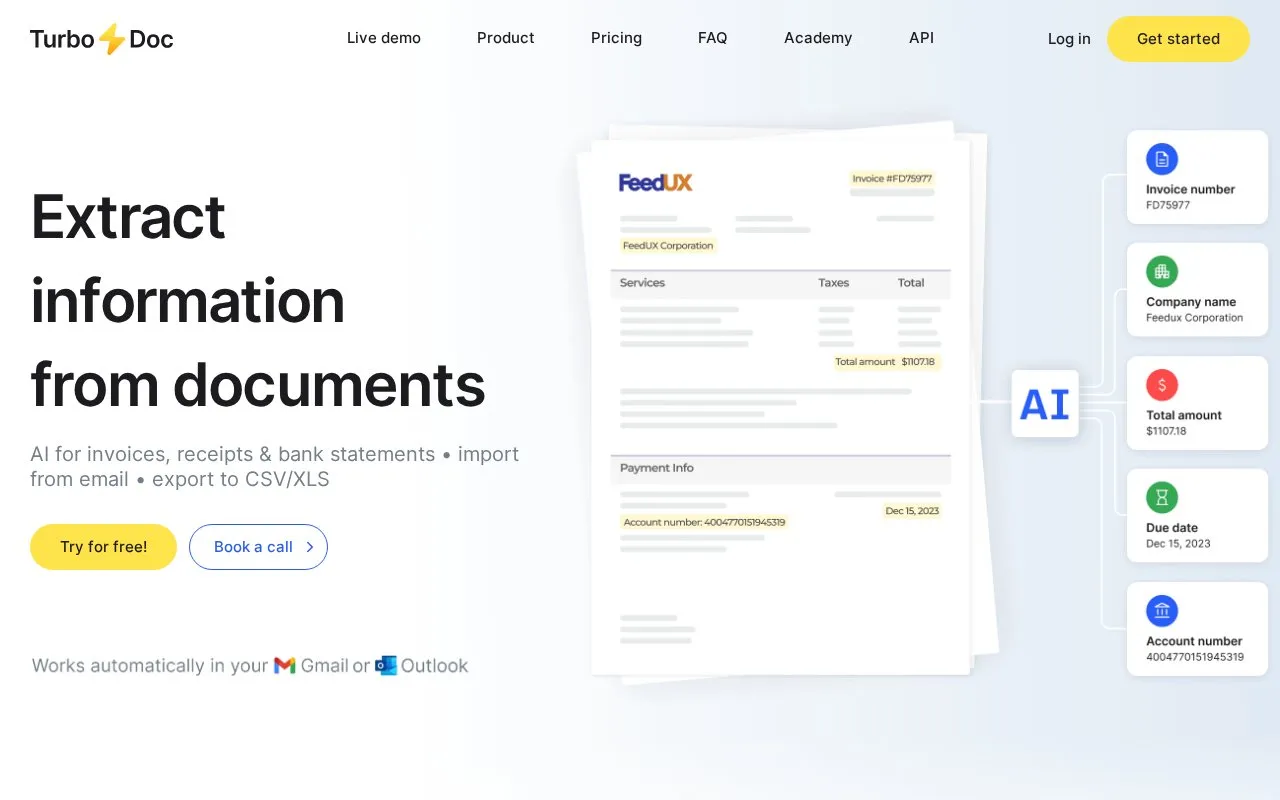
TurboDoc is a web tool that extracts structured data from invoices, receipts and bank statements. Files are uploaded as PDF, JPEG, PNG, WEBP, HEIC or TIFF images and processed by an AI model; extracted fields such as company name, totals, invoice number, dates and payment details appear in a dashboard where they can be reviewed, edited against the original document and exported to CSV or XLS. A Gmail or Outlook account can be connected so invoices and receipts are captured from a mailbox automatically. The site describes a free trial and monthly plans that differ in the number of invoices and bank statements processed per month and the number of connected email accounts. Uploads must be between 1000 bytes and 10 MB, the homepage demo has a request limit, and integrations with accounting software are listed as coming soon with a waitlist.
Key features
- Extracts fields such as company, totals, invoice number, dates and payment details
- Accepts PDF, JPEG, PNG, WEBP, HEIC and TIFF uploads
- Connects Gmail or Outlook accounts for automatic invoice and receipt collection
- Dashboard view and edit mode compares extracted data with the original
- Exports structured data in CSV and XLS formats
- AES256 encryption; data stored on servers in the USA
Best for: Small businesses and accounting or accounts payable staff who need invoice, receipt and bank statement files turned into structured, exportable data.
Good for
- Free trial plus a homepage demo that extracts data from an uploaded invoice
- Extracted data can be reviewed, corrected and checked against the original document
- Invoice and receipt collection can be automated from a linked mailbox
Watch out for
- Uploads are limited to between 1000 bytes and 10 MB
- The homepage demo has a request limit; extended access requires registration
- Accounting software integrations are marked as coming soon, with a waitlist
TurboDoc at a glance
- Website
- turbodoc.io
- Category
- Finance & Money › Finance & Property
- Type
- Website
- Pricing
- Not confirmed. Check the site
- Platforms
- Web
- Open source
- Not stated
- Language
- English
- Last checked
- Oct 6, 2026 · Online when checked
- Listed
- Oct 5, 2026
TurboDoc alternatives
Tools and sites you could use instead, ranked by how closely they match.

Firefly III manages personal finances with double-entry bookkeeping, transaction organization, data imports, and bank CSV cleanup rules.
Free
11 alternativesPopular in Finance & Property
Well-known listings from the same topic.
PrimeLocationprimelocation.comiOSapps.apple.com/us/app/cashew-expense-budget-tr…Money Manager EXmoneymanagerex.orgTradyticstradytics.comActualactualbudget.orgETFDBetfdb.com


TurboDoc FAQ
How can I try the data extraction feature?
You can try the demo on the homepage by uploading an invoice, or sign up for a free trial account for full access to the features.
Can I compare extracted data with the original document?
Yes. Clicking a row in the dashboard table opens the original document alongside the extracted data, where fields can be checked, edited and saved.
How does automating invoice processing lead to cost savings?
TurboDoc states that automation streamlines the accounts payable workflow by removing manual data entry, freeing staff for other tasks and reducing the likelihood of late payments or duplicates.
Is something wrong or out of date?
Tell us and an editor will check it.
Own this website?
Claim this listing
Claim the listing and suggest updates yourself. An editor checks every claim first.