

This Wan2.2 demo generates short videos from a prompt, with options for image input, size, length, style, and LoRA modules.
Wan2.2 Video Generation
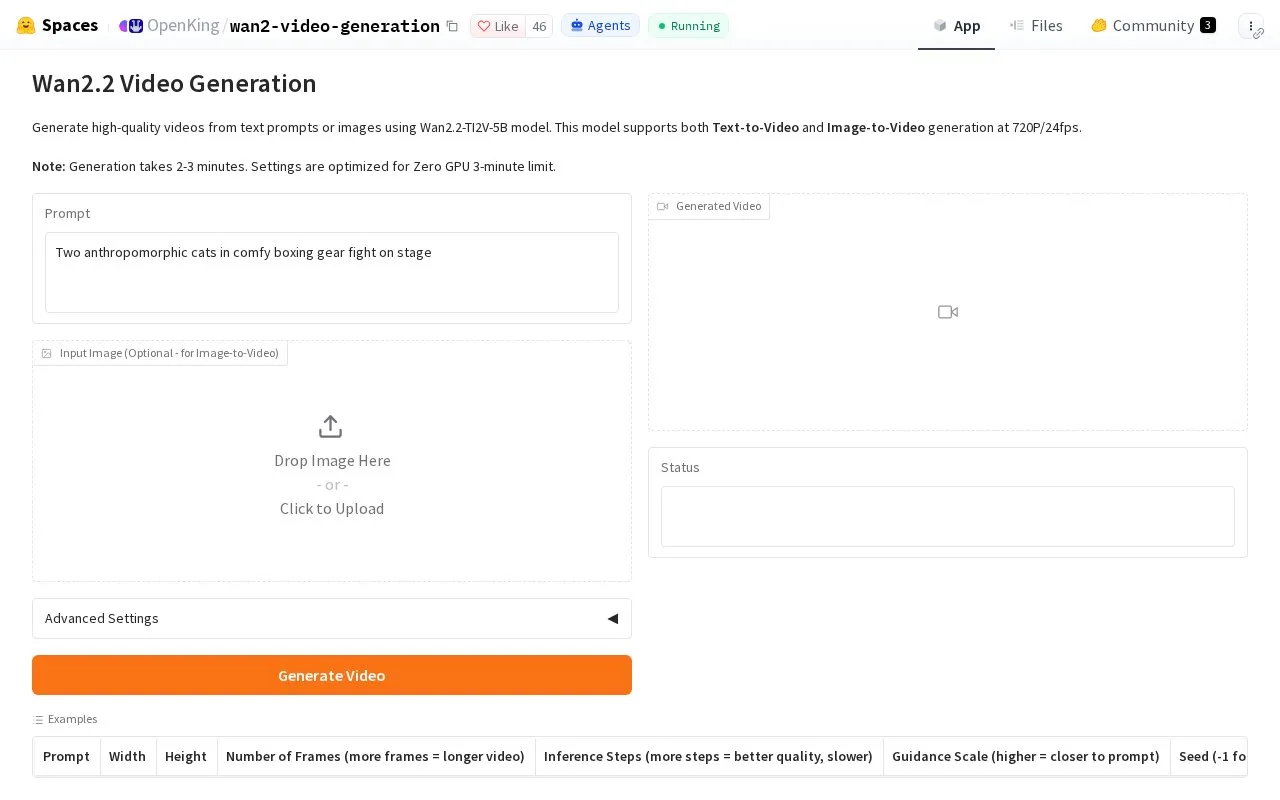
This Wan2.2 demo creates short videos from a scene description, with an optional image to guide generation.
About Wan2.2 Video Generation
Wan2.2 Video Generation is a web-based video generation tool hosted as a Hugging Face Space by OpenKing. It is listed in the AI video generators category and is accessed through a web browser. Input is text-based with optional image support.
To use it, you enter a description of the scene you want to see. You can also upload an image to guide the creation. The app then produces a short 720p video that matches the prompt, with a default length of 3 seconds at 24 fps.
It suits people who want to try text-to-video generation or test how an image input affects the output. It is intended for general users exploring AI video tools for short clips rather than longer video projects.
Key features
- Generate video from written scene description
- Upload optional image to guide generation
- Outputs 720p video matching the prompt
- Default output is 3 seconds at 24 fps
- Accessed through web browser as Hugging Face Space
Best for: People who want to create short AI videos from text with optional image guidance.
Good for
- Simple text-based video creation
- Optional image guidance for output
- Runs in web browser
Watch out for
- Default output limited to short 3-second clips
Wan2.2 Video Generation at a glance
- Category
- AI & Machine Learning › AI Video Generators
- Type
- Online tool
- Pricing
- Not confirmed. Check the site
- Platforms
- Web
- Open source
- Not stated
- Last checked
- Oct 5, 2026 · Online when checked
- Listed
- Oct 5, 2026
Wan2.2 Video Generation alternatives
Tools and sites you could use instead, ranked by how closely they match.

Enter a text prompt to generate a video, with an optional seed setting for reproducibility.

This Hugging Face Space is listed as a story and video generation project.

This tool generates videos from a text description and selected duration.

The Video Generation Leaderboard compares text to video models using sample videos and rankings.

Upload an image and describe a scene to generate a short video that starts from the supplied picture.
Popular in AI Video Generators
Well-known listings from the same topic.
AIFreeVideoaifreevideo.comGstory.aigstory.aiDubprodubpro.aiVibesvibes.aiPlask Motionplask.aiPika AIpikaai.org


Wan2.2 Video Generation FAQ
What does Wan2.2 Video Generation do?
It creates a short video from a written scene description, with an optional image to guide the result.
What kind of video does it produce?
It produces a short 720p video that matches the prompt, with a default of 3 seconds at 24 fps.
How do I use it?
You enter a scene description in the browser and can optionally upload an image. The Space then generates the video from that input.
Is something wrong or out of date?
Tell us and an editor will check it.
Own this website?
Claim this listing
Claim the listing and suggest updates yourself. An editor checks every claim first.