
This community-maintained list compares Android manufacturers’ bootloader unlocking status, organizing device information to help users evaluate ROM installation options.
WebUI
80bee lets users manage an Android device from a browser over WebUSB, including reboot, recovery, and bootloader options.
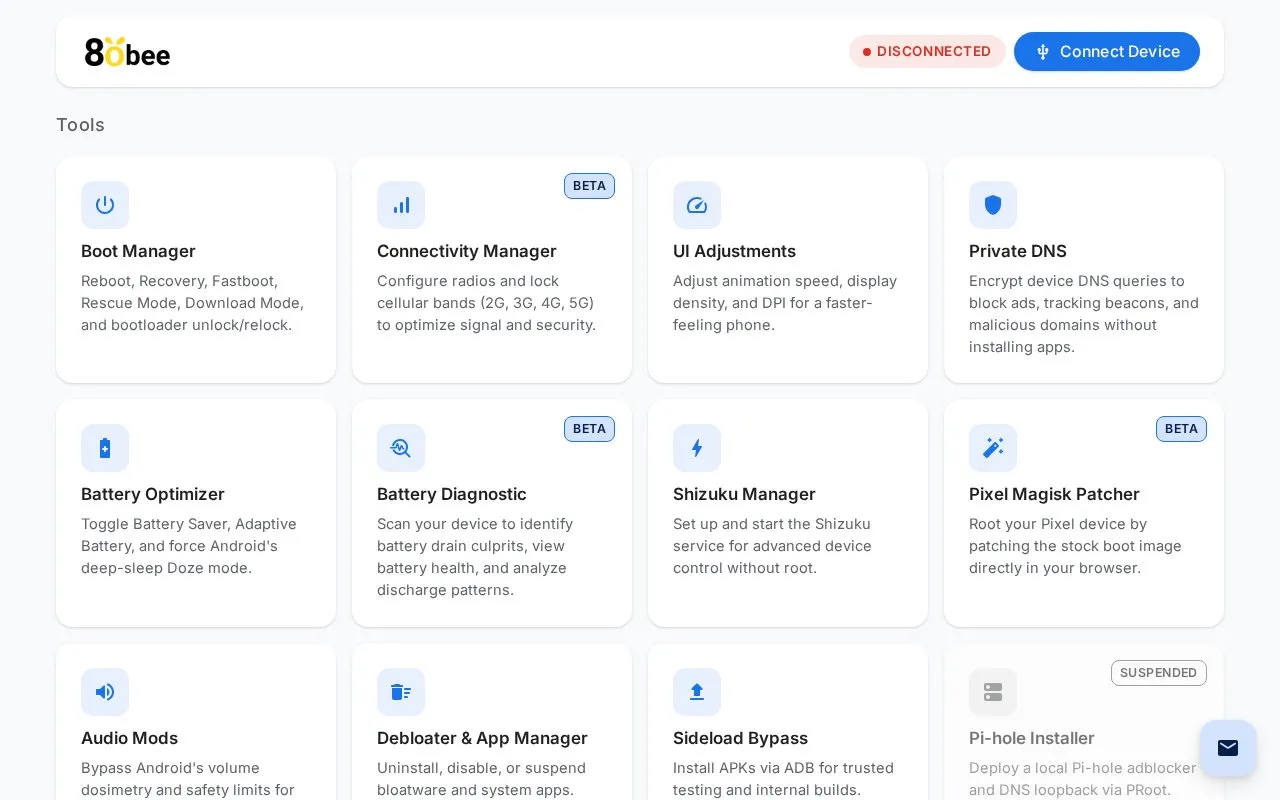
About WebUI
80bee manages an Android device from a browser using WebUSB without software installation. It includes tools for reboot modes, bootloader unlock and relock, app removal, APK installation via ADB, Private DNS, battery settings, cellular bands, display adjustments, Bluetooth repair, and Shizuku setup.
Several tools are marked as beta and the Pi-hole installer is marked as suspended. Bootloader unlocking and relocking erase all data, and the audio safety bypass resets after 20 hours of music playback or reboot.
Key features
- Reboot to system, recovery, fastboot, rescue, or Samsung Download Mode
- Unlock and relock bootloader with modern and legacy fastboot protocols
- Remove, disable, or suspend bloatware and system apps
- Install APKs via ADB sideload for testing and internal builds
- Configure Private DNS to block ads and tracking without apps
- Adjust animation speed, display density, and DPI
Best for: Android users who want to perform advanced device maintenance from a browser without installing desktop software.
Good for
- Works from the browser over WebUSB without software installation
- Combines reboot, bootloader, app, DNS, battery, and connectivity tools in one site
- Shows warnings about data erasure, brick risk, and hearing damage
Watch out for
- Several tools are marked BETA and Pi-hole Installer is marked SUSPENDED
- Unlocking or relocking the bootloader erases all data
- Volume safety bypass resets after 20 hours of playback or reboot
WebUI at a glance
- Website
- 80bee.com
- Category
- Mobile Apps › Android Apps
- Type
- Website
- Pricing
- Not confirmed. Check the site
- Platforms
- Android, Web
- Open source
- Not stated
- Language
- English
- Last checked
- Oct 5, 2026 · Online when checked
- Listed
- Oct 5, 2026
WebUI alternatives
Tools and sites you could use instead, ranked by how closely they match.

This wall of shame tracks companies’ Android bootloader unlocking policies, collecting information about which manufacturers permit device unlocking.
Popular in Android Apps
Well-known listings from the same topic.
SwiftKeymicrosoft.com/en-us/swiftkeyMobile Abyssmobile.alphacoders.comPocketPal AIpocketpal.devGrapheneOSgrapheneos.orgTransittransitapp.comFairEmailemail.faircode.eu


WebUI FAQ
Will unlocking the bootloader delete my data?
Yes. The site states unlocking initiates a factory reset and advises backing up files beforehand.
Why do I have to re-apply the audio volume bypass?
Android resets the settings after 20 hours of music playback or upon reboot, so the bypass must be applied again.
Can I relock the bootloader with a custom ROM installed?
No. The site warns to use only untouched stock firmware, as relocking with custom recoveries, root, or custom ROMs can permanently brick the device.
Is something wrong or out of date?
Tell us and an editor will check it.
Own this website?
Claim this listing
Claim the listing and suggest updates yourself. An editor checks every claim first.