

Every Time Zone compares local times visually and helps find meeting times across time zones.
WorldTimeBuddy
WorldTimeBuddy compares time zones and helps schedule conference calls, webinars, and online meetings.
About WorldTimeBuddy
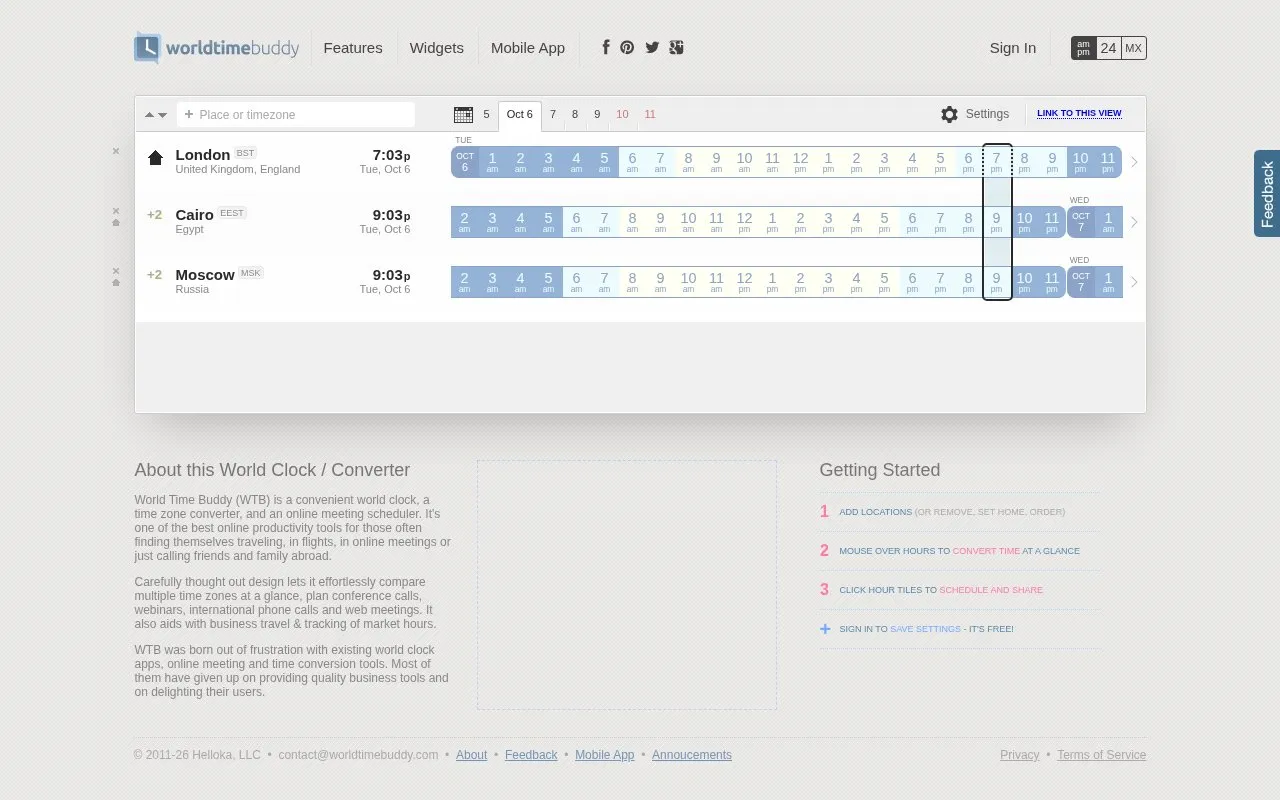
WorldTimeBuddy is a web-based world clock, time zone converter, and online meeting scheduler. It shows several time zones side by side, so users can see the local time in each location at a glance. It is intended for scheduling conference calls, webinars, online meetings, and phone calls across time zones.
The homepage also mentions planning business travel, tracking flight arrival times, and tracking market hours. Signing in is needed to save settings, and the homepage offers sign-in with Facebook or email. The source does not state pricing beyond describing sign-in as free, so the pricing status is listed as unknown.
Key features
- Compares multiple time zones at once in a single view
- Converts times by hovering over hour tiles
- Clicking an hour tile schedules a time and shares it
- Creates shareable links to a specific view or selection
- Adds events to Outlook/iCal, Google Calendar, or Gmail
- Offers World Clock and Event widgets, plus a mobile app
Best for: People who schedule calls or meetings with participants in several time zones, and people who often travel or call contacts abroad.
Good for
- Shows several time zones side by side for quick comparison
- Lets users schedule and share a meeting time from the same view
Watch out for
- Settings are saved only after signing in with Facebook or email
WorldTimeBuddy at a glance
- Website
- worldtimebuddy.com
- Category
- Productivity › Automation
- Type
- Online tool
- Pricing
- Not confirmed. Check the site
- Platforms
- Web
- Open source
- Not stated
- Language
- English
- Last checked
- Oct 6, 2026 · Online when checked
- Listed
- Oct 5, 2026
WorldTimeBuddy alternatives
Tools and sites you could use instead, ranked by how closely they match.

Zoneless helps remote teams find overlapping time for meetings through a visual scheduling tool.
Popular in Automation
Well-known listings from the same topic.
Ublacklistgithub.com/iorate/ublacklistCold Turkeygetcoldturkey.comone secone-sec.appskāl.esskal.esUI.Vision RPAui.visionSuper Productivitysuper-productivity.com


WorldTimeBuddy FAQ
How do I convert a time between zones?
The homepage says to mouse over the hours to convert time at a glance.
How do I schedule and share a meeting time?
The homepage says to click the hour tiles to schedule and share.
Do I need an account to save settings?
Settings are saved when you sign in. The homepage offers sign-in with Facebook or email and describes signing in to save settings as free.
Is something wrong or out of date?
Tell us and an editor will check it.
Own this website?
Claim this listing
Claim the listing and suggest updates yourself. An editor checks every claim first.