Adobe Color
Adobe Color provides color palettes, themes, a color wheel, contrast checking, and tools to extract colors from images.
About Adobe Color
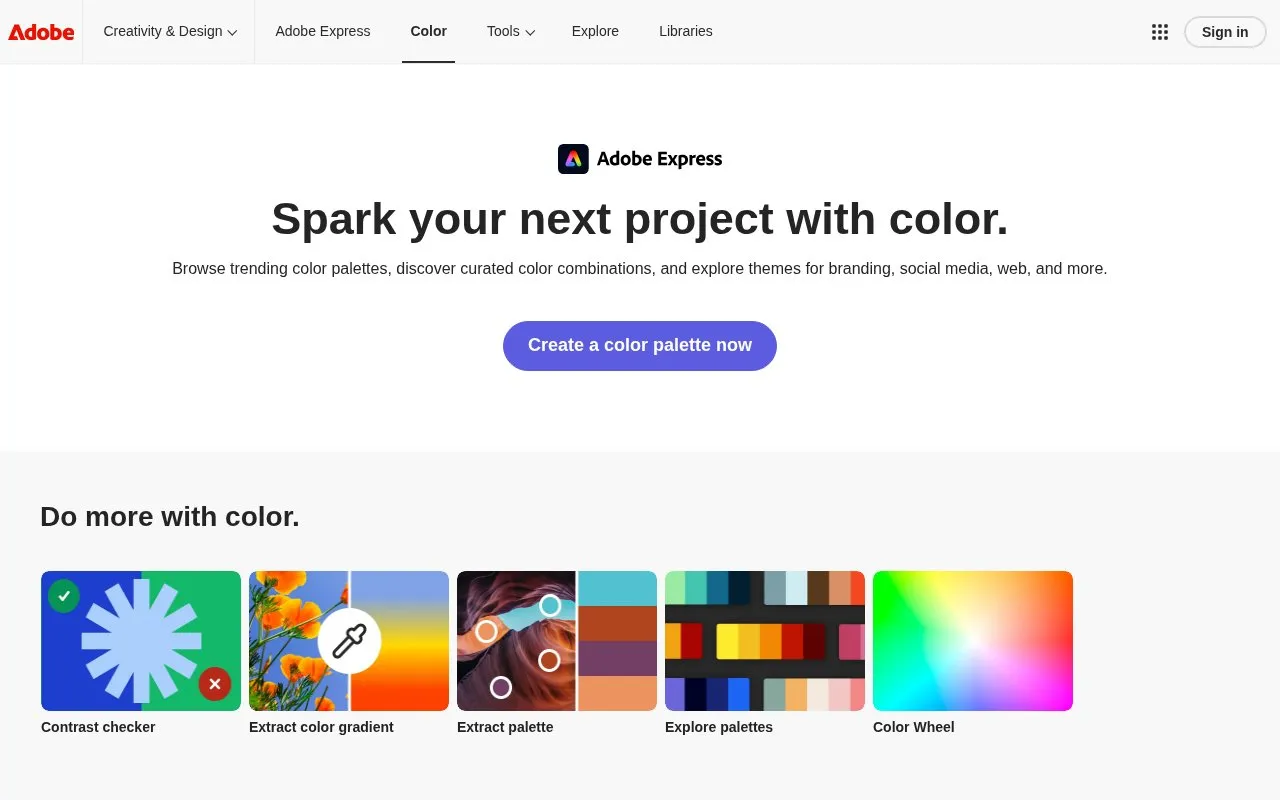
Adobe Color is a web-based color tool for finding and building color palettes and themes. It offers trending palettes and curated color combinations for use in branding, websites, social media, and other design projects.
You can create a custom palette from scratch, use the color wheel to adjust schemes such as complementary, analogous, or monochromatic, and check contrast. You can also extract a palette or gradient from an image, browse existing palettes, and save palettes to a Creative Cloud library for use in Adobe Express.
It suits designers, marketers, and anyone creating visuals for web or social media who needs consistent color combinations and guidance on palette size and selection. The site also includes explanations of palette basics, including that most palettes use 3–5 core colors often supported by neutrals.
Key features
- Browse trending palettes and curated color themes
- Build custom palettes with the color wheel
- Check color combinations with contrast checker
- Extract palettes from uploaded images
- Extract color gradients from images
- Save palettes to Creative Cloud library
Best for: Designers and web or social media creators who need color palettes for branding and design projects.
Good for
- Combines palettes, color wheel, and contrast checking in one tool
- Can extract palettes and gradients from images
- Palettes can be saved for use in Adobe Express
- Includes explanations of color theory and palette use
Watch out for
- Automatically applying palettes in Adobe Express requires a paid plan
Adobe Color at a glance
- Website
- color.adobe.com
- Category
- Design & Creative › Color Tools
- Type
- Online tool
- Pricing
- Not confirmed. Check the site
- Platforms
- Web
- Open source
- Not stated
- Last checked
- Oct 6, 2026 · Online when checked
- Listed
- Oct 5, 2026
Guides for Color Tools
Adobe Color alternatives
Tools and sites you could use instead, ranked by how closely they match.

Generate or browse color palettes and use image picking and contrast checking tools.

Accessible Palette creates color systems using CIELAB and LCh models, with controls for lightness and WCAG contrast ratios.
Pick
24 alternatives
Extract a color scheme from an image and browse the resulting color values.

Generate color values for design systems by setting a target contrast ratio.
Open source
24 alternatives
Explore how color contrast affects people with different visual impairments using WhoCanUse.

Explore accessible foreground and background colors with Color.review, which displays contrast measurements.
Adobe Color comparisons
Featured in
 8 sites


Best of
8 Best Free Color Palette Generators in 2026
These free color palette generators cover quick ideas, color rules and design handoffs. I would start with Coolors for…
Popular in Color Tools
Well-known listings from the same topic.
hue.toolshue.toolsColor Pickerimagecolorpicker.comSchemeColorschemecolor.comRealtime Colorsrealtimecolors.comColor Huntcolorhunt.coColour Contrastcolourcontrast.cc


Adobe Color FAQ
What is a color palette?
A color palette is a curated set of colors that forms a cohesive scheme for branding, websites, social media, and other design projects.
Can I use Adobe Color palettes in Adobe Express?
Yes, you can save palettes to your Creative Cloud library and access them in Adobe Express. Automatically applying palettes to designs requires a paid plan.
How many colors should be in a color palette?
Most palettes include 3–5 core colors, often supported by neutrals. The right number depends on project goals and brand guidelines.
What is the difference between a color palette and a color theme?
A palette is the specific set of colors used in a design, while a theme reflects the overall mood or style those colors create.
Is something wrong or out of date?
Tell us and an editor will check it.
Own this website?
Claim this listing
Claim the listing and suggest updates yourself. An editor checks every claim first.