
BlurData
BlurData automatically redacts personal information from PDFs, screenshots, and images on Mac, with custom regular expressions for other data.
About BlurData
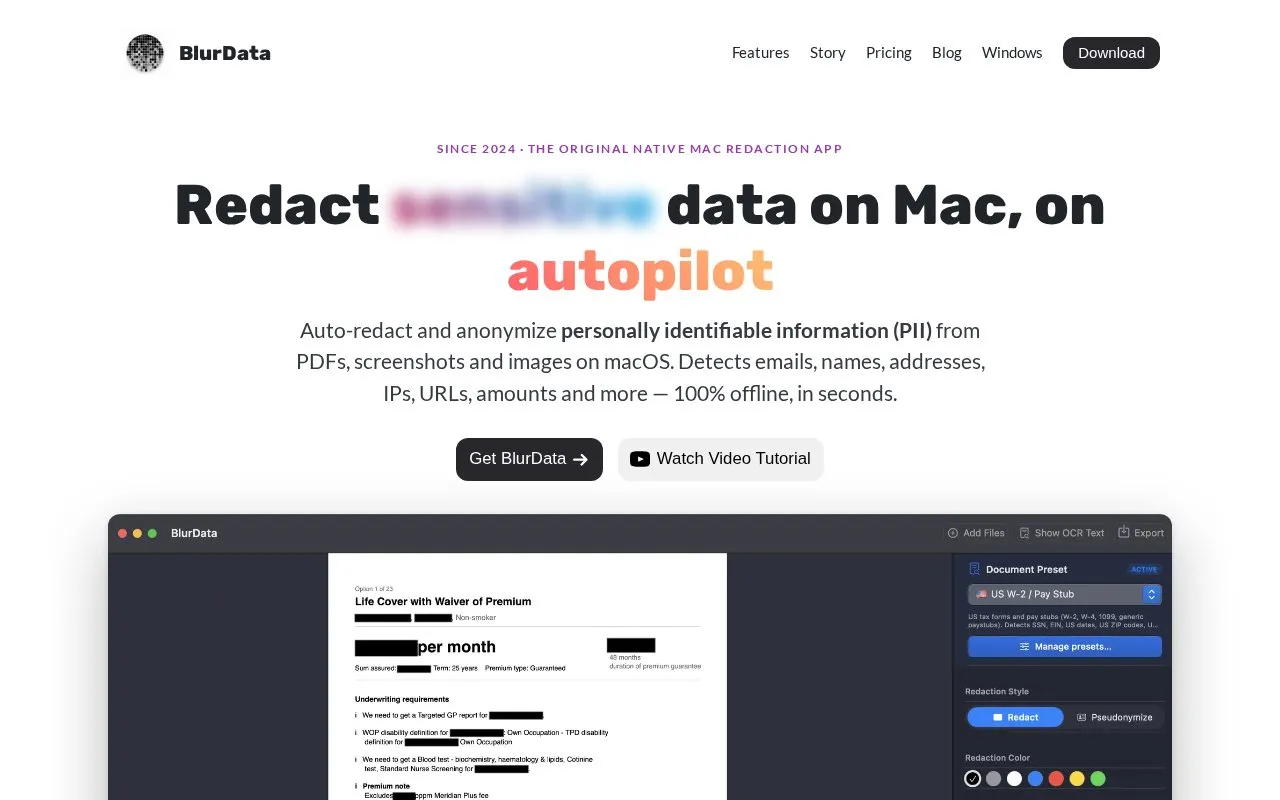
BlurData is a Mac application for removing personal information from PDFs, screenshots, and images. It automatically detects common personal data types, including emails, names, addresses, IP addresses, URLs, monetary amounts, account numbers, and license plates. Users can also add custom regular expressions to detect internal IDs, JWTs, API keys, or ticket numbers.
The app has two modes. Redact mode covers selected data with a colored bar and removes it from the file structure on export. Pseudonymize mode replaces people, addresses, and amounts with consistent labels such as [PERSON_1], so text can be read by an AI tool or colleague. The key linking labels to the real data stays on the user's Mac. The homepage states that detection and rendering run on-device and that no cloud upload is needed. Sending pseudonymized copies to external AI services such as ChatGPT or Claude is a separate step the user chooses to take. The homepage describes the tool as built for GDPR and HIPAA workflows, but this is a design description, not a certification of compliance.
Key features
- Automatic detection of emails, names, addresses, IP addresses, URLs, and amounts
- Custom regular expressions for internal IDs, JWTs, API keys, and ticket numbers
- Redact mode covers selected data with a colored bar and removes it on export
- Pseudonymize mode replaces personal data with consistent labels across pages
- Batch redaction of entire folders of files in one pass
- Multi-language OCR with automatic language detection
- All detection and rendering is stated to run on the device, with no upload required
- Pseudonymize mode keeps document text readable by using consistent labels
- A 14-day money-back guarantee is stated, with a full refund if the tool does not work for the user's documents
- Built-in detection covers eight data types, so other data needs custom regex or a requested preset
- Licenses are tied to specific Macs: one Mac for Personal and five for Team
- Pseudonymized copies sent to external AI services leave the app, which is outside the tool's offline processing
BlurData at a glance
- Website
- blurdata.app
- Category
- AI & Machine Learning › AI Image Generators
- Type
- Online tool
- Pricing
- Not confirmed. Check the site
- Platforms
- iOS, Web, Windows
- Open source
- Not stated
- Language
- English
- Last checked
- Oct 6, 2026 · Online when checked
- Listed
- Oct 5, 2026
Popular in AI Image Generators
Well-known listings from the same topic.


BlurData FAQ
Does BlurData upload files to a server?
What is the difference between Redact and Pseudonymize modes?
What happens if the tool does not work for my documents?
Tell us and an editor will check it.
Claim the listing and suggest updates yourself. An editor checks every claim first.