

Vectorizer.AI converts PNG, JPG, GIF, and WebP images into vector formats including SVG, PDF, EPS, and DXF.
AI SVG
AI SVG converts text prompts into scalable vector graphics, with style options and free credits shown on its page.
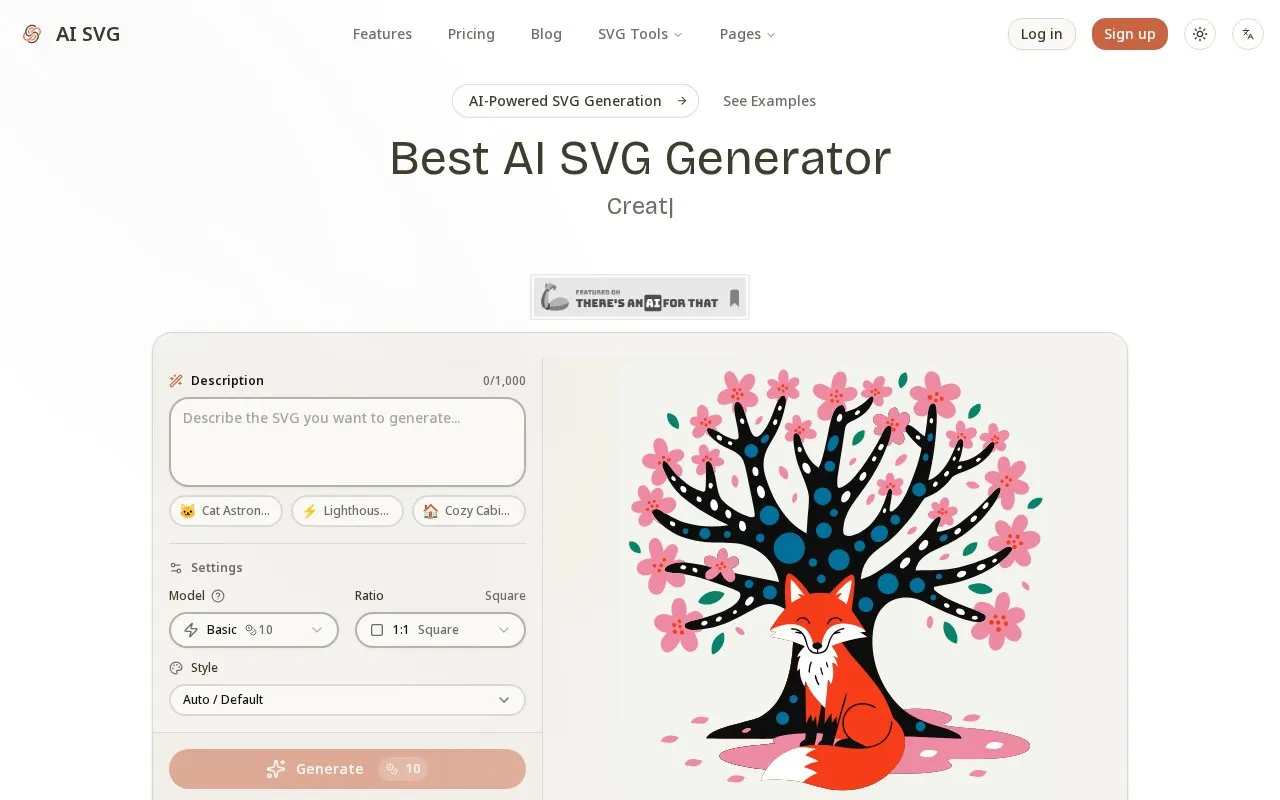
About AI SVG
AI SVG converts text prompts into scalable vector graphics. Users enter a description of up to 1,000 characters, select a model, style and aspect ratio, then preview the result and download the file or copy the SVG code.
The page lists three models, 22+ styles, and five ratios from square to portrait, plus templates for icons, logos, illustrations and badges. Generation uses credits; the page shows 40 free credits on sign up and Basic generation using 10 credits.
Key features
- Converts text descriptions into scalable SVG graphics
- Offers Basic, Pro, and Max generation models
- Provides 22+ styles including icon and illustration options
- Supports five aspect ratios including 1:1 and 16:9
- Downloads SVG file or copies SVG code
- Includes prompt templates for icons, logos, and badges
Best for: People who need custom SVG icons or illustrations for websites, apps, presentations, or interface mockups.
Good for
- Vector output remains sharp at different display sizes
- Result can be previewed before downloading or copying code
- Templates are provided for icons, logos, illustrations, and badges
Watch out for
- Generation uses credits, which limits continued use
- Text descriptions are limited to 1,000 characters
AI SVG at a glance
- Website
- aisvg.art
- Category
- AI & Machine Learning › AI Image Generators
- Type
- Online tool
- Pricing
- Not confirmed. Check the site
- Platforms
- Web
- Open source
- Not stated
- Language
- English
- Last checked
- Oct 5, 2026 · Online when checked
- Listed
- Oct 5, 2026
AI SVG alternatives
Tools and sites you could use instead, ranked by how closely they match.

Replicate provides API access to FLUX models for image generation and editing, including fine-tuning options.

VectorArt.ai provides a library of AI-generated SVG artwork and tools for creating vector images from prompts.

A free AI image generator that lets you create AI art by providing text and image prompts to AI models like Flux.

Dream by WOMBO creates AI-generated images and cinematic videos from text prompts, with selectable styles.

Chat with image generation models, compare their outputs, test prompts, and view rankings on the Arena leaderboard.
Popular in AI Image Generators
Well-known listings from the same topic.
FigureLabsfigurelabs.aiImagePromptGuruimagepromptguru.netCGDreamcgdream.aiFlux.1 AIflux1.aiHairstyle AIhairstyleai.comCandyIconscandyicons.com


AI SVG FAQ
How do I create an SVG?
Write a text prompt, choose a model, style and ratio, select Generate, then preview the result and download the file or copy the code.
Which models, styles and ratios are listed?
Basic (20B), Pro (V4) and Max (V4-Pro); 22+ styles including illustration and icon styles; Square (1:1), Standard (4:3), Widescreen (16:9), Portrait (9:16) and Photo (3:2).
How many credits does generation use?
The page states Basic generation starts at 10 credits and shows 40 free credits on sign up.
Is something wrong or out of date?
Tell us and an editor will check it.
Own this website?
Claim this listing
Claim the listing and suggest updates yourself. An editor checks every claim first.