

A free AI image generator that lets you create AI art by providing text and image prompts to AI models like Flux.
The FLUX.1 family of models – Replicate
Replicate provides API access to FLUX models for image generation and editing, including fine-tuning options.
About The FLUX.1 family of models – Replicate
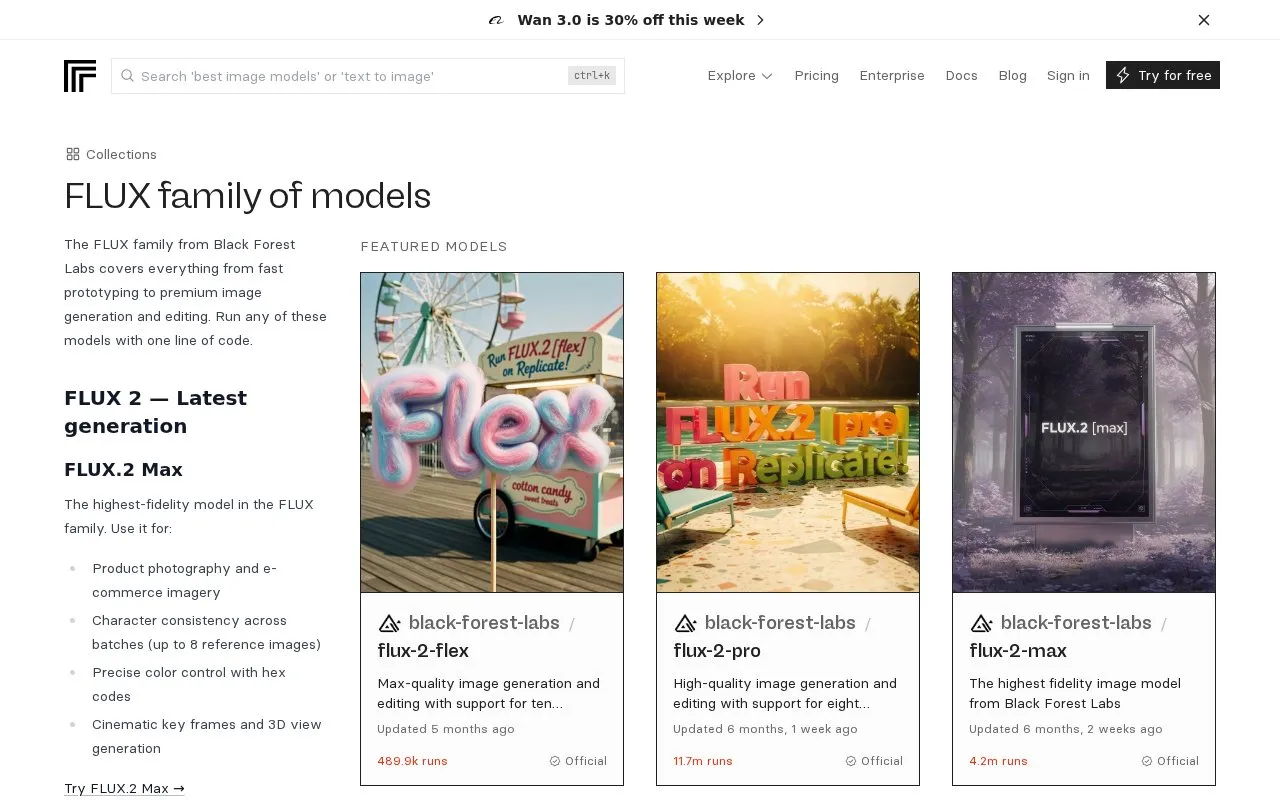
Replicate hosts models from the FLUX family by Black Forest Labs and provides API access to them for image generation and editing. The homepage describes running any of these models with one line of code. The collection includes FLUX.2 models (Max, Pro, Flex, and Klein 4B), FLUX Kontext models for text-based editing, FLUX.1 Fill, Depth, and Canny for structure-preserving edits, and several older models. Users can also fine-tune FLUX models with their own images, and a playground lets them compare models side by side.
The listing does not state pricing, so costs are unknown from this source. The directory marks the platform as not open source, although the homepage describes FLUX.1 Dev as an open-source model for learning, prototyping, and self-hosting. Reference-image limits vary by model, as noted in the feature list.
Key features
- Image generation and editing through an API, per the homepage
- Text-based image editing with FLUX Kontext Pro and Max, such as changing backgrounds or clothing
- Inpainting, outpainting, and object removal with FLUX.1 Fill
- Depth-preserving retexturing with FLUX.1 Depth and edge-preserving sketch-to-image with FLUX.1 Canny
- Multi-image reference input, with limits that vary by model (up to 5 to 10 images)
- Fine-tuning FLUX models with your own images for consistent characters or brand style
Best for: Developers and teams who want to add FLUX image generation or editing to applications and need to choose among models by quality, speed, or editing type.
Good for
- Covers a range of FLUX models, from sub-second Klein 4B generation to the higher-fidelity Max model
- Offers both text-based editing and structure-preserving editing tools
- A playground lets users compare FLUX models side by side
Watch out for
- Pricing is not stated in the source, so costs cannot be determined from it
- Reference-image limits differ by model, for example up to 8 for FLUX.2 Pro and up to 5 for FLUX.2 Klein 4B
- Some models listed, such as FLUX.1 Schnell and FLUX1.1 Pro Ultra, are described as previous generation
The FLUX.1 family of models – Replicate at a glance
- Category
- AI & Machine Learning › AI Image Generators
- Type
- Online tool
- Pricing
- Not confirmed. Check the site
- Platforms
- Web
- Open source
- Not stated
- Language
- English
- Last checked
- Oct 6, 2026 · Online when checked
- Listed
- Oct 5, 2026
The FLUX.1 family of models – Replicate alternatives
Tools and sites you could use instead, ranked by how closely they match.

Grok offers frontier AI models for reasoning, voice, and image generation, with an API for developers.

Chat with image generation models, compare their outputs, test prompts, and view rankings on the Arena leaderboard.

NightCafe combines AI art generation models with a community where creators can share and explore artwork.

getimg.ai offers image, video, music, speech, and sound-effect generation and editing in a shared workspace.

Deep Dream Generator creates AI images and videos, with tools for generating, editing, and animating artwork.
Popular in AI Image Generators
Well-known listings from the same topic.
FigureLabsfigurelabs.aiImagePromptGuruimagepromptguru.netAI SVGaisvg.artCGDreamcgdream.aiFlux.1 AIflux1.aiHairstyle AIhairstyleai.com


The FLUX.1 family of models – Replicate FAQ
Which FLUX model should I start with?
The source says black-forest-labs/flux-2-pro is the best starting point for most people, because it supports generation and editing with up to 8 reference images. It recommends flux-2-max if the highest fidelity is needed.
Which FLUX models are the fastest?
The source says black-forest-labs/flux-2-klein-4b generates images in sub-second time and is suited to production apps and real-time use. It also names black-forest-labs/flux-schnell as a fast option from the previous generation.
What works best for editing existing images?
The source says the Kontext models (flux-kontext-pro and flux-kontext-max) allow natural-language edits such as changing clothing or swapping backgrounds. For structure-preserving edits, it lists flux-fill-pro for inpainting, flux-depth-pro for depth-guided edits, and flux-canny-pro for edge-guided edits.
Is something wrong or out of date?
Tell us and an editor will check it.
Own this website?
Claim this listing
Claim the listing and suggest updates yourself. An editor checks every claim first.