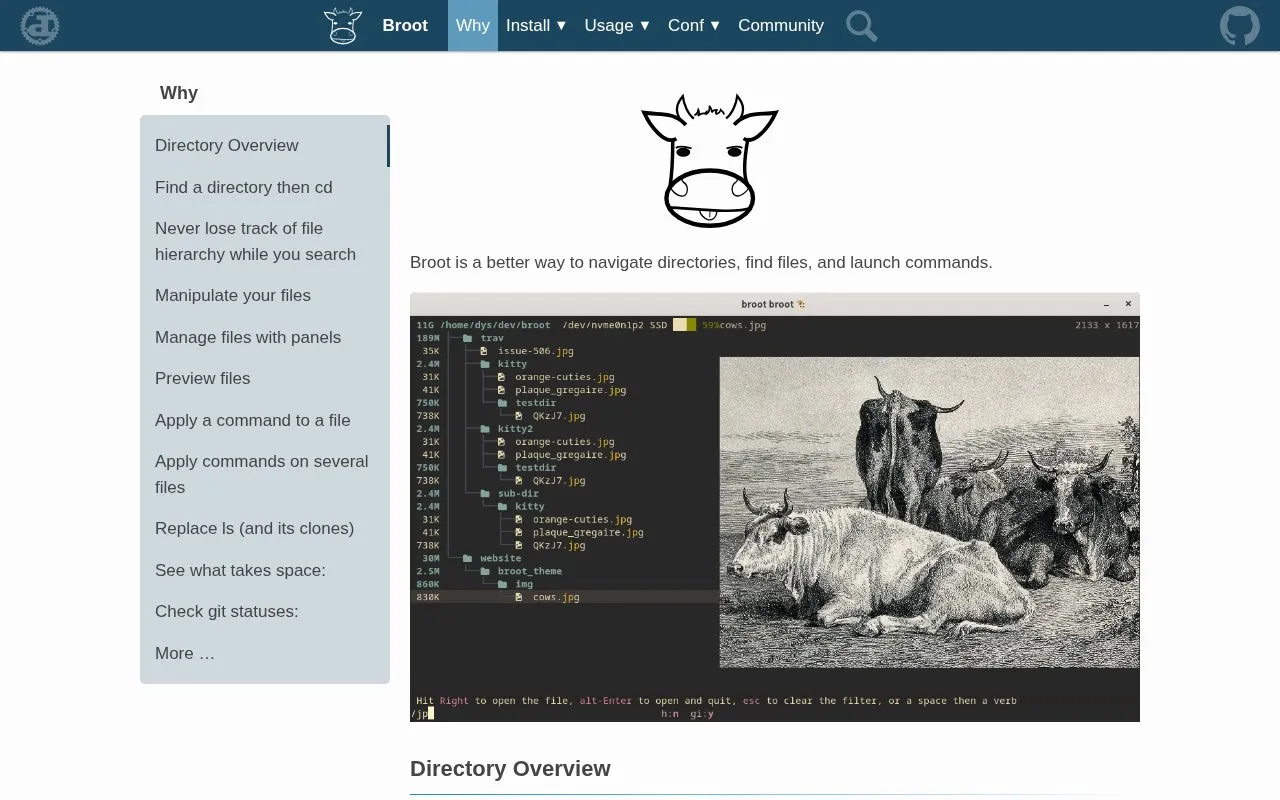
Broot is a tree-oriented file manager for navigating directories, finding files, and launching commands. It filters the directory tree as you type, respects .gitignore and .ignore files, and supports name patterns, regular expressions, content search starting with c/, and combined patterns with logical operators.
It can open files in the system default program or a configured editor, preview files in a side panel, move, copy, delete and create files, use multiple panels, sort by size or date, show filesystem usage with :fs, and show git file statuses with :gf. Typing alt-enter returns to the shell in the selected directory. High-resolution image preview works only in terminals with Kitty graphics protocol support.
Key features
Filter tree by name, regex, file content, and combined operators
Respect .gitignore files and toggle hidden or ignored files
Open files in default program or editor with :e verb
Move, copy, delete, and create files within tree view
Open multiple panels to copy or move items between directories
Sort by size or date and check filesystem usage with :fs
Best for: Terminal users who work with large directory trees and need to find, preview, and act on files.
Good for
Search input interrupts current search instead of blocking
Sizes, dates, and file counts are computed in background during navigation
Directory tree remains visible while filtering to preserve hierarchy context
Watch out for
High-resolution image preview requires terminal with Kitty graphics protocol support