
BrowserScan
Check browser fingerprints and run DNS leak, IP, port, and WebRTC tests with BrowserScan.
About BrowserScan
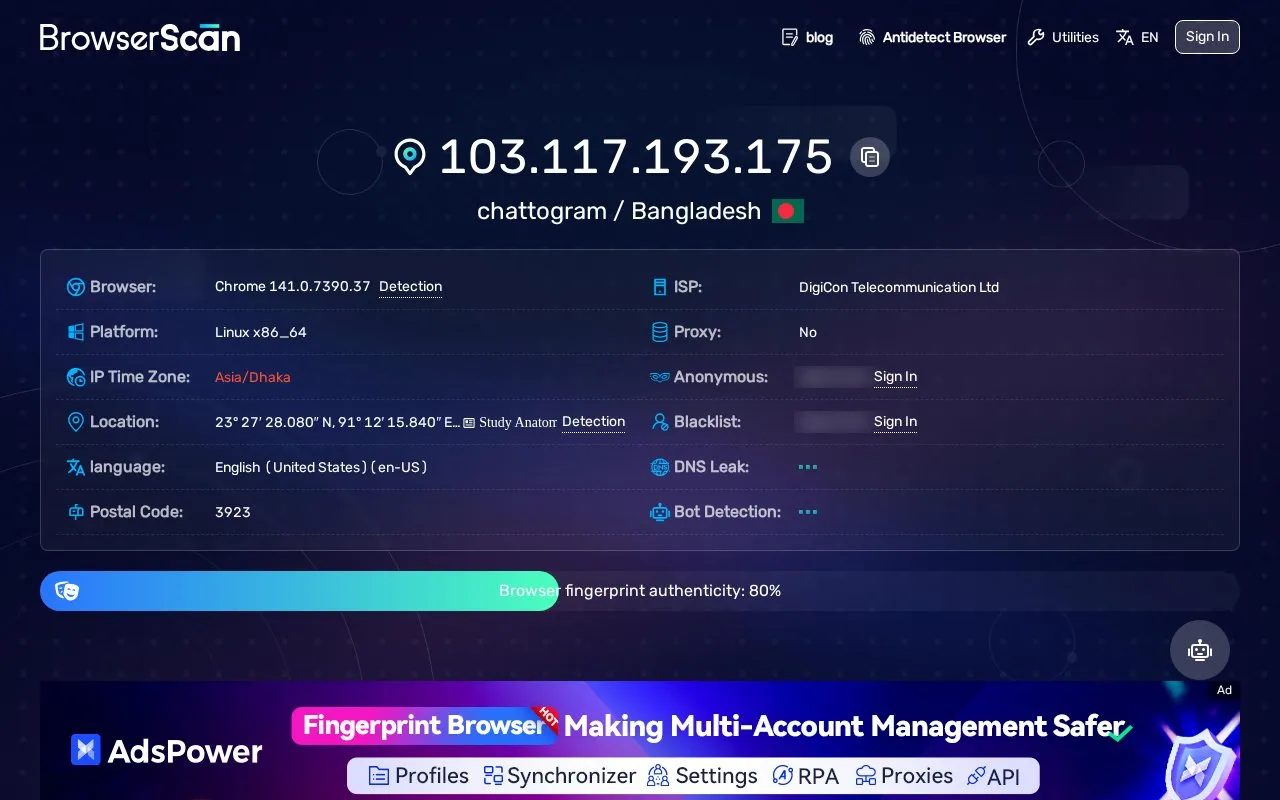
BrowserScan is a web-based set of tools that shows what a website can learn about a visitor's browser, device, and internet connection. Its main page reports the visitor's IP address, approximate location, ISP, proxy status, and a range of browser fingerprint values, such as canvas, WebGL, audio, screen, and language settings.
Its tests include DNS leak, WebRTC leak, port scanning, user agent parsing, and an HTTP2/SSL/TLS check. The site describes these checks as a way to improve online privacy. The port scanner only checks ports 22 and 3389, according to the page. Results reflect the browser and connection used on the day of the test, and the page does not state how long any data is kept or whether it is shared.
Key features
- Reports IP address, location, ISP, and proxy status on one page
- Runs a DNS leak test
- Runs a WebRTC leak test and shows WebRTC STUN details
- Port scanner that checks only ports 22 and 3389
- Displays browser fingerprint values such as canvas, WebGL, and audio
- Includes user agent parsing and an HTTP2/SSL/TLS test
Best for: People who want to see what their browser and internet connection reveal to websites, or who want to check for DNS and WebRTC leaks.
Good for
- Combines several common browser and connection checks on one website
- Covers DNS leak, WebRTC leak, IP, and browser fingerprint checks together
Watch out for
- The port scanner only detects ports 22 and 3389, according to the page
- Not open source, so the code cannot be reviewed publicly
BrowserScan at a glance
- Website
- browserscan.net
- Category
- Privacy & Security › Security Tools
- Type
- Website
- Pricing
- Not confirmed. Check the site
- Platforms
- Web
- Open source
- Not stated
- Language
- English
- Last checked
- Oct 6, 2026 · Online when checked
- Listed
- Oct 5, 2026
Guides for Security Tools
BrowserScan alternatives
Tools and sites you could use instead, ranked by how closely they match.

Test browser fingerprinting characteristics with CreepJS, which displays fingerprint and WebRTC results.

Test a browser for privacy leaks, including exposed IP addresses, device information, and fingerprinting risks.
IPv6 Leak Test checks whether a device has IPv6 connectivity and displays connection information related to privacy.

Test how trackers and fingerprinting systems see your browser with Cover Your Tracks from the EFF.

Ndiff compares Nmap scan results from two XML files, showing changes such as hosts and ports appearing or disappearing.

WhatsMyDNS checks DNS record propagation across global resolvers for record types including A, AAAA, MX, and TXT.
Popular in Security Tools
Well-known listings from the same topic.
Online Password Hash Crackonlinehashcrack.comOTP Authapps.apple.com/app/otp-auth/id659877384MD5 reverse lookupmd5.gromweb.comMozilla SSLssl-config.mozilla.orgchallenges.rechallenges.reGoPlus Locker V3gopluslabs.io


BrowserScan FAQ
Does BrowserScan include a DNS leak test?
Yes. The site lists a DNS Leak Test among its tools.
Which ports does the port scanner check?
The page states that the port scan only detects ports 22 and 3389.
Is something wrong or out of date?
Tell us and an editor will check it.
Own this website?
Claim this listing
Claim the listing and suggest updates yourself. An editor checks every claim first.