

Test controller buttons and inputs in your browser with the Gamepad-Tester hardware checking page.
Controller Tester
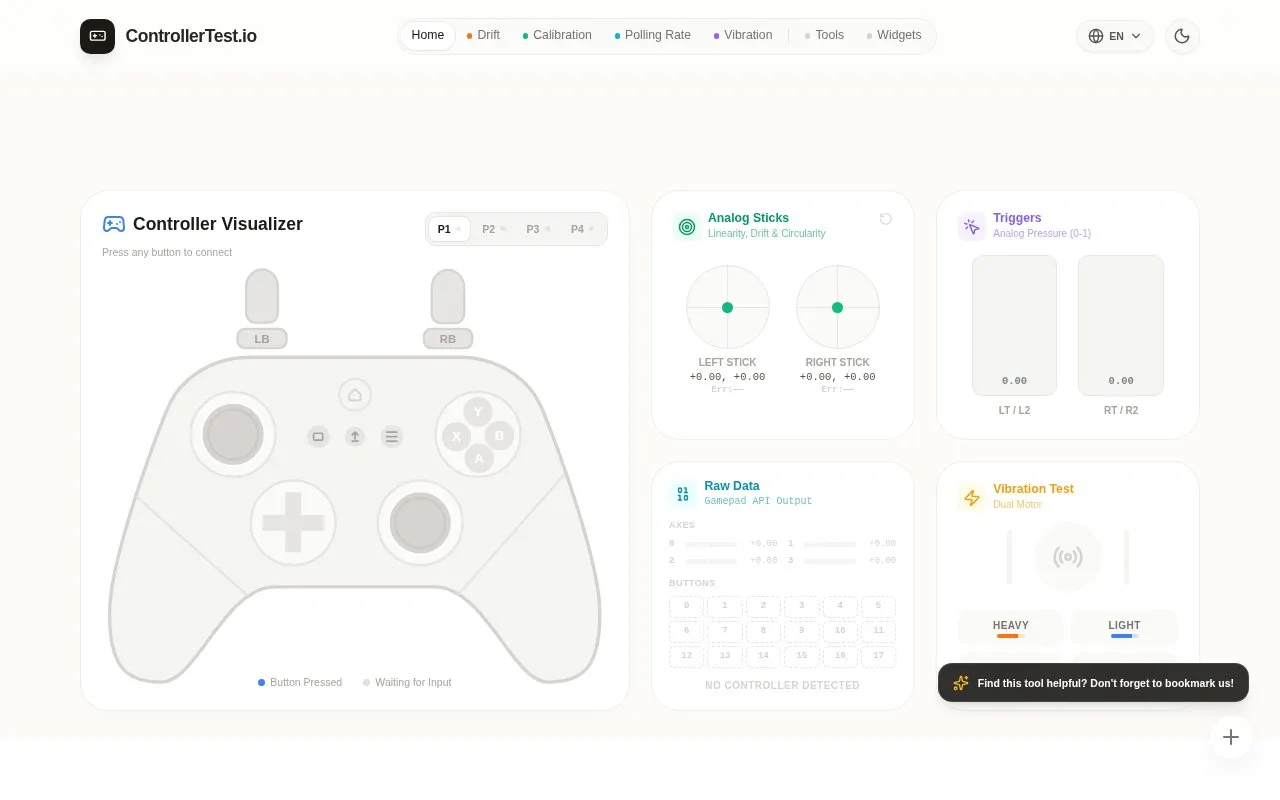
This HTML5 gamepad tester visualizes button presses from connected controllers through an interactive display.
About Controller Tester
Controller Tester is a free, browser-based gamepad tester. It shows button presses, analog stick movement, trigger pressure, and raw Gamepad API data from a connected controller. The homepage states that no software downloads are required, and that connected controllers are read through the browser's native Gamepad API.
The tool includes a stick drift check that shows movement when a stick is at rest, a dual-motor vibration test, and a polling rate measurement. The homepage also describes comparing input latency between wired and Bluetooth connections. The homepage says input processing happens locally in the browser. Browsers only allow a page to read controller data after a user interaction or button press. Vibration testing depends on the browser and connection type, and the standard Gamepad API cannot test PS5 adaptive trigger resistance.
Key features
- Visual display of button presses on a connected controller
- Analog stick readout for linearity, drift, and circularity
- Analog trigger pressure display from 0 to 1
- Raw Gamepad API axes and button values
- Dual-motor vibration test with separate left and right motors
- Polling rate measurement for a connected controller
Best for: Buyers and sellers of used controllers, repair technicians, and players who want to check buttons, sticks, or vibration on a controller.
Good for
- No software downloads are required; the tool runs in the browser
- Homepage states that input processing happens locally in the browser
- Stick and button displays make unresponsive or stuck inputs visible
Watch out for
- Vibration testing requires a supported browser; Chrome or Edge is recommended
- Bluetooth Xbox controllers on Windows may have poor vibration support, according to the homepage
- Adaptive trigger resistance on PS5 controllers cannot be tested
Controller Tester at a glance
- Website
- controllertest.io
- Category
- Gaming › Game Utilities & Launchers
- Type
- Website
- Pricing
- Not confirmed. Check the site
- Platforms
- Web
- Open source
- Not stated
- Language
- English
- Last checked
- Oct 6, 2026 · Online when checked
- Listed
- Oct 5, 2026
Controller Tester alternatives
Tools and sites you could use instead, ranked by how closely they match.

Gamepadla catalogs gamepad input-latency tests and lets visitors compare button and stick measurements across controllers.

AntiMicroX maps keyboard buttons and mouse controls to a gamepad for playing games without gamepad support.
Open source
24 alternatives
DualSense Tester runs in a browser and supports testing DualSense, DualSense Edge, and DualShock 4 controllers.
Open source
24 alternatives
Flawless Widescreen offers fixes and support for playing games on ultrawide and multi-monitor displays.

This Game Bar guide explains how to locate the performance widget and adjust its display settings.
Popular in Game Utilities & Launchers
Well-known listings from the same topic.
Archivearchive.org/details/MemcardRex1.8cancerogenoslabsites.google.com/view/cancerogenoslabGameSave Managergamesave-manager.comGameGuidesgamerguides.comBalatro Wikibalatrowiki.orgBetter xCloudbetter-xcloud.github.io


Controller Tester FAQ
Why isn't my controller being detected?
For security reasons, browsers only allow web pages to read controller data after user interaction or when a controller button is pressed. Pressing any button, such as A, on the controller can activate the connection.
Why isn't vibration working?
The homepage recommends Chrome or Edge for vibration testing. On Windows, Bluetooth drivers may have poor support for Xbox controller vibration, and the homepage suggests trying a USB wired connection or a dedicated adapter.
Does it support PS5 adaptive trigger testing?
No. The standard Gamepad API cannot control PS5 adaptive trigger resistance or send force feedback commands. The tool can only read trigger travel from 0 to 1.
Is something wrong or out of date?
Tell us and an editor will check it.
Own this website?
Claim this listing
Claim the listing and suggest updates yourself. An editor checks every claim first.