

Cool Symbol provides special symbols, emoji, and styled text characters with a font generator.
CopyChar
CopyChar lets users find special characters and copy them to the clipboard.
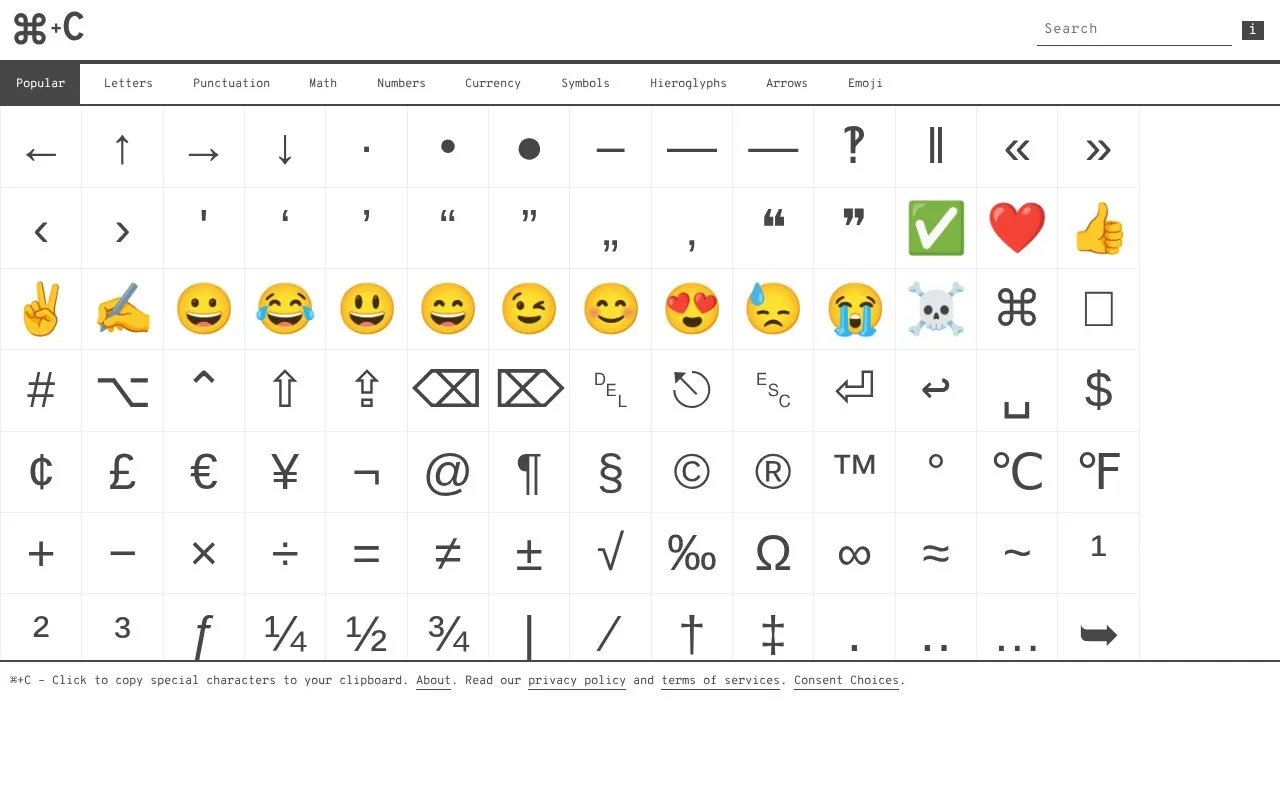
About CopyChar
CopyChar is a web-based tool that lets users find and copy special characters to their clipboard with a single click or tap. It offers a wide range of characters including punctuation marks, arrows, currency symbols, mathematical symbols, accented letters, and emoji. The interface displays a confirmation message when a character is copied successfully, and shows an error message if the copy action fails.
Key features
- One-click or tap copy of any listed special character to clipboard
- Includes punctuation, arrows, currency, math symbols, and emoji
- Shows Unicode code point and HTML entity for each character
- Displays confirmation message on successful clipboard copy
Best for: Users who need to quickly insert special characters, symbols, or emoji into digital text without memorizing keyboard shortcuts or codes.
Good for
- Simple one-click or tap copying with no complex steps
- Extensive library of special characters across multiple categories
- Provides Unicode code points and HTML entities for each character
Watch out for
- Copy actions can fail with no provided troubleshooting guidance
- No search or filter feature is mentioned for locating specific characters
- Requires an active internet connection as a web-only tool
CopyChar at a glance
- Website
- copychar.cc
- Category
- Online Tools › Text Tools
- Type
- Online tool
- Pricing
- Not confirmed. Check the site
- Platforms
- Web
- Open source
- Not stated
- Language
- English
- Last checked
- Oct 5, 2026 · Online when checked
- Listed
- Oct 5, 2026
CopyChar alternatives
Tools and sites you could use instead, ranked by how closely they match.

Cute Font Copy converts plain text into Unicode styles such as cursive, bubble, and gothic characters for copying and pasting.
Free
24 alternatives
Unicode Explorer lets users explore Unicode characters, search code points, and copy symbols.

Fancy Text Generator converts text into styled characters that users can copy and paste into social profiles and messages.
YayText converts text into Unicode styles such as cursive, bold, monospace, and underlined characters for copying.

Font Generator Online converts text into stylized Unicode characters that users can copy and paste.
Popular in Text Tools
Well-known listings from the same topic.
Prismprism.openai.comWithSubtitleswithsubtitles.comTophonetics.comtophonetics.comOutwriteoutwrite.comDocuSealdocuseal.comRefontrefont.ai


CopyChar FAQ
How do I copy a character using CopyChar?
Click or tap on the desired character to copy it to your clipboard.
What feedback does the site provide after copying a character?
It shows a confirmation message with the copied character name, or an error message if the copy fails.
What categories of characters are available in CopyChar?
The tool includes punctuation, arrows, currency symbols, math symbols, accented letters, and emoji.
Is something wrong or out of date?
Tell us and an editor will check it.
Own this website?
Claim this listing
Claim the listing and suggest updates yourself. An editor checks every claim first.