
FontGen converts regular text into decorative characters such as bold, italic, cursive, underlined, and strikethrough styles.
YayText!
YayText converts text into Unicode styles such as cursive, bold, monospace, and underlined characters for copying.
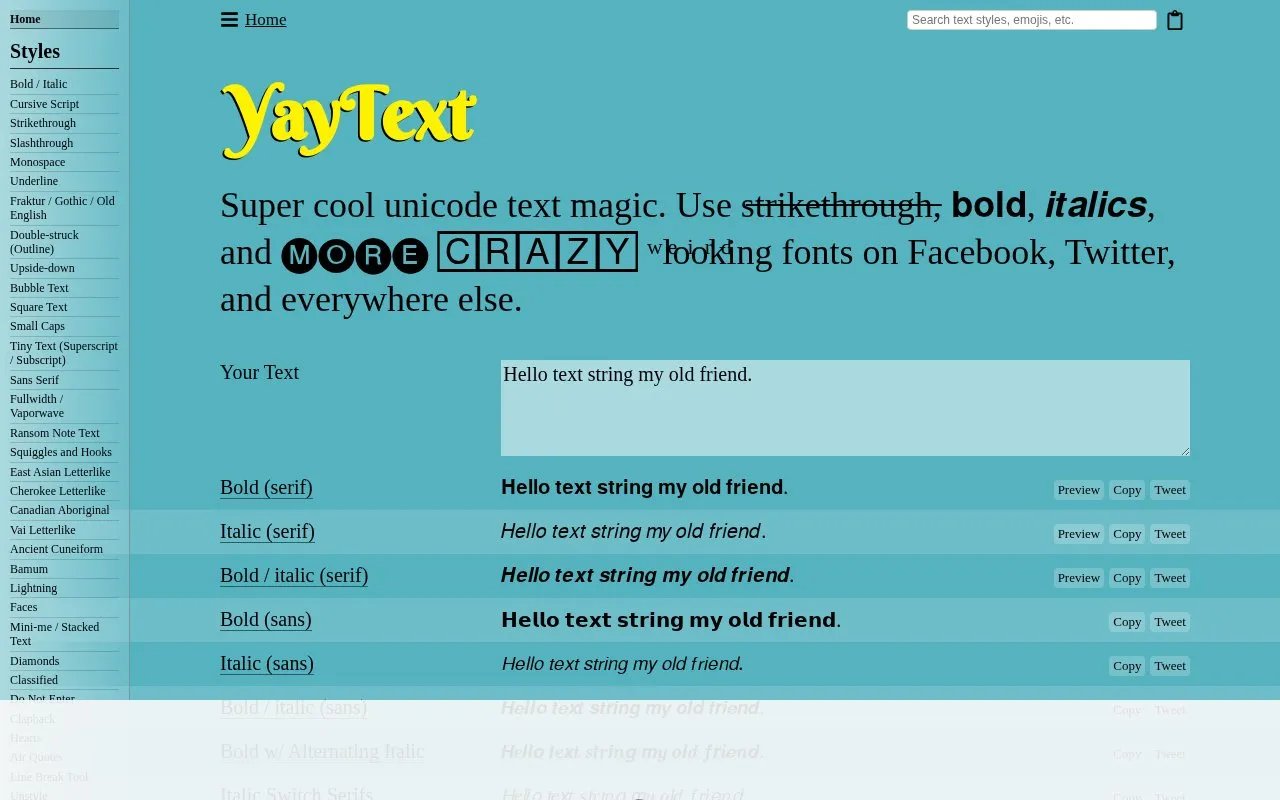
About YayText!
YayText! converts typed text into Unicode-based styles that can be copied and pasted into Facebook, Twitter, and other apps. It generates variants including bold, italic, cursive script, Fraktur, double-struck, monospace, sans serif, strikethrough, underline, bubble text, square text, small caps, superscript and subscript, fullwidth and vaporwave, and upside-down text, with preview and copy options.
The site also lists emoji by category and provides how-to guides for using styled text on social platforms. Some styled characters may display as blank boxes or question marks depending on device support.
Key features
- Convert input text into Unicode bold and italic variants
- Generate cursive script, Fraktur, and double-struck styles
- Apply strikethrough, underline, and slashthrough overlays
- Create bubble text, square text, fullwidth, and vaporwave looks
- Produce small caps, superscript, subscript, and stacked text
- Copy results for pasting into Facebook, Twitter, and other apps
Best for: People who want to paste styled Unicode text into social media posts and bios.
Good for
- Many Unicode style variants listed on one page
- Output is made for copying into Facebook, Twitter, and elsewhere
- Includes how-to guides for Facebook, Twitter, Discord, and Instagram
Watch out for
- Some output may show as blank boxes or question marks
YayText! at a glance
- Website
- yaytext.com
- Category
- Online Tools › Text Tools
- Type
- Online tool
- Pricing
- Not confirmed. Check the site
- Platforms
- Web
- Open source
- Not stated
- Language
- English
- Last checked
- Oct 5, 2026 · Online when checked
- Listed
- Oct 5, 2026
YayText! alternatives
Tools and sites you could use instead, ranked by how closely they match.

Cute Font Copy converts plain text into Unicode styles such as cursive, bubble, and gothic characters for copying and pasting.
Free
24 alternatives
Font Generator Online converts text into stylized Unicode characters that users can copy and paste.

Aesthetic Font Generator turns typed text into Unicode styles that users can copy and paste.

Unicode Explorer lets users explore Unicode characters, search code points, and copy symbols.

Fancy Text Generator converts text into styled characters that users can copy and paste into social profiles and messages.
Popular in Text Tools
Well-known listings from the same topic.
Prismprism.openai.comWithSubtitleswithsubtitles.comTophonetics.comtophonetics.comOutwriteoutwrite.comDocuSealdocuseal.comRefontrefont.ai


Is something wrong or out of date?
Tell us and an editor will check it.
Own this website?
Claim this listing
Claim the listing and suggest updates yourself. An editor checks every claim first.