
CUETools
CUETools provides utilities and reference information for managing CD audio rips and cue sheets.
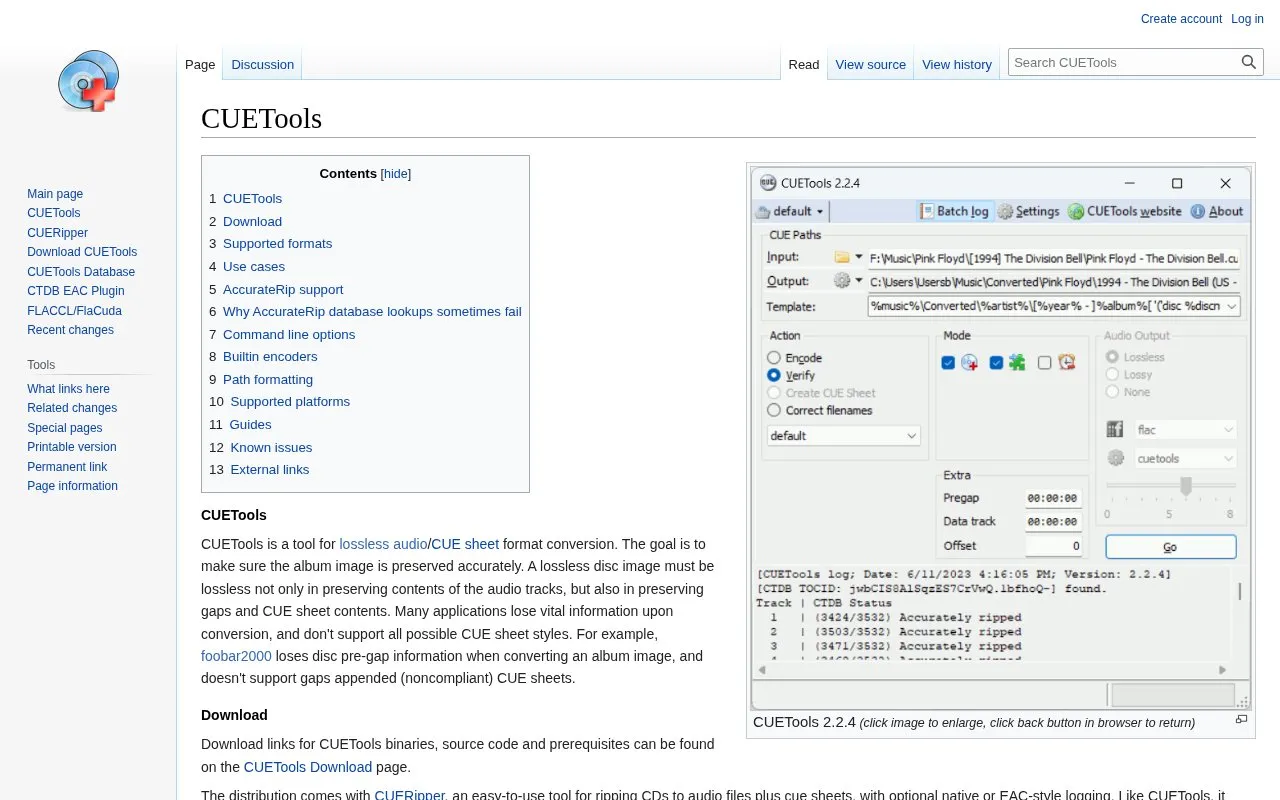
About CUETools
CUETools is a tool for lossless audio and CUE sheet format conversion intended to preserve album images, including audio tracks, gaps, and CUE sheet contents. It converts between single-file and file-per-track layouts, converts between supported lossless codecs while keeping CUE structure, verifies rips against the AccurateRip database with offset detection and correction, and includes CUERipper for ripping CDs to audio files plus cue sheets.
It supports WAV, FLAC, APE, lossyWAV, ALAC, TTA, and WavPack, but audio must be 16-bit, 44.1kHz stereo CD PCM. AccurateRip identification requires the original .cue sheet and .log with information about data tracks and Hidden Track One Audio.
Key features
- Convert between single-file and file-per-track album images
- Convert between WAV, FLAC, APE, ALAC, TTA, WavPack, lossyWAV
- Verify rips against AccurateRip database with offset detection
- Apply offset correction to rips made without offset correction
- Rip CDs with CUERipper including cue sheets and logs
- Process RAR archives as input without unpacking
- Preserves gaps and CUE sheet contents during conversion
- Supports embedded, single-file, and gaps appended/prepended/left-out CUE styles
- Can verify and correct rips made without offset correction
- Requires 16-bit, 44.1kHz stereo CD audio input
- AccurateRip lookup can fail without original cue sheet and log with data-track and HTOA details
- HDCD conversion to 24-bit, 20-bit, or lossyWAV 16-bit audio is irreversible
CUETools at a glance
- Website
- cue.tools/wiki/CUETools
- Category
- Music & Audio › Music Tools
- Type
- Website
- Pricing
- Not confirmed. Check the site
- Platforms
- Web
- Open source
- Not stated
- Language
- English
- Last checked
- Oct 5, 2026 · Online when checked
- Listed
- Oct 5, 2026
Popular in Music Tools
Well-known listings from the same topic.


CUETools FAQ
What audio input does CUETools accept?
Why does AccurateRip lookup fail when the CD is in the database?
What does the included CUERipper do?
Tell us and an editor will check it.
Claim the listing and suggest updates yourself. An editor checks every claim first.