

TalkTyper provides browser-based speech-to-text dictation, with language options including English, French, German, and Spanish.
Dictation
Voice Notepad converts speech to text in a browser and lets users copy, save, publish, or email dictated content.
About Dictation
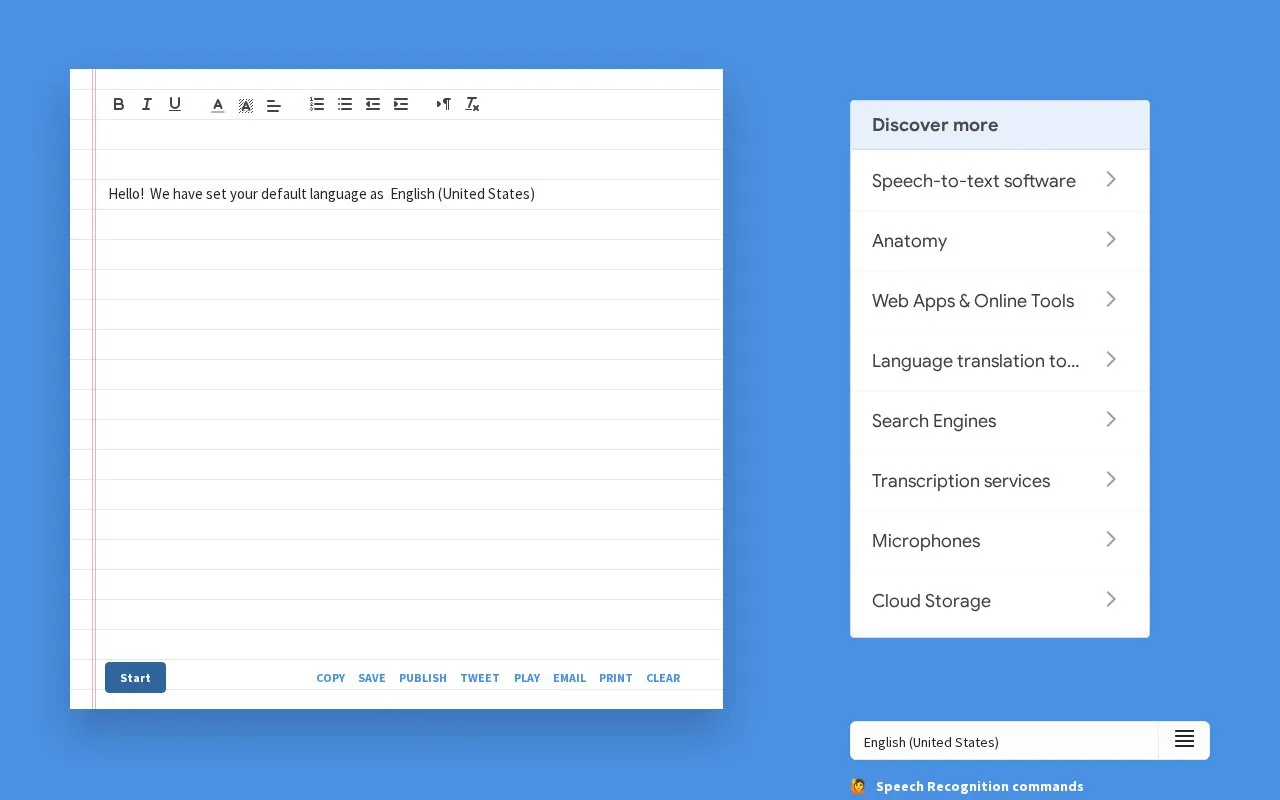
Dictation (Voice Notepad) is a browser-based speech-to-text tool that uses Google Speech Recognition to turn spoken words into editable text. Users pick a language, click the microphone icon, and dictate; the resulting note can be copied, saved, published online, tweeted, emailed, printed, or cleared. It also includes a text-to-speech playback function with selectable voice, pitch, and speed settings. Speech recognition requires Google Chrome and permission to access the microphone, and the site provides instructions for unblocking a blocked microphone.
Key features
- Converts speech to text in the browser via Google Speech Recognition
- Language selection before dictating
- Note actions: copy, save, publish, tweet, email, print, clear
- Text-to-speech playback with voice, pitch, and speed controls
- Publish notes online to a web page
- Microphone unblocking guide when access is denied
Best for: People who want quick voice dictation and note-taking in Google Chrome without installing desktop dictation software.
Good for
- Runs in the browser with no installation described
- Offers several ways to use or share a finished note
- Includes text-to-speech playback with adjustable voice, pitch, and speed
Watch out for
- Speech recognition requires Google Chrome
- Microphone access must be allowed for dictation to work
- Publishing a note places its content online
Dictation at a glance
- Website
- dictation.io/speech
- Category
- Online Tools › Text Tools
- Type
- Website
- Pricing
- Not confirmed. Check the site
- Platforms
- Web
- Open source
- Not stated
- Last checked
- Oct 6, 2026 · Online when checked
- Listed
- Oct 5, 2026
Dictation alternatives
Tools and sites you could use instead, ranked by how closely they match.

LilySpeech lets Windows users dictate emails and documents with speech-to-text voice recognition.
VoiceToText transcribes speech online for writing emails and documents, according to its page.

SpeechTexter provides real-time online voice typing and speech-to-text dictation, with support listed for more than 70 languages.

WhisperX provides speech recognition with word-level timestamps and speaker diarization, according to its project description.
Open source
24 alternatives
OpenAI Whisper is a general-purpose speech-recognition model trained with large-scale weak supervision.
Open source
24 alternativesPopular in Text Tools
Well-known listings from the same topic.
Prismprism.openai.comWithSubtitleswithsubtitles.comTophonetics.comtophonetics.comOutwriteoutwrite.comDocuSealdocuseal.comRefontrefont.ai


Dictation FAQ
How do I start dictating?
Choose your language, click the microphone icon, and speak, then use Start.
Why is speech recognition not working?
The site states it must be opened inside Google Chrome, and microphone access must be allowed. A guide is offered for unblocking the microphone if access is denied.
Can the transcribed text be read aloud?
Yes. The text-to-speech section lets you select a voice and adjust pitch and speed, then use Speak.
Is something wrong or out of date?
Tell us and an editor will check it.
Own this website?
Claim this listing
Claim the listing and suggest updates yourself. An editor checks every claim first.