
DMDE
DMDE provides disk data searching, editing, and recovery tools for PC and Mac, with a free recovery limit described on its page.
About DMDE
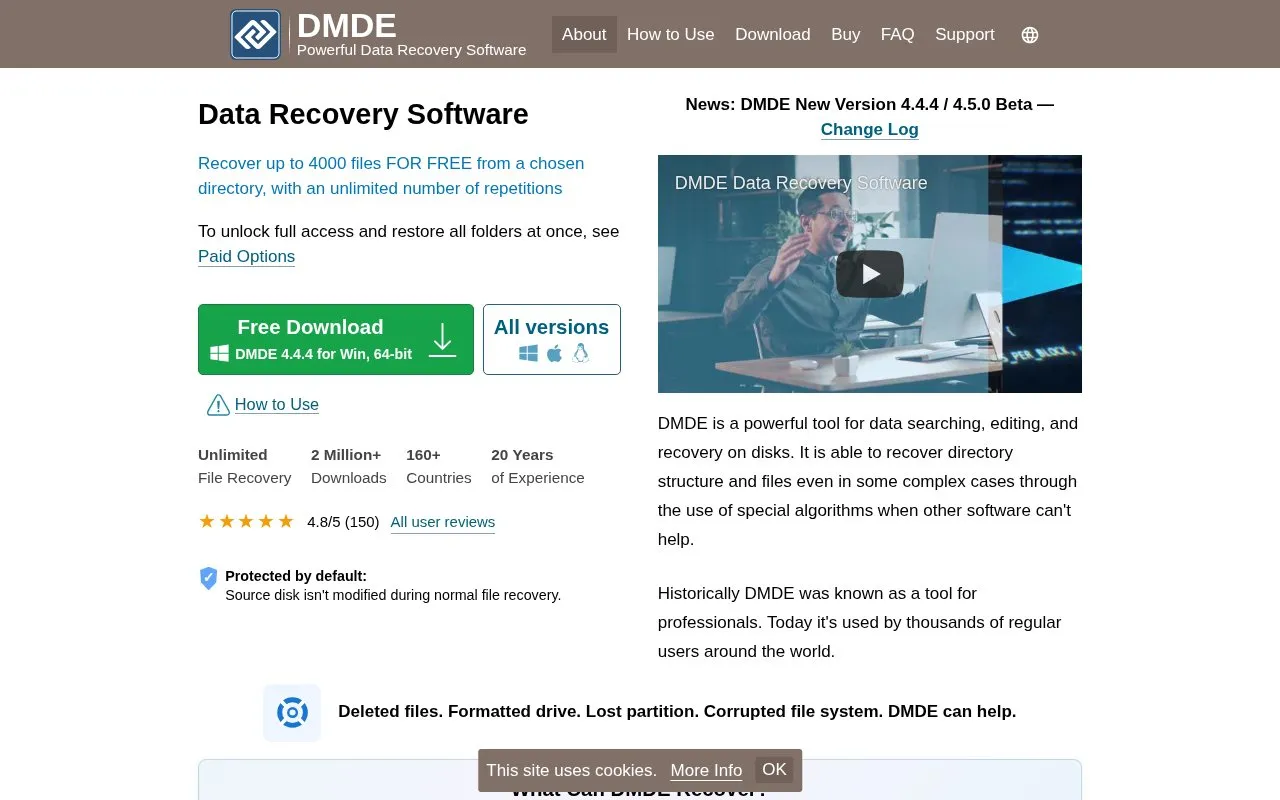
DMDE is a data recovery and disk editing tool for Windows, Linux, and macOS. It searches disks for lost files and folders, can reconstruct directory structures after some types of file system damage, and includes a disk editor for viewing and changing disk structures. According to its homepage, it can recover files and directory structure in some complex cases where other software cannot help. Recovery covers deleted files, formatted drives, lost partitions, and corrupted file systems on HDDs, SSDs, USB drives, SD cards, and disk images.
The free edition can recover up to 4000 files from one chosen directory, with an unlimited number of repetitions. Restoring all folders at once requires the paid options. The homepage also lists professional features, including a RAID constructor, disk cloning, and recovery reports, but it does not state prices. The homepage says the source disk is not modified during normal file recovery, and it advises not to install or copy anything onto the disk that held the lost files.
Key features
- Recovers files and directory structure after some complex file system damage
- Raw recovery by file signatures when file system recovery is not possible
- Supports FAT, NTFS, exFAT, ReFS, Ext2/3/4, HFS+, APFS, and btrfs file systems
- Partition manager that finds and restores accidentally removed partitions
- Virtual RAID reconstruction for RAID-0, 1, 4, 5, 6, and JBOD configurations
- Disk cloning and image creation with handling of bad sectors, in professional options
Best for: People recovering files from a deleted, formatted, or damaged disk who need a free option for smaller recoveries, and professionals who need disk imaging or RAID reconstruction.
Good for
- The homepage states the source disk is not modified during normal file recovery.
- The free edition can recover up to 4000 files from a chosen directory with unlimited repetitions.
- Supports a range of storage devices, including HDDs, SSDs, USB drives, SD cards, and disk images.
Watch out for
- The free edition works on one chosen directory at a time; restoring all folders at once requires paid options.
- Recovery requires not installing or copying anything onto the affected disk.
- The homepage describes its recovery as helpful in some complex cases, not in all cases.
DMDE at a glance
- Website
- dmde.com
- Category
- Software & Utilities › Backup & Recovery
- Type
- Website
- Pricing
- Not confirmed. Check the site
- Platforms
- Linux, macOS, Web, Windows
- Open source
- Not stated
- Language
- English
- Last checked
- Oct 6, 2026 · Online when checked
- Listed
- Oct 5, 2026
Guides for Backup & Recovery
DMDE alternatives
Tools and sites you could use instead, ranked by how closely they match.

TestDisk recovers lost partitions and undeletes files, according to its free and open-source data recovery project description.
Popular in Backup & Recovery
Well-known listings from the same topic.
UrBackupurbackup.orgAOMEI Backupperubackup.comWindows File Recoveryapps.microsoft.com/detail/9n26s50ln705Duplicatiduplicati.comKopiakopia.ioBorgborgbackup.org


DMDE FAQ
How many files can the free edition recover?
The free edition can recover up to 4000 files from a chosen directory, with an unlimited number of repetitions.
Does recovery change the source disk?
The homepage states that the source disk isn't modified during normal file recovery. It also advises not to install or copy anything onto that disk.
Which file systems and storage devices are supported?
The homepage lists FAT12/16, FAT32, exFAT, NTFS, ReFS, Ext2/3/4, HFS+/HFSX, APFS, and btrfs file systems. Supported storage devices include HDDs, SSDs, USB drives, SD and memory cards, external drives, RAID, and disk images.
Is something wrong or out of date?
Tell us and an editor will check it.
Own this website?
Claim this listing
Claim the listing and suggest updates yourself. An editor checks every claim first.