
ffmpeg webCLI
Edit video in a browser with ffmpeg webCLI, a progressive web app that loads FFmpeg on demand.
About ffmpeg webCLI
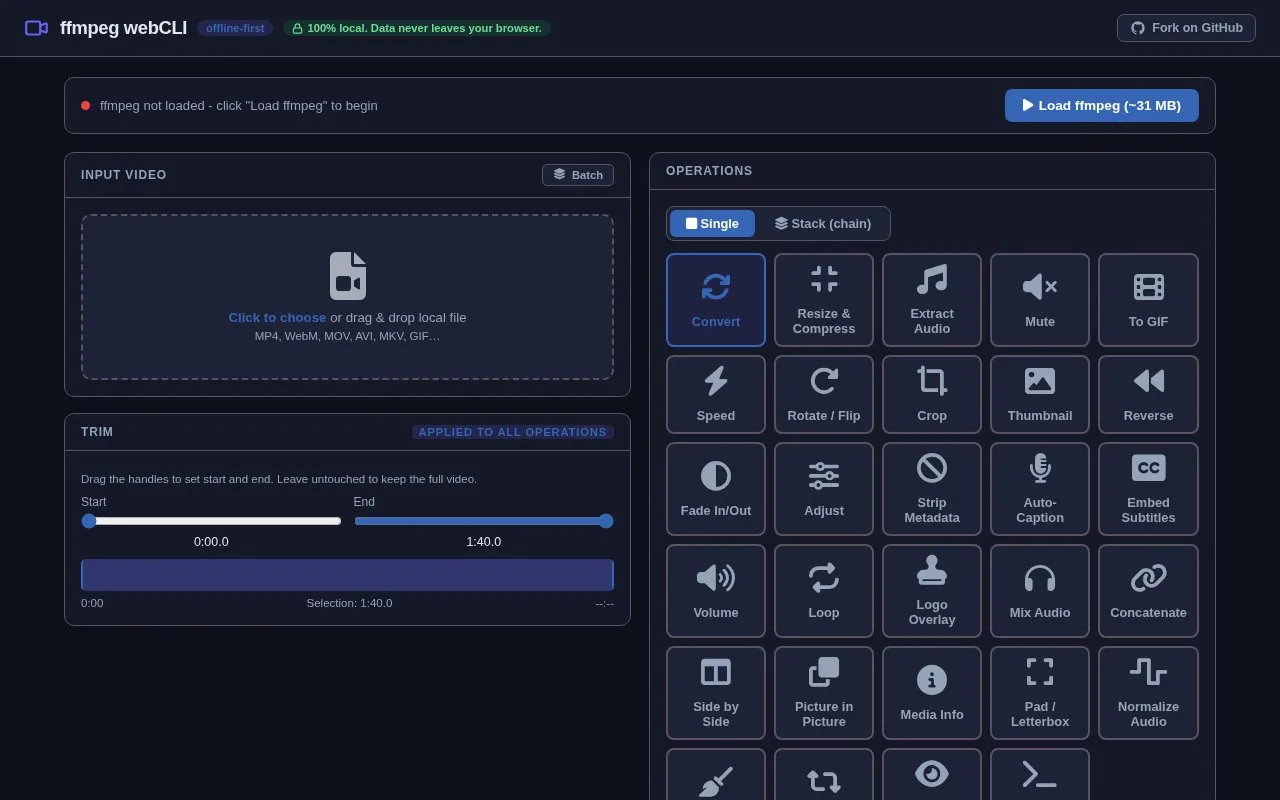
ffmpeg webCLI is a progressive web app that runs FFmpeg in the browser via ffmpeg.wasm. Users load FFmpeg (~31 MB), then add local files such as MP4, WebM, MOV, AVI, MKV and GIF for trimming and operations including conversion, resizing, audio extraction and subtitle embedding.
The site describes processing as 100% local with no data leaving the browser. FFmpeg must be loaded before use, and reverse buffers the whole clip in memory, with guidance to keep clips under about 2 minutes.
Key features
- Trim clips by setting start and end times
- Convert video format using output format selector
- Resize and compress with width, CRF and preset controls
- Extract audio to MP3, AAC, WAV, OGG or FLAC
- Generate auto-captions on-device with Whisper models
- Embed SRT, VTT or ASS as soft subtitles or hard-burn
Best for: People who want to make common video edits in a browser while keeping files local.
Good for
- Processing is described as 100% local with no data leaving the browser
- Accepts local MP4, WebM, MOV, AVI, MKV and GIF inputs
- Includes options for conversion, resizing, audio handling and subtitle embedding
Watch out for
- Requires loading FFmpeg (~31 MB) before editing can begin
- Reverse buffers the whole clip in memory; guidance is to keep clips under ~2 minutes
- Trim is ignored for Loop and Side by Side, and applies only to first clip in Concatenate
ffmpeg webCLI at a glance
- Category
- Design & Creative › Video Editing & Animation
- Type
- Online tool
- Pricing
- Not confirmed. Check the site
- Platforms
- Web
- Open source
- Not stated
- Language
- English
- Last checked
- Oct 5, 2026 · Online when checked
- Listed
- Oct 5, 2026
Guides for Video Editing & Animation

Popular in Video Editing & Animation
Well-known listings from the same topic.
Animakeranimaker.com8mb.video8mb.videoCuttrcuttr.inASM Lessonsgithub.com/FFmpeg/asm-lessonsVideo Cuttervideo-cutter-js.comMotionPlacesmotionplaces.com


ffmpeg webCLI FAQ
Does processing upload my video?
No. The site describes processing as 100% local, with no data leaving the browser.
Which input files can I use?
Local MP4, WebM, MOV, AVI, MKV, GIF and similar files, added by file chooser or drag and drop.
Are there limits for reversing video?
Yes. The whole clip is buffered in memory, so the site advises keeping clips under about 2 minutes.
Is something wrong or out of date?
Tell us and an editor will check it.
Own this website?
Claim this listing
Claim the listing and suggest updates yourself. An editor checks every claim first.