

Video Cutter
This browser tool cuts, converts, and compresses video files locally, without uploading them to a server, according to its page.
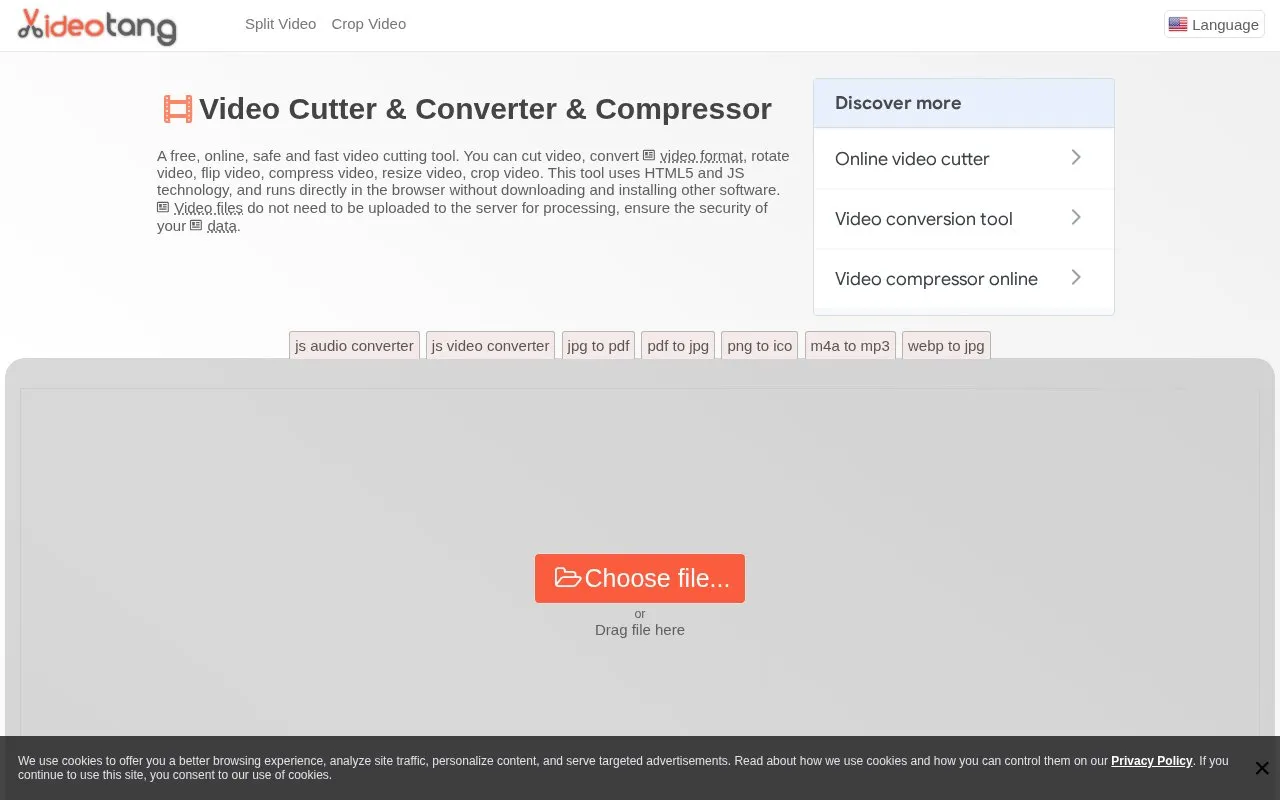
About Video Cutter
Video Cutter is a browser-based tool for cutting, converting, rotating, mirroring, compressing, resizing, and cropping video files. The homepage says it uses HTML5 and JavaScript, with FFmpeg.js, and runs directly in the browser without downloading or installing software.
The page states that video files are read and processed in the browser and are not uploaded to any server. The site also uses cookies to analyze traffic and to serve targeted advertisements, and the homepage does not list pricing details. The homepage describes the tool as free, but no pricing terms are given.
Key features
- Cut, split, crop, rotate, mirror, and flip videos
- Convert video between formats and compress video files
- Resize resolution with presets from 1080p down to 260p
- Set output frame rate to 25, 30, or 60 fps
- Runs in the browser without installing software
- Accepts MP4, WEBM, MOV, MKV, AVI, and other listed formats
Best for: People who need to cut or convert short video files in a browser and prefer that the files are processed on their own device.
Good for
- The homepage states that video files are processed in the browser and not uploaded to a server
- No software download or installation is required
- Lists support for a range of common video formats
Watch out for
- Pricing is not listed on the homepage
- The site uses cookies for traffic analysis and targeted advertisements
Video Cutter at a glance
- Website
- video-cutter-js.com
- Category
- Design & Creative › Video Editing & Animation
- Type
- Online tool
- Pricing
- Not confirmed. Check the site
- Platforms
- Android, Web
- Open source
- Not stated
- Language
- English
- Last checked
- Oct 6, 2026 · Online when checked
- Listed
- Oct 5, 2026
Guides for Video Editing & Animation

Video Cutter alternatives
Tools and sites you could use instead, ranked by how closely they match.

This browser-based video editor uses ffmpeg.wasm to process video locally, without uploads or server-side file handling.
FreeOpen source
24 alternativesMastershot compresses, trims, crops, and converts video in the browser, processing files on the device without uploads or an account.

Autocompressor reduces video and other media files to target sizes for Discord, Gmail, and other size-limited platforms.
Broadcast Box streams video in real time using video codecs and WebRTC, according to its product description.

This browser-based tool crops video files locally without uploading them, according to its page, and supports multiple interface languages.
Free

This hands-on guide introduces digital video concepts, codecs such as AV1 and H.265, and FFmpeg encoding, with translations listed.
Open source
24 alternativesPopular in Video Editing & Animation
Well-known listings from the same topic.
Animakeranimaker.com8mb.video8mb.videoASM Lessonsgithub.com/FFmpeg/asm-lessonsCuttrcuttr.inFreeMoCapfreemocap.orgMotionPlacesmotionplaces.com


Video Cutter FAQ
Are my video files uploaded to a server?
The homepage states that video files are read and processed in the browser and are not uploaded to any server. The site separately uses cookies for analytics and targeted advertising, as described in its cookie notice.
Which video formats does the tool support?
The homepage lists MP4, WEBM, MOV, FLV, 3GP, M4V, MPG, MPEG, MKV, AVI, WMV, MV, DV, ASF, 3G2, and says it supports most current mainstream video files.
How do I process a video?
The homepage describes four steps: open the video file, select a function such as cut or convert, set the parameters and run the process, then save the output to your computer when processing completes.
Is something wrong or out of date?
Tell us and an editor will check it.
Own this website?
Claim this listing
Claim the listing and suggest updates yourself. An editor checks every claim first.