
Mastershot
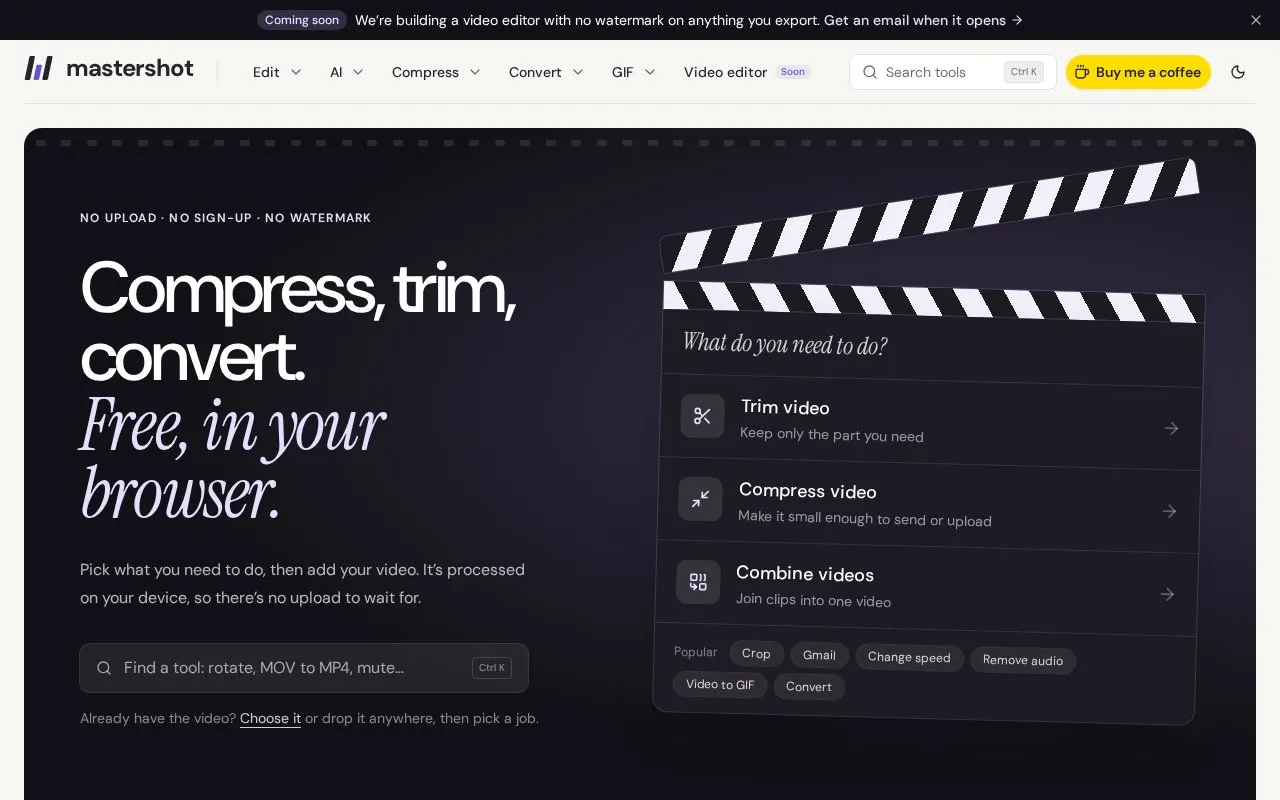
Mastershot compresses, trims, crops, and converts video in the browser, processing files on the device without uploads or an account.
About Mastershot
Mastershot provides browser-based tools to compress, trim, crop, and convert video. Files are processed on the device, with no upload step and no sign-up described. Additional tools cover combining clips, changing speed, removing audio, working with GIFs, and converting or resizing images.
Mastershot Studio is described as a video editor with no watermark on exports. The site states Studio runs in Chrome, Edge, or Safari on a computer.
Key features
- Compress video by selecting quality level and comparing result
- Trim video by choosing start and end points
- Crop video to aspect ratio and selected area
- Convert video format with MP3 listed as default output
- Remove background noise from behind voice
- Generate transcript or SRT subtitles from video
Best for: People who need basic video, GIF, and image edits without uploading files or creating an account.
Good for
- Files stay on device with no upload step described
- No sign-up described for using tools
- No watermark described for tools and Studio exports
Watch out for
- Studio runs only in Chrome, Edge, or Safari on a computer
- Combine tool described for joining two clips
Mastershot at a glance
- Website
- mastershot.app
- Category
- Design & Creative › Video Editing & Animation
- Type
- Online tool
- Pricing
- Not confirmed. Check the site
- Platforms
- Web
- Open source
- Not stated
- Language
- English
- Last checked
- Oct 5, 2026 · Online when checked
- Listed
- Oct 5, 2026
Guides for Video Editing & Animation

Mastershot alternatives
Tools and sites you could use instead, ranked by how closely they match.

This browser tool cuts, converts, and compresses video files locally, without uploading them to a server, according to its page.

This browser-based tool crops video files locally without uploading them, according to its page, and supports multiple interface languages.
Free

This browser-based video editor uses ffmpeg.wasm to process video locally, without uploads or server-side file handling.
FreeOpen source
24 alternatives
VideoCandy provides online tools for merging, compressing, trimming, cropping, and converting videos, according to its page description.
Free

Movietools offers free HD video loops, backgrounds, and virtual studio assets without requiring a subscription or account.
Free
WebM for Lazys is a graphical FFmpeg wrapper for converting videos to WebM and MP4 without using command-line controls.
Free
11 alternativesPopular in Video Editing & Animation
Well-known listings from the same topic.
Animakeranimaker.com8mb.video8mb.videoASM Lessonsgithub.com/FFmpeg/asm-lessonsCuttrcuttr.inMotionPlacesmotionplaces.comCavalrycavalry.studio


Mastershot FAQ
How does Mastershot handle my video file?
The site describes the video going from disk into the browser tab and back out as a new file, without leaving the computer.
How do I save the edited video?
Choose a tool, make changes, then download the new file; the original is kept.
Is something wrong or out of date?
Tell us and an editor will check it.
Own this website?
Claim this listing
Claim the listing and suggest updates yourself. An editor checks every claim first.