

Git Extensions
Free open-source graphical Git client for Windows, with revision history, staging, branch operations and configurable development tools.
About Git Extensions
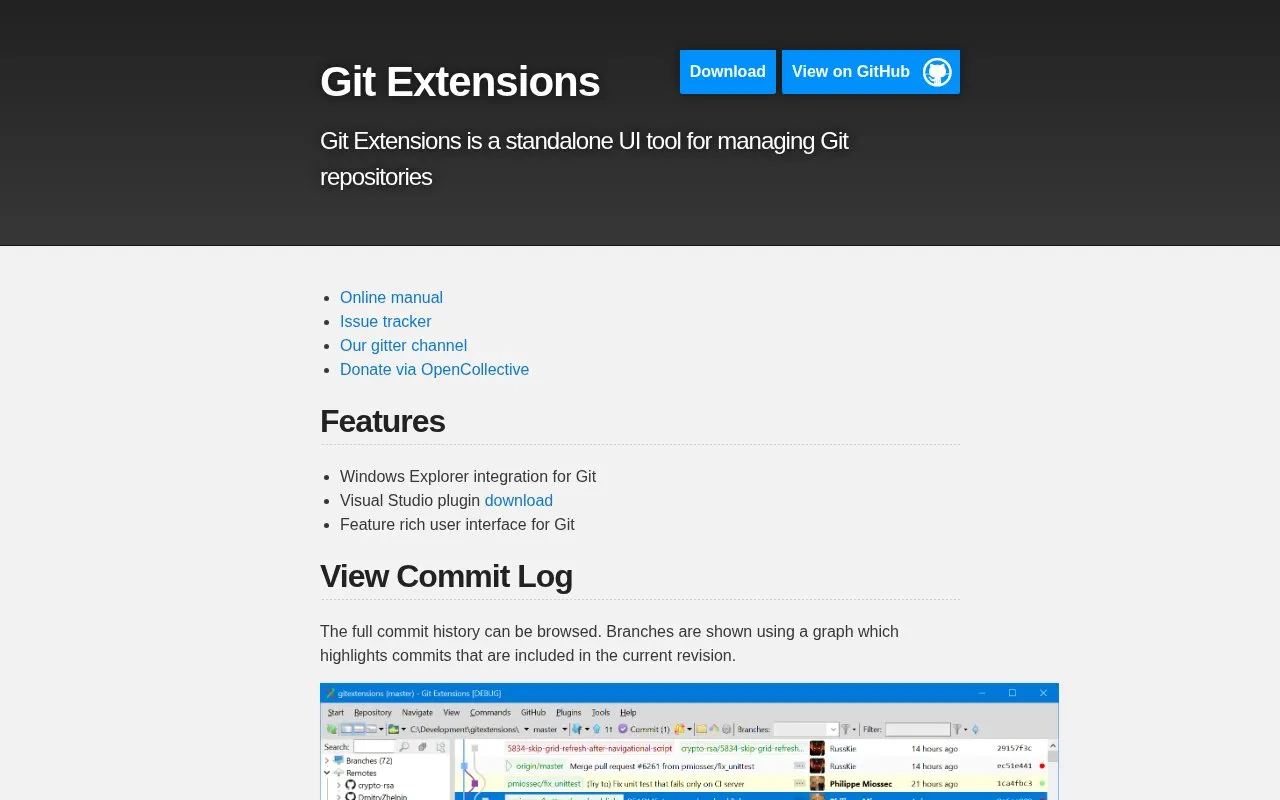
Git Extensions is a standalone graphical user interface for managing Git repositories. It is a free, open-source tool listed for Windows. Its main functions include browsing the full commit history, viewing file history, and using blame to find who last edited a line. The commit log shows branches as a graph that highlights commits in the current revision. The homepage also lists Windows Explorer integration and a Visual Studio plugin download.
The homepage states that version 2.x runs on multiple platforms using Mono. The directory entry lists Windows as the platform. The project states that its community has supported it since 2008.
Key features
- Full commit log browsing with a branch graph showing the current revision
- File history that matches renamed and moved files into a single history
- Blame view showing the last person to edit a line, with drill-down to its commit
- Windows Explorer integration for Git
- Visual Studio plugin download
- Branch operations, staging, and configurable development tools
Best for: Developers who work with Git repositories and prefer a graphical interface, particularly on Windows.
Good for
- Free and open source
- Detects renamed and moved files automatically, without manual marking
- Active community that has supported the project since 2008
Git Extensions at a glance
- Website
- gitextensions.github.io
- Category
- Development › Developer Tools
- Type
- Online tool
- Pricing
- Free
- Platforms
- Windows
- Open source
- Yes
- Last checked
- Oct 8, 2026 · Online when checked
- Listed
- Oct 8, 2026
Guides for Developer Tools


Git Extensions alternatives
Tools and sites you could use instead, ranked by how closely they match.
Free graphical Git client from Atlassian for Windows and macOS, with commit graphs, diff views, staging and history tools.
Free
6 alternativesFree open-source desktop Git client for Windows, macOS and Linux, with a commit graph, branching, staging and diff views.
FreeOpen source
5 alternatives
Free open-source graphical Git client from GitHub for Windows and macOS, with file review, commits, branches and remote synchronization.
FreeOpen source
8 alternatives
Free Python and Qt graphical Git client with staged and unstaged changes, diff review and a companion history browser.
FreeOpen source
5 alternativesFeatured in
 8 sites

Best of
8 Best Free Git GUI Clients in 2026
I would start with GitHub Desktop for ordinary commits and pushes, then choose a deeper history tool when the project…
Popular in Developer Tools
Well-known listings from the same topic.
AppDevToolsappdevtools.comCommand Not Foundcommand-not-found.comTestFlighttestflight.apple.com/join/A8GwCnq8Sourcegraphabout.sourcegraph.comProject Wallaceprojectwallace.comCarbon Calculatorwebsitecarbon.com


Git Extensions FAQ
Does Git Extensions track files that have been renamed or moved?
Yes. The file history feature matches renamed and moved files and shows them in a single history. The system detects renamed files automatically, so users do not need to mark them.
How can I find out who changed a specific line in a file?
Use the blame feature. It shows the last person who edited a specific part of a file. Double-clicking a line shows the commit and lets you drill down to other files.
Is something wrong or out of date?
Tell us and an editor will check it.
Own this website?
Claim this listing
Claim the listing and suggest updates yourself. An editor checks every claim first.