

GitHub Desktop
Free open-source graphical Git client from GitHub for Windows and macOS, with file review, commits, branches and remote synchronization.
About GitHub Desktop
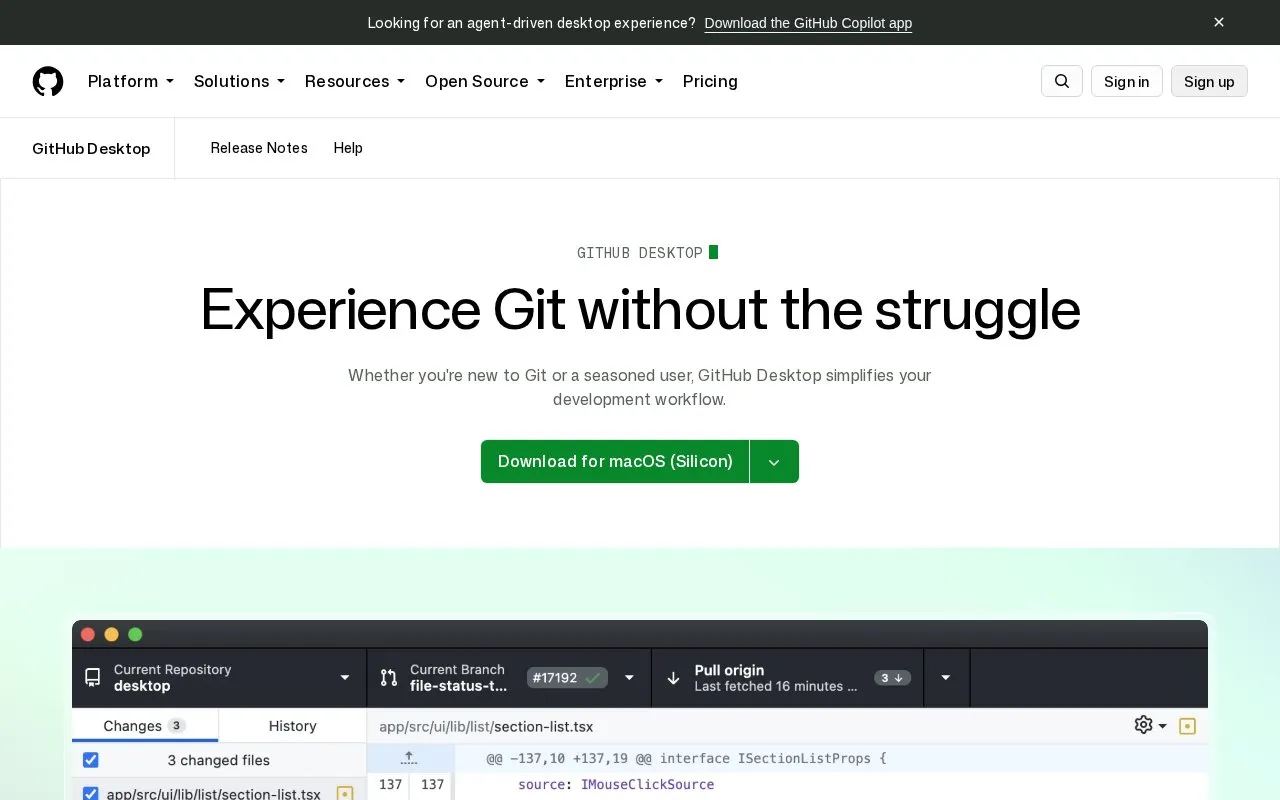
GitHub Desktop is a free, open-source graphical client for Git, the version control system used to track changes in software projects. The directory lists it for Windows and macOS. Its homepage shows a download for macOS (Silicon). It covers common tasks such as reviewing code changes, managing commits and branches, and synchronizing with remote repositories.
The homepage describes it as suitable for people new to Git as well as experienced users. Beyond core workflow tasks, it offers commit history editing, stashing of uncommitted changes, and a beta channel for trying features before they are released.
Key features
- Compare versions of code changes to review them
- Drag and drop to cherry-pick, squash, or reorder commits
- Stash changes without committing them to a branch
- Amend commit messages, incorporate new changes, or revert to earlier states
- Manage commits, branches, and remote synchronization from a graphical interface
- Beta releases to try features before general availability
Best for: People who want a graphical interface for Git, including those who are new to Git and developers who work with GitHub repositories.
Good for
- Free to use, according to the listing
- Open source
- Beta access to features before release
GitHub Desktop at a glance
- Website
- desktop.github.com
- Category
- Development › Developer Tools
- Type
- Online tool
- Pricing
- Free
- Platforms
- Windows, macOS
- Open source
- Yes
- Last checked
- Oct 8, 2026 · Online when checked
- Listed
- Oct 8, 2026
Guides for Developer Tools


GitHub Desktop alternatives
Tools and sites you could use instead, ranked by how closely they match.
Free open-source desktop Git client for Windows, macOS and Linux, with a commit graph, branching, staging and diff views.
FreeOpen source
5 alternativesFree graphical Git client from Atlassian for Windows and macOS, with commit graphs, diff views, staging and history tools.
Free
6 alternatives
Free open-source graphical Git client for Windows, with revision history, staging, branch operations and configurable development tools.
FreeOpen source

Free Python and Qt graphical Git client with staged and unstaged changes, diff review and a companion history browser.
FreeOpen source
5 alternativesThe OpenSSH toolkit provides secure remote connections and command-line file transfer, including an SFTP client.
FreeOpen source
23 alternatives
Connect to remote computers from Mac, Windows, Linux, iOS, or Android with the Termius SSH client.
GitHub Desktop comparisons
Featured in
 8 sites

Best of
8 Best Free Git GUI Clients in 2026
I would start with GitHub Desktop for ordinary commits and pushes, then choose a deeper history tool when the project…
Popular in Developer Tools
Well-known listings from the same topic.
AppDevToolsappdevtools.comCommand Not Foundcommand-not-found.comTestFlighttestflight.apple.com/join/A8GwCnq8Sourcegraphabout.sourcegraph.comProject Wallaceprojectwallace.comCarbon Calculatorwebsitecarbon.com


GitHub Desktop FAQ
Can I try features before they are released?
The homepage lists a beta program where users can try features and bug fixes before they are released.
Can I contribute to the app?
The homepage links to a contribution page and a public roadmap for people who want to help improve the app.
Is something wrong or out of date?
Tell us and an editor will check it.
Own this website?
Claim this listing
Claim the listing and suggest updates yourself. An editor checks every claim first.