

Ihancer
ihancer enhances photo quality, upscales images, and restores old or blurry photos with AI.
About Ihancer
Ihancer is an AI photo enhancement app available as a web app and for Android and iOS. It is aimed at photos with poor quality or low resolution: a user imports an image from the gallery or takes a new one with the camera, taps a button, and the app processes it with machine learning. Typical uses listed on the site include enhancing photo quality, restoring old photos, increasing resolution, fixing pixelated and blurry photos, improving details, enhancing facial photos and removing resize artifacts.
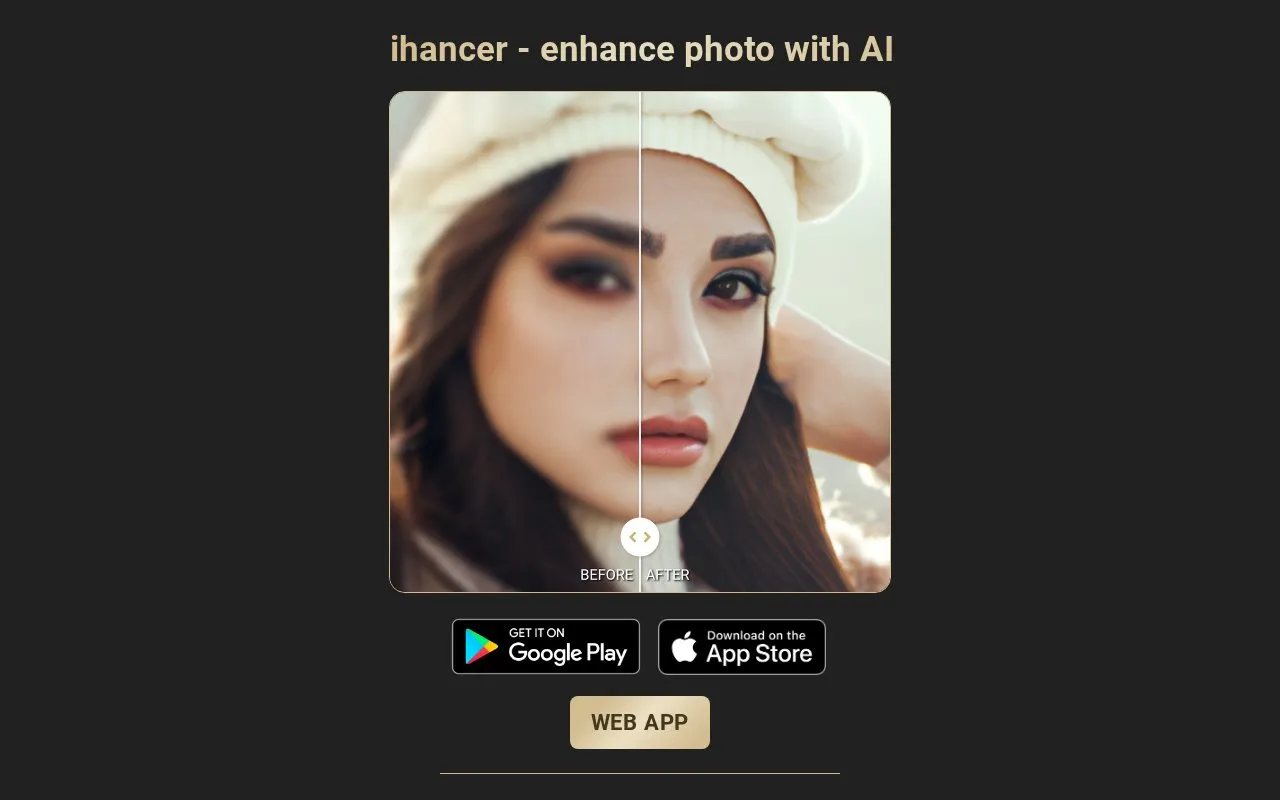
The app offers several enhancement options, and results can be reviewed in real time with a before-and-after slider and a zoom view, including tabs that compare how different methods treat the same photo. The technology is optimized for photos containing faces but is described as working with other kinds of photos as well. Enhanced images can be shared to other apps such as social networks, messengers and photo editors, or saved to the gallery. The app is localized in several languages and supports a dark interface mode, and it can be downloaded for free on a mobile device.
Key features
- Enhances image quality automatically with machine learning after a few taps
- Restores old photos, upscales resolution and fixes pixelated or blurry images
- Before-and-after slider and zoom to compare results in detail
- Several enhancement options for comparing different results on the same photo
- Optimized for photos with faces, also handles other photo types
- Shares results to social networks, messengers and editors, or saves to gallery
Best for: People with low-resolution, blurry or damaged photos, especially portraits, who want quick automatic enhancement from a mobile device or browser.
Good for
- Several enhancement methods can be compared side by side on the same photo
- Real-time before-and-after slider and zoom make results easy to inspect
- Localized in several languages with a simple interface and dark mode
Watch out for
- Only the mobile download is described as free; pricing for the web app is not stated
- The homepage gives no details on how imported photos are stored or processed
Ihancer at a glance
- Website
- ihancer.com
- Category
- Online Tools › Image Tools
- Type
- Online tool
- Pricing
- Not confirmed. Check the site
- Platforms
- Android, iOS, Web
- Open source
- Not stated
- Language
- English
- Last checked
- Oct 6, 2026 · Online when checked
- Listed
- Oct 5, 2026
Guides for Image Tools

Ihancer alternatives
Tools and sites you could use instead, ranked by how closely they match.

LibrePhotos provides self-hosted photo management with face recognition, object detection, and semantic search.
Open source
24 alternatives
PhotoPrism is described in its repository as a photos app using artificial intelligence.

The Immich GitHub project describes a self-hosted system for managing photos and videos.
Open source
24 alternatives
This repository collects Google Colaboratory notebooks for fast experiments, with examples spanning machine learning and related topics.
Open source
24 alternativesPopular in Image Tools
Well-known listings from the same topic.
CamScannerapps.apple.com/us/app/camscanner-pdf-scanner-a…BeeRefbeeref.orgGreenshotgetgreenshot.orgLightshotapp.prntscr.comnomacsnomacs.orgConverseenconverseen.fasterland.net


Ihancer FAQ
How do I enhance a photo with Ihancer?
Import a photo from your gallery or capture one with the camera, tap a single button, wait briefly, and the enhanced result is produced.
What kinds of photos does it work on?
The technology is optimized for images containing faces, but the site states it also works with other kinds of photos.
Can I share or save the enhanced photo?
Yes. The enhanced photo can be shared with other apps such as social networks, messengers and photo editors, or saved to the gallery.
Is something wrong or out of date?
Tell us and an editor will check it.
Own this website?
Claim this listing
Claim the listing and suggest updates yourself. An editor checks every claim first.