

Converseen
Converseen converts, resizes, and processes images in batches across Windows, Linux, macOS, and FreeBSD.
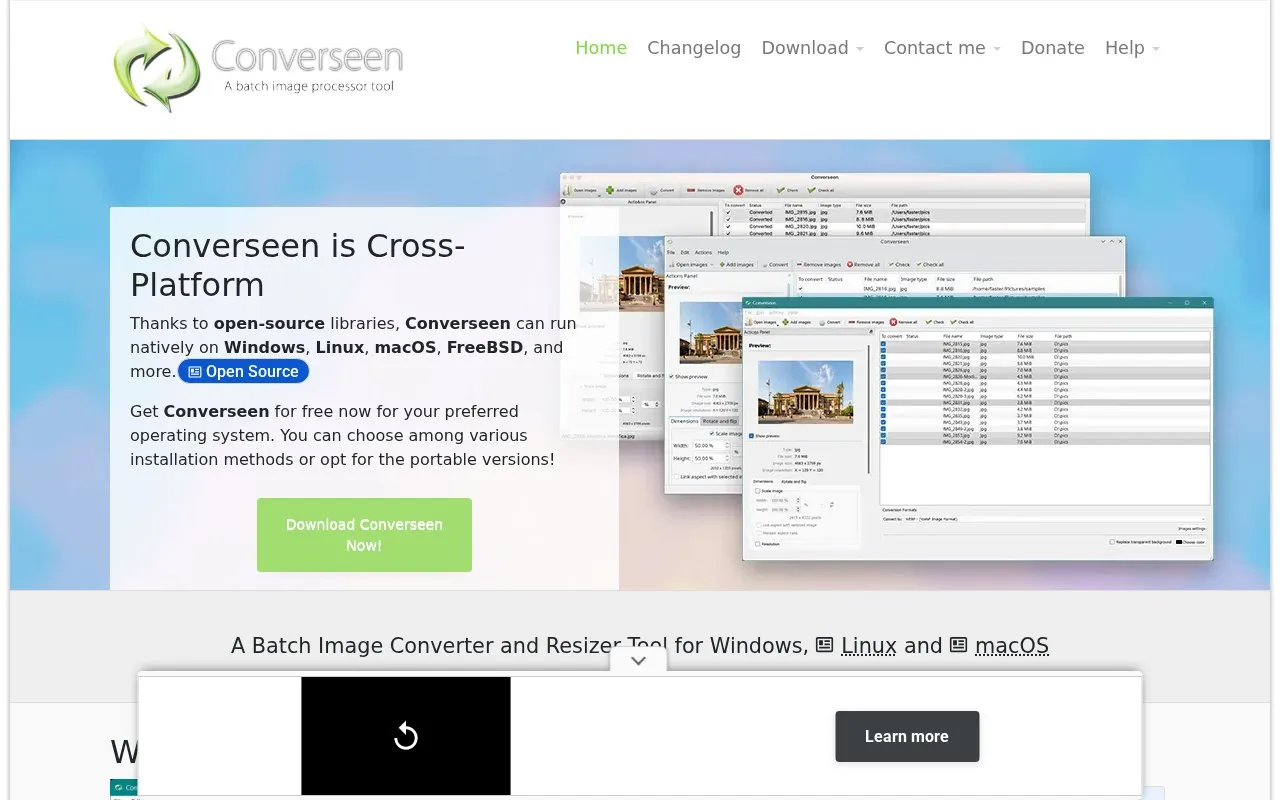
About Converseen
Converseen is a batch image processor for Windows, Linux, macOS, and FreeBSD. It converts, resizes, rotates, and flips single images or large sets at once, and can convert PDF pages into image files.
It supports more than 100 formats through ImageMagick, including JPEG, PNG, GIF, TIFF, SVG, WebP, HEIC/HEIF, DPX, EXR, and JPEG-2000. Users can set resolution and filenames, select a resampling filter, rename with numbers or affixes, compress images for web pages, and extract images from Windows .ico files. The macOS download is provided as a zip for macOS 12 and newer.
Key features
- Batch convert single or multiple images across 100+ formats
- Resize images with selectable resampling filter
- Rotate and flip images in batch
- Convert PDF pages to JPEG, PNG, WebP and more
- Rename image sets with numbers, prefixes or suffixes
- Extract images from Windows .ico files
Best for: People on Windows, Linux, macOS, or FreeBSD who need to process many images or PDF pages at once.
Good for
- Runs natively on Windows, Linux, macOS, and FreeBSD
- Handles more than 100 image formats via ImageMagick
- Offers installer, portable, AppImage, Snap, Flatpak and source options
Watch out for
- macOS zip build is listed for macOS 12 and newer
Converseen at a glance
- Website
- converseen.fasterland.net
- Category
- Online Tools › Image Tools
- Type
- Online tool
- Pricing
- Not confirmed. Check the site
- Platforms
- Linux, macOS, Web, Windows
- Open source
- Not stated
- Language
- English
- Last checked
- Oct 5, 2026 · Online when checked
- Listed
- Oct 5, 2026
Guides for Image Tools

Converseen alternatives
Tools and sites you could use instead, ranked by how closely they match.

RIOT optimizes images with batch processing and live comparison for JPEG, PNG, WebP, and GIF formats.
Resize multiple images in a batch with Bulk Image Resize, which processes files without uploading them.

Caesium is a free, open-source online image compression tool with batch processing and preview options.

PicView views images on Windows and macOS, with EXIF display, batch resizing, compression, and archive viewing.

Pro Image Tool offers browser utilities for resizing and converting images, along with PDF management tools.
Free

A desktop batch image converter for Windows, macOS, and Linux. Save sequences of resizing, image adjustments, and export settings. Private, educational, and nonprofit use are free; commercial use requires a license.
Freemium
Popular in Image Tools
Well-known listings from the same topic.
CamScannerapps.apple.com/us/app/camscanner-pdf-scanner-a…BeeRefbeeref.orgGreenshotgetgreenshot.orgLightshotapp.prntscr.comnomacsnomacs.orgStorage Serverpixelunion.eu


Converseen FAQ
Which operating systems does Converseen support?
Windows, Linux, macOS, FreeBSD, and other operating systems, with Installer or Portable Zip for Windows, Source, Repos, AppImage, Snap and Flatpak for Linux, and a zip archive for macOS.
Can Converseen convert a PDF to images?
Yes, it can convert pages of a PDF document into JPEG, PNG, WEBP and many more, with chosen size, resolution and filename.
What can I do besides conversion?
Resize images, compress images for web pages, rotate and flip, rename with a progressive number or prefix/suffix, select a resampling filter, and extract an image from a Windows .ico file.
Is something wrong or out of date?
Tell us and an editor will check it.
Own this website?
Claim this listing
Claim the listing and suggest updates yourself. An editor checks every claim first.