

Web App
Caesium is a free, open-source online image compression tool with batch processing and preview options.
About Web App
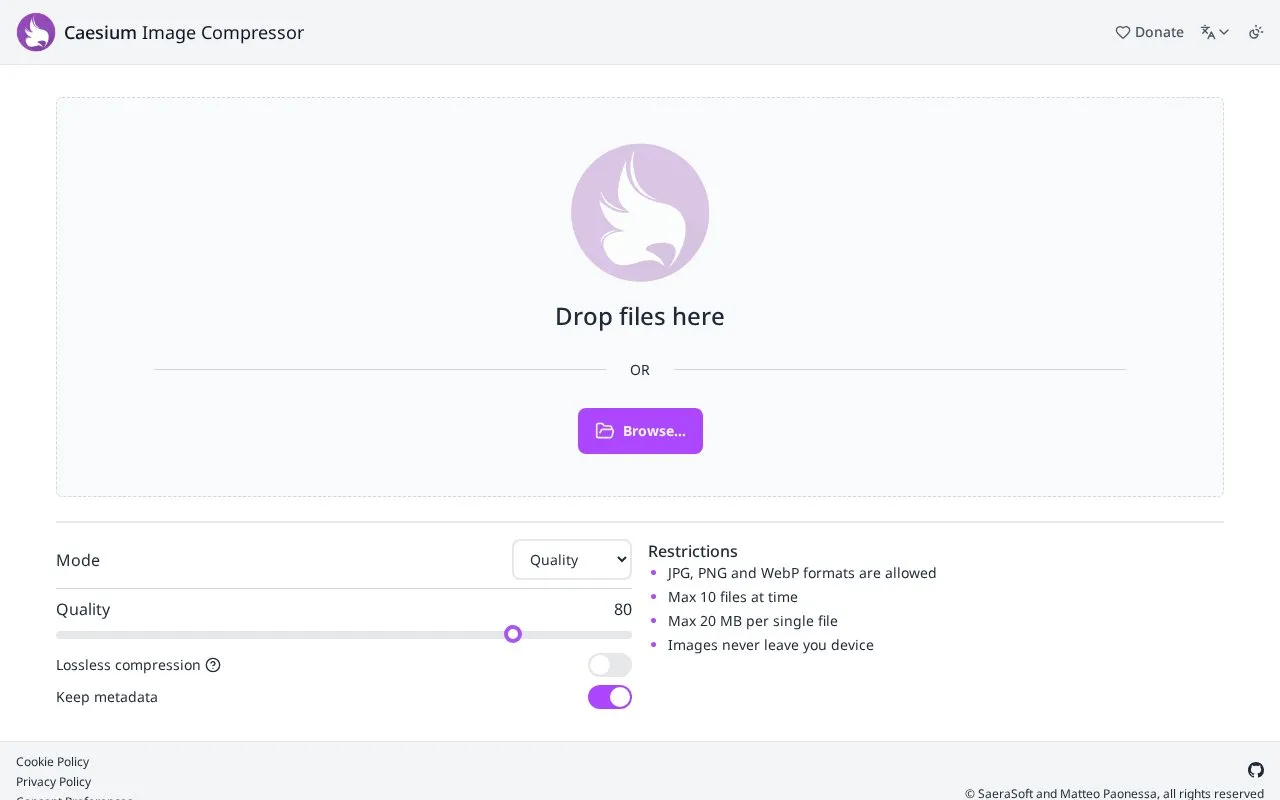
Caesium Image Compressor is an online tool for compressing JPG, PNG, and WebP images. It provides Quality and Size modes, an adjustable quality setting, a lossless compression option, and a control to keep metadata, with support for processing multiple files at once.
Use is limited to 10 files at a time and 20 MB per single file. The site states that images never leave the device.
Key features
- Compress JPG, PNG, and WebP images
- Compress up to 10 files at a time
- Quality and Size compression modes
- Adjustable quality level with lossless option
- Optional keep-metadata setting
- Processes files on user device according to site
Best for: People who need to reduce the size of JPG, PNG, or WebP images before uploading.
Good for
- Supports batch processing of up to 10 files
- Offers quality, lossless, and metadata controls
- States files stay on the user's device
Watch out for
- Limited to JPG, PNG, and WebP formats
- Maximum 20 MB per single file
- Maximum 10 files at a time
Web App at a glance
- Website
- caesium.app
- Category
- Online Tools › Image Tools
- Type
- Online tool
- Pricing
- Not confirmed. Check the site
- Platforms
- Web
- Open source
- Not stated
- Last checked
- Oct 5, 2026 · Online when checked
- Listed
- Oct 5, 2026
Guides for Image Tools

Web App alternatives
Tools and sites you could use instead, ranked by how closely they match.

Zonerama provides an online photo gallery with unlimited storage, plus links to Zoner Studio and its magazine.
Free
5 alternatives
This Hugging Face app extracts and displays text from an uploaded image using an OCR method.

Upload an image with printed or handwritten text to extract it using PaddleOCR, EasyOCR, or KerasOCR.

Image optimization for WordPress and other publishing workflows, with bulk processing, compression settings, and WebP or AVIF conversion. A limited free allowance is available alongside paid plans.
Freemium
10 alternatives
Convert JPG, JPEG, and GIF images to PDF online, with options for batch image-to-PDF conversion.
Free
Resize multiple images in a batch with Bulk Image Resize, which processes files without uploading them.
Popular in Image Tools
Well-known listings from the same topic.
CamScannerapps.apple.com/us/app/camscanner-pdf-scanner-a…BeeRefbeeref.orgGreenshotgetgreenshot.orgLightshotapp.prntscr.comnomacsnomacs.orgConverseenconverseen.fasterland.net


Web App FAQ
Which image formats are supported?
JPG, PNG, and WebP formats are allowed.
How many files can I compress at once?
Up to 10 files at a time, with a maximum of 20 MB per single file.
Is lossless compression available?
Yes. With lossless compression selected, the site says image quality will be completely preserved.
Is something wrong or out of date?
Tell us and an editor will check it.
Own this website?
Claim this listing
Claim the listing and suggest updates yourself. An editor checks every claim first.