

Image Color Summarizer
Image Color Summarizer analyzes image color statistics and clustering in RGB, HSV, LCH, and Lab color spaces.
About Image Color Summarizer
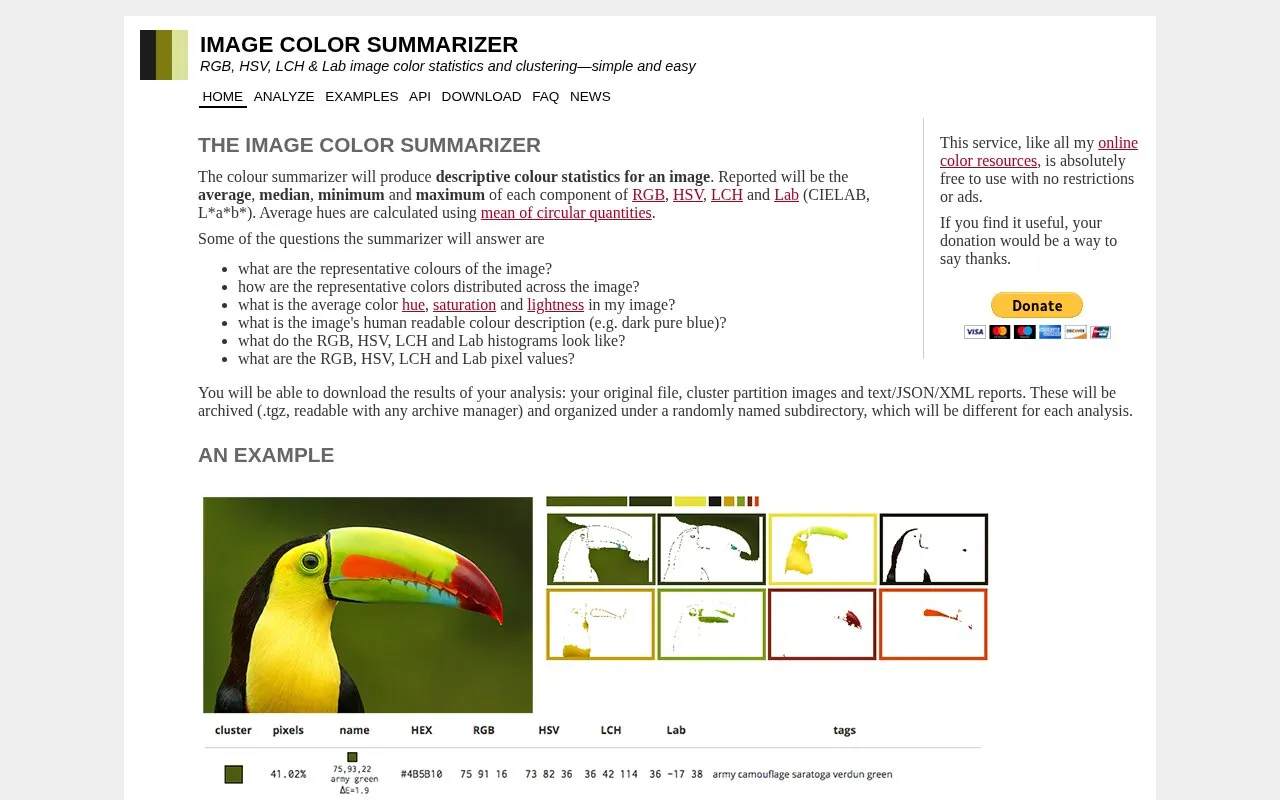
Image Color Summarizer analyzes an uploaded image to report color statistics in RGB, HSV, LCH and Lab, including average, median, minimum and maximum for each component, histograms, pixel values, representative colors and human-readable descriptions. It groups pixels with similar colors using k-means clustering based on a user-set cluster count, and provides the original file, cluster images and text/JSON/XML reports in a .tgz archive.
Clustering starts from random assignment, so results differ between runs. It works well on images with well-defined color boundaries and less well on gradients spanning a large range of hue, brightness and saturation, and it is not intended for finding specific colors or matching to reference colors.
Key features
- Reports average, median, min, max for RGB, HSV, LCH, Lab components
- Generates RGB, HSV, LCH, Lab histograms and pixel values
- Groups similar pixels with k-means clustering by user-set cluster count
- Provides human-readable color description such as dark pure blue
- Downloads reports as text, JSON, XML with cluster images in .tgz
- Offers API with plain-text and XML statistics output
Best for: People who need color statistics and clustered color summaries of images for databases or analysis.
Good for
- Covers RGB, HSV, LCH and Lab with histograms and pixel values
- Provides downloadable text, JSON and XML reports with cluster images
- Includes API with plain-text and XML output
Watch out for
- Clustering results differ on each run due to random initialization
- Clustering works less well on gradients spanning large color ranges
- Not suited for finding specific colors or snapping to reference colors
Image Color Summarizer at a glance
- Website
- mk.bcgsc.ca/color-summarizer
- Category
- Online Tools › Image Tools
- Type
- Online tool
- Pricing
- Not confirmed. Check the site
- Platforms
- Web
- Open source
- Not stated
- Last checked
- Oct 5, 2026 · Online when checked
- Listed
- Oct 5, 2026
Guides for Image Tools

Popular in Image Tools
Well-known listings from the same topic.
CamScannerapps.apple.com/us/app/camscanner-pdf-scanner-a…BeeRefbeeref.orgGreenshotgetgreenshot.orgLightshotapp.prntscr.comnomacsnomacs.orgConverseenconverseen.fasterland.net


Image Color Summarizer FAQ
How many clusters should I use?
It depends on the image: use 3 for a technical drawing with 3 colors, and for photos start with 5 clusters and adjust as needed.
Why do I get a different result each time I run clustering?
Clustering starts with random assignment of pixels, so each run can produce a different result, with differences ranging from negligible to very large.
What files can I download after analysis?
Your original file, cluster partition images, and text/JSON/XML reports, archived as .tgz and organized under a randomly named subdirectory.
Is something wrong or out of date?
Tell us and an editor will check it.
Own this website?
Claim this listing
Claim the listing and suggest updates yourself. An editor checks every claim first.