
iOS + macOS Configs
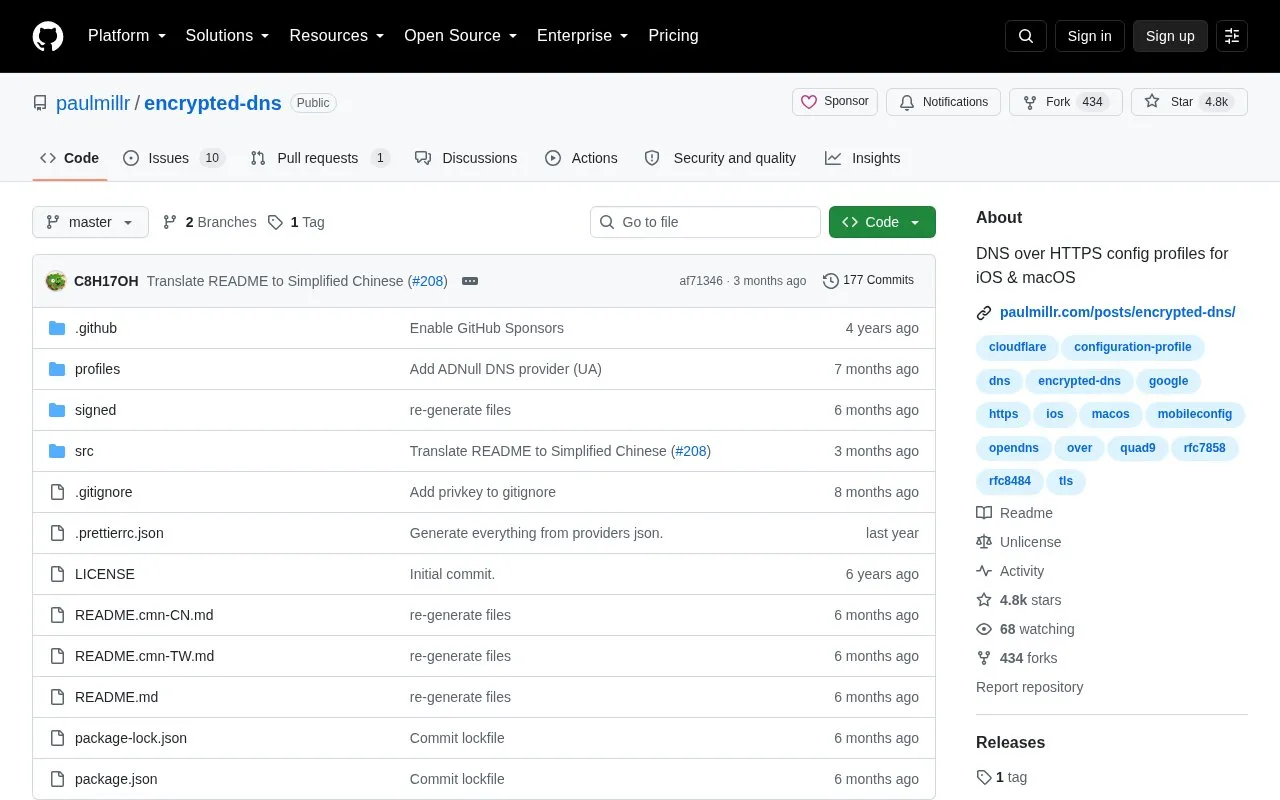
Configure DNS over HTTPS on iOS and macOS using the provided configuration profiles.
About iOS + macOS Configs
This repository provides configuration profiles for DNS over HTTPS and DNS over TLS on iOS and macOS. Users download a .mobileconfig file for a chosen provider from a table that lists region, operator, filtering status, and signed and unsigned download options.
It includes installation steps for iPhone, iPad, and Mac. iPhone and iPad installation requires Safari, and some listed profiles filter content and do not return true hostname-to-IP information for some hosts.
Key features
- Configuration profiles for DNS over HTTPS and DNS over TLS
- Signed and unsigned .mobileconfig files for listed providers
- Provider table shows region, filtering status, and operator
- Filtering variants block ads, malware, phishing, or adult content
- Install instructions for iPhone, iPad, and Mac included
- Readme available in English, Simplified and Traditional Chinese
Best for: iPhone, iPad, and Mac users who want to change DNS settings using installable encrypted DNS profiles.
Good for
- Open source repository
- Lists multiple providers with region and filtering information
- Offers signed and unsigned profile downloads
Watch out for
- Only works on iOS and macOS
- iPhone and iPad installation requires opening the file in Safari
- Some listed profiles filter results and do not return true hostname to IP mapping
iOS + macOS Configs at a glance
- Category
- Privacy & Security › Security Tools
- Type
- Open-source project
- Pricing
- Not confirmed. Check the site
- Platforms
- iOS, macOS
- Open source
- Yes · Source code
- Language
- English
- Last checked
- Oct 5, 2026 · Online when checked
- Listed
- Oct 5, 2026
Guides for Security Tools
iOS + macOS Configs alternatives
Tools and sites you could use instead, ranked by how closely they match.

Find community-provided plugins for the Binary Ninja reverse engineering platform.
Open source
24 alternatives
Configure network activity rules through Windows Filtering Platform with Simplewall.
Open source
24 alternatives
Scan applications, APIs, networks, DNS, and cloud configurations for vulnerabilities using Nuclei.
Open source
24 alternatives
Anubis weighs incoming HTTP requests to help block AI crawlers before they access a website.
Open source
24 alternatives
Configure DNS over HTTPS in curl, the command-line transfer tool and library.

Karma Firewall is an Android firewall that states it requires no internet permission and intercepts no allowed user traffic.
Open source
24 alternativesPopular in Security Tools
Well-known listings from the same topic.
Online Password Hash Crackonlinehashcrack.comOTP Authapps.apple.com/app/otp-auth/id659877384MD5 reverse lookupmd5.gromweb.comMozilla SSLssl-config.mozilla.orgchallenges.rechallenges.reGoPlus Locker V3gopluslabs.io


iOS + macOS Configs FAQ
How do I install a profile on iPhone or iPad?
Open the .mobileconfig file in Safari and tap Allow, then go to System Settings > General > VPN, DNS & Device Management, select the downloaded profile and tap Install.
How do I install a profile on Mac?
Ensure the file ends in NAME.mobileconfig, then go to Apple menu > System Settings > Privacy and Security > Profiles, double-click the profile in the Downloaded section and click Continue, Install or Enroll.
What does Censorship mean in the provider list?
It means the profile will not send true information about hostname=IP relation for some hosts.
Is something wrong or out of date?
Tell us and an editor will check it.
Own this website?
Claim this listing
Claim the listing and suggest updates yourself. An editor checks every claim first.