

Janicek
Feed Filter Maker creates filters for RSS and Atom feeds that can be used in feed readers.
About Janicek
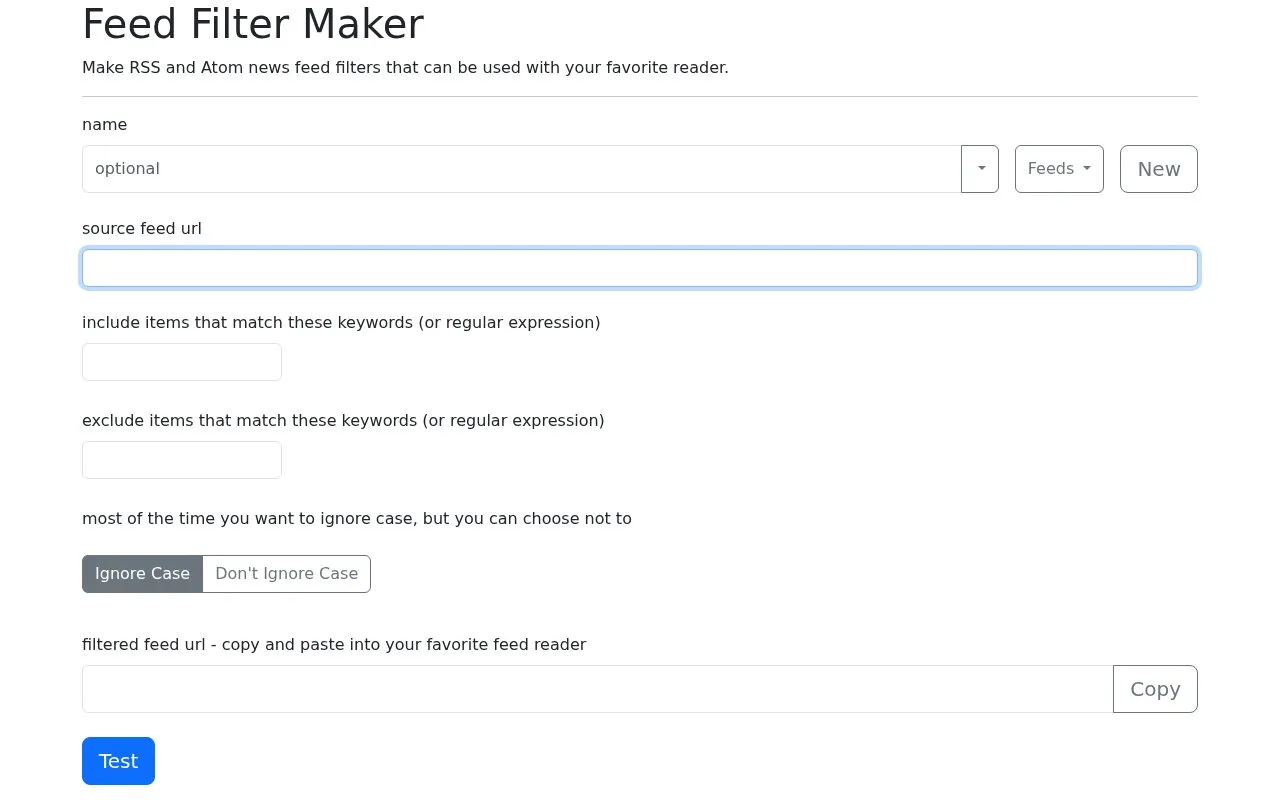
Feed Filter Maker creates filtered versions of RSS and Atom feeds for use in a feed reader. A user enters a source feed URL, adds include terms and exclude terms as keywords or regular expressions, and selects case-sensitive or case-insensitive matching.
The tool produces a filtered feed URL to copy into a feed reader and includes a test option. Named feeds are saved in the browser for later selection, with OPML export for backup and OPML import for merging. Importing replaces an existing feed with the same name.
Key features
- Create filtered RSS and Atom feeds from a source feed URL
- Include items that match keywords or regular expressions
- Exclude items that match keywords or regular expressions
- Switch between case-sensitive and case-insensitive matching
- Copy filtered feed URL for use in feed reader
- Export and import saved feeds with OPML files
Best for: People who read RSS or Atom feeds and want to filter items by keywords.
Good for
- Supports both RSS and Atom source feeds
- Allows keyword and regular expression include and exclude filters
- Provides OPML export for backup and import for merging
Watch out for
- A feed must be given a name to be saved in the browser
- Importing OPML replaces any existing feed with the same name
- Filters search all text in each item
Janicek at a glance
- Website
- feed.janicek.co
- Category
- Productivity › RSS Readers
- Type
- Online tool
- Pricing
- Not confirmed. Check the site
- Platforms
- Web
- Open source
- Not stated
- Last checked
- Oct 5, 2026 · Online when checked
- Listed
- Oct 5, 2026
Guides for RSS Readers
Janicek alternatives
Tools and sites you could use instead, ranked by how closely they match.

siftrss filters Atom or RSS feeds and creates a new feed link based on selected rules.

Read RSS feeds and train story filters with NewsBlur, a personal news reader.

FreshRSS aggregates RSS and Atom feeds in a self-hosted reader with customizable options.
Tiny Tiny RSS reads RSS, Atom, and other news feeds through a self-hosted web application.

Kill the Newsletter converts email newsletters into Atom feeds, according to its page description.

Brief adds RSS and Atom feed reading to Firefox, with news feeds as the intended content in its project description.
Open sourcePick
24 alternativesPopular in RSS Readers
Well-known listings from the same topic.
Inoreaderinoreader.comFiveFilterscreatefeed.fivefilters.orgMinifluxminiflux.appFetchRSSfetchrss.comFeedlyfeedly.com


Janicek FAQ
How are multiple filter values combined?
For each include and exclude filter, the values are combined into a single regular expression separated by |. For example, include values of 720p and English are evaluated as 720p|English.
What happens when I import an OPML file?
Import merges the feeds in the OPML file with feeds in the browser. If there is a feed with the same name, it will be replaced by the feed in the OPML file.
How are my feeds saved?
If you give a feed a name, it is automatically saved to your browser and will be available in the drop down the next time you return. Export OPML can be used to backup the feeds in your browser.
Is something wrong or out of date?
Tell us and an editor will check it.
Own this website?
Claim this listing
Claim the listing and suggest updates yourself. An editor checks every claim first.