

Dark Reader is an open-source MIT-licensed browser extension for Chrome and Firefox that analyzes web pages and generates a dark mode to reduce eyestrain.
Open source
24 alternativesOneTab saves browser tabs into a list to reduce tab clutter and memory use in Chrome and Firefox.
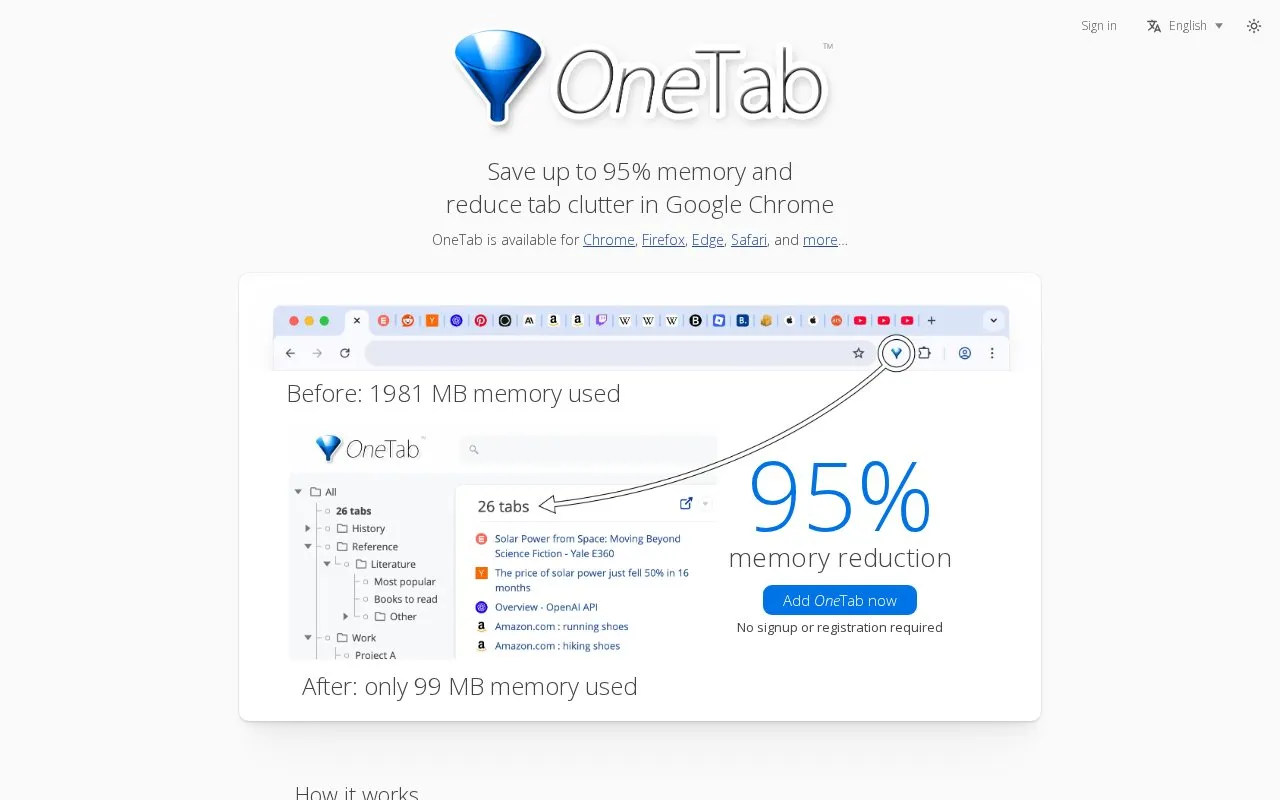
OneTab is a browser extension for Chrome, Firefox, Edge, Safari and other browsers that turns open tabs into a saved list. Clicking the OneTab icon converts the current tabs into a list; tabs can then be restored one by one or all at once. The site states this can reduce memory use by up to 95% and that the list is not lost when the browser, computer or OneTab is closed, or when the browser crashes. No signup or registration is required.
Lists can be exported and imported, organized with folders, tasks and notes, and synced across browsers with encryption. The site says tab URLs are not transmitted to the developers or other parties, with one exception: using the "Share as a web page" feature uploads the tab list to a web page. Icons for tab URL domains are generated by Google. Installation requires pinning the OneTab icon to the browser toolbar.
Tools and sites you could use instead, ranked by how closely they match.
Dark Reader is an open-source MIT-licensed browser extension for Chrome and Firefox that analyzes web pages and generates a dark mode to reduce eyestrain.
SocialFocus hides selected distracting elements on social media sites in Safari, Chrome, and Firefox.
Browse OpenSearch and Sherlock plugins that add site-specific search providers to Firefox, Internet Explorer, and Chrome.
Auto Refresh Plus lets users set page refresh intervals and monitor changing web pages in Chrome, Firefox, Edge, and Opera.
Container Tab Groups organizes Firefox tabs into Chrome-like groups using Firefox container tabs, which keep browsing contexts separated.
FireShot captures full pages and selections in Firefox, with options for saving research, work, and documentation.
Well-known listings from the same topic.
Tell us and an editor will check it.
Claim the listing and suggest updates yourself. An editor checks every claim first.


