

Pilko
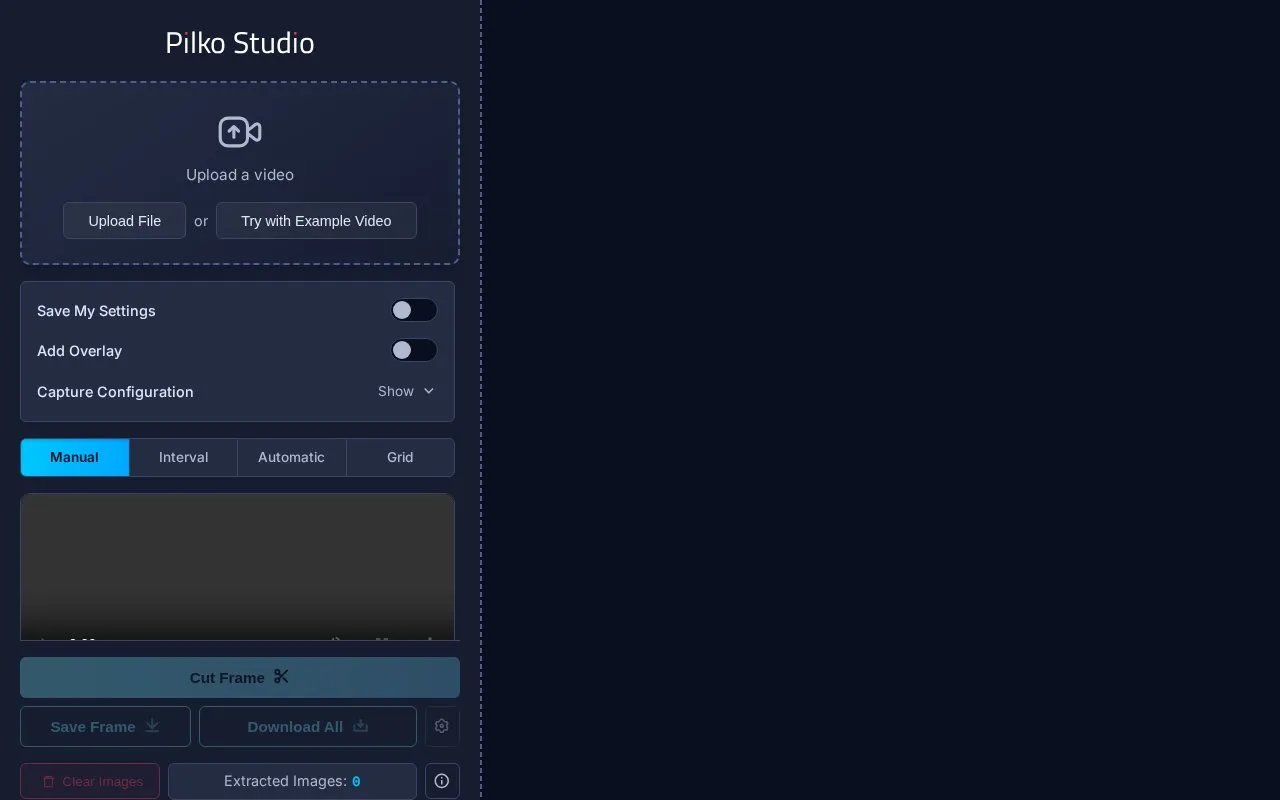
Pilko Studio extracts video screenshots locally in the browser, with interval, manual, and automatic frame capture.
About Pilko
Pilko Studio is a browser-based tool for extracting screenshots from video files. Videos are uploaded into the page and frames can be captured manually from the timeline, at set intervals by time, frame or count, automatically when content changes (using histogram or pixel difference detection), from subtitle timestamps, or as a grid of screenshots combined into one image. Captured frames can be previewed and fine-tuned, cropped, trimmed to a time range, overlaid with timecode, SMPTE/EBU, text or image content, and exported with configurable filenames in PNG, JPEG or WEBP. Downloads can be individual or bulk as a .zip file.
The site states that all video processing and screenshot extraction happen locally within the browser, with no installations, cookies, file tracking or cloud processing. It says it works in any browser on Windows, macOS, Linux, ChromeOS, x86/ARM, iOS and Android. Capturing frames by transcription requires a corresponding SRT or VTT file. Some settings, specifically framerate override, trim, transcription and overlay images, are not tracked or saved. Pricing is not stated on the homepage.
Key features
- Manual, interval and automatic frame capture modes
- Automatic detection via histogram difference or pixel difference
- Frame capture by subtitle timestamps from uploaded SRT or VTT
- Timecode, SMPTE/EBU, text and image overlays on captured frames
- Crop, trim and output resolution settings for exports
- PNG, JPEG and WEBP output with bulk .zip download
Best for: People who need to pull still frames from videos in a browser without installing software.
Good for
- Manual, interval, automatic, transcription and grid extraction modes in one tool
- Processing and extraction are described as happening locally in the browser
- Compatible with browsers across Windows, macOS, Linux, ChromeOS, x86/ARM, iOS and Android
Watch out for
- Transcription-based capture requires a corresponding SRT or VTT file
- Framerate override, trim, transcription and overlay images are not tracked or saved in settings
Pilko at a glance
- Website
- pilko.studio
- Category
- Online Tools › Image Tools
- Type
- Website
- Pricing
- Not confirmed. Check the site
- Platforms
- Web
- Open source
- Not stated
- Language
- English
- Last checked
- Oct 5, 2026 · Online when checked
- Listed
- Oct 5, 2026
Guides for Image Tools

Popular in Image Tools
Well-known listings from the same topic.
CamScannerapps.apple.com/us/app/camscanner-pdf-scanner-a…BeeRefbeeref.orgGreenshotgetgreenshot.orgLightshotapp.prntscr.comnomacsnomacs.orgConverseenconverseen.fasterland.net


Pilko FAQ
Does Pilko Studio upload my video for processing?
The site states that all video processing and screenshot extraction happen locally within the browser, with no cloud processing.
Can I capture frames based on subtitles?
Yes, transcription mode captures frames using timestamp segments, but it requires a corresponding SRT or VTT file.
What formats can extracted screenshots be saved in?
Capture format options are PNG, JPEG and WEBP, with quality settings for JPEG and WEBP.
Is something wrong or out of date?
Tell us and an editor will check it.
Own this website?
Claim this listing
Claim the listing and suggest updates yourself. An editor checks every claim first.